Tag: SEO Tools

  • Google Keyword Analysis Tool: A Complete SEO Guide

    Google Keyword Analysis Tool: A Complete SEO Guide

    Keyword research is one of the most important parts of search engine optimization. Before creating a blog post or optimizing a website, you need to understand what people are searching for online. A google keyword analysis tool can help you discover relevant search terms, understand keyword competition, and choose phrases that match your content and audience.

    Whether you are a beginner, blogger, business owner, or digital marketer, analyzing keywords can help you create a more focused SEO strategy. Instead of choosing keywords randomly, you can use keyword data to make more informed content decisions.

    What Is a Google Keyword Analysis Tool?

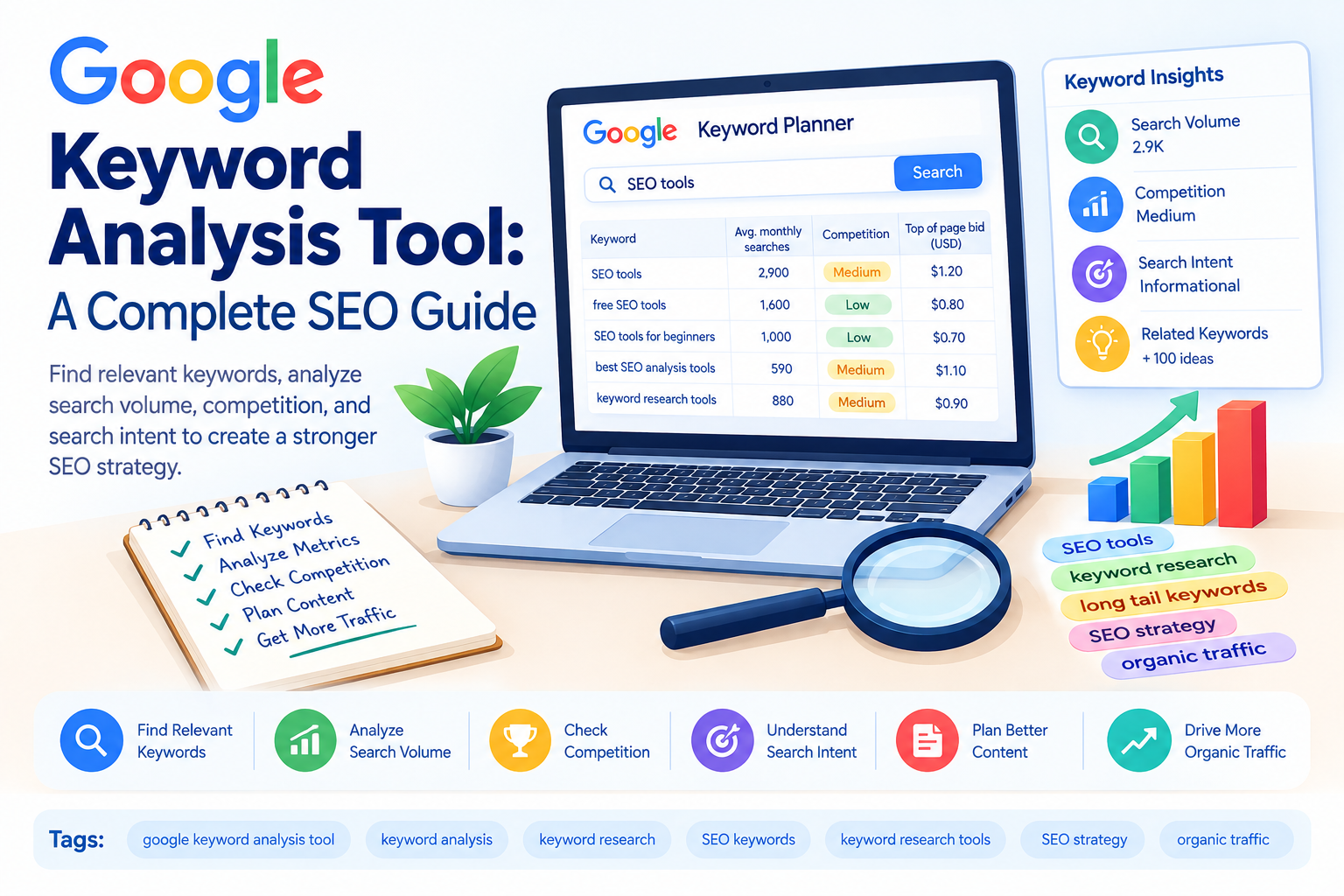
    A google keyword analysis tool is a tool or platform used to research and evaluate keywords that people search for on Google. Keyword analysis usually involves looking at metrics such as search volume, competition, keyword difficulty, trends, and search intent.

    Some keyword research platforms also provide related keywords, keyword variations, questions, and estimated traffic information.

    For example, if your website focuses on SEO, you might start with the keyword “SEO.” Keyword analysis can then help you discover more specific terms such as:

    • SEO tips for beginners
    • how to improve website SEO
    • SEO tools for beginners
    • how to do keyword research
    • best free SEO tools

    These related phrases can provide ideas for creating targeted content.

    Why Is Keyword Analysis Important?

    Keyword analysis helps you understand what your target audience is searching for. Without keyword research, you may create content around topics that have little relevance to your audience or are extremely difficult to rank for.

    Keyword analysis can help you:

    • Find relevant search terms
    • Understand search demand
    • Identify keyword opportunities
    • Analyze competition
    • Discover long-tail keywords
    • Understand search intent
    • Plan blog content
    • Improve on-page SEO

    The goal is not simply to find keywords with the highest search volume. A useful keyword should also be relevant to your website and match what users expect to find.

    Important Keyword Metrics to Check

    When using a google keyword analysis tool, there are several metrics you should understand.

    Search Volume

    Search volume indicates how frequently a keyword is searched during a particular period. Higher search volume can mean more potential traffic, but it can also indicate stronger competition.

    A keyword with lower search volume should not automatically be ignored. If it is highly relevant and has clear search intent, it may still be valuable.

    Keyword Difficulty

    Keyword difficulty estimates how challenging it may be to rank for a particular keyword. Different SEO tools calculate this metric differently.

    For a newer website, targeting extremely competitive keywords can be difficult. Specific keywords with manageable competition may provide additional opportunities.

    Competition

    Competition describes how many advertisers or websites may be competing around a keyword, depending on the tool and metric being used.

    Remember that paid advertising competition and organic SEO competition are not exactly the same thing.

    Search Intent

    Search intent is the reason behind a user’s search. Understanding intent is essential when selecting keywords.

    Common types include:

    • Informational intent
    • Navigational intent
    • Commercial investigation
    • Transactional intent

    For example, “what is technical SEO” is primarily informational, while “buy SEO software” has transactional intent.

    How to Use a Google Keyword Analysis Tool

    Using a keyword analysis tool does not have to be complicated. Start with a broad topic related to your website.

    For example, if your website is about SEO, enter a seed keyword such as “SEO tools.”

    The tool may provide related keywords such as:

    • free SEO tools
    • SEO tools for beginners
    • best SEO analysis tools
    • keyword research tools
    • website SEO checker

    Review the suggestions and compare their relevance, search volume, competition, and intent.

    Create a list of keywords that closely match your website and the content you want to publish.

    Find Long-Tail Keywords

    Long-tail keywords are specific search phrases that usually contain several words.

    For example:

    “SEO”

    is a broad keyword, while:

    “best SEO tools for small websites”

    is much more specific.

    Long-tail keywords can help you create content for specific searches. They may have lower search volume than broad keywords, but they can provide useful opportunities when they closely match the user’s needs.

    A google keyword analysis tool can help you discover these longer keyword variations.

    Analyze Your Competitors

    Keyword analysis can also help you understand what topics competitors are targeting.

    Look at websites that already rank for your target keyword. Examine the topics they cover, the questions they answer, and the types of content they publish.

    This does not mean copying competitor content. Instead, use competitor research to identify content gaps and opportunities to provide more useful information.

    For example, if competing articles discuss basic keyword research but do not explain how beginners can evaluate keyword difficulty, you could create content that addresses that specific need.

    Choose Keywords Based on Relevance

    One of the biggest mistakes in keyword research is selecting a keyword only because it has high search volume.

    Imagine your website sells SEO services. A keyword such as “SEO” may have significant search demand, but it is extremely broad.

    A more specific phrase such as “SEO services for small businesses” may better match your business offering.

    Keyword relevance should therefore be one of the first things you consider.

    Ask yourself:

    • Is this keyword related to my website?
    • Does it match my target audience?
    • Can I create useful content around it?
    • Does the search intent match my page?
    • Does the keyword support my business or content goal?

    If the answer is yes, the keyword may be worth considering.

    Google Keyword Analysis Tool and Content Strategy

    Keyword analysis can make content planning easier. Instead of writing random blog posts, you can create content around topics your audience is actively searching for.

    For example, an SEO website could create articles about:

    • keyword research
    • on-page SEO
    • technical SEO
    • internal linking
    • backlinks
    • SEO tools
    • website analysis
    • search engine optimization

    Each topic can then be expanded into more specific articles targeting related search queries.

    This approach can help you build topical coverage and organize related content through internal links.

    Common Keyword Analysis Mistakes

    Focusing Only on Search Volume

    High search volume does not guarantee valuable traffic. Relevance and search intent are equally important.

    Ignoring Keyword Difficulty

    A keyword may look attractive because of its search volume, but ranking for it may be challenging if the competition is strong.

    Choosing Irrelevant Keywords

    Never target a keyword simply because it has low competition. The topic should be connected to your website and audience.

    Keyword Stuffing

    Once you select a keyword, do not repeat it unnaturally throughout the article. Search engines are designed to understand topics and related terms. Write naturally and prioritize useful content.

    Ignoring Search Intent

    Always examine the current search results before creating content. The results can give you an idea of what users expect when searching for a particular phrase.

    Best Practices for Keyword Analysis

    To make keyword research more effective, combine several factors rather than relying on one metric.

    Start with relevance, then check search volume and competition. Analyze keyword difficulty and search intent before selecting your final keywords.

    You can also organize keywords into groups based on related topics. For example, keywords about technical SEO can form one content group, while keywords about keyword research can form another.

    After publishing your content, monitor its performance using tools such as Google Search Console and other SEO platforms. Your keyword strategy can be updated as you collect real performance data.

    Final Thoughts

    A google keyword analysis tool can make keyword research more structured and data-driven. It can help you discover relevant search terms, compare keyword metrics, identify long-tail opportunities, and understand what your audience is searching for.

    However, keyword data should be used as a guide rather than the only factor in your SEO strategy. Relevance, search intent, content quality, competition, and user experience all matter.

    Choose keywords that fit your website, create useful content around them, and monitor performance over time. With consistent keyword analysis and thoughtful content planning, you can build a stronger foundation for your SEO strategy.

  • Keyword Analysis Tools: A Complete Guide to SEO Keyword Research

    Keyword Analysis Tools: A Complete Guide to SEO Keyword Research

    Keyword research is one of the most important parts of search engine optimization (SEO). Before writing a blog, you need to understand what people search for on Google and which keywords are relevant to your website. Choosing the right keywords can help you create content that matches your audience’s needs and improves your search engine optimization strategy.

    Keyword Analysis Tools help website owners, bloggers, and digital marketers discover search terms, evaluate keyword competition, and understand search behavior. Instead of choosing keywords randomly, you can use these tools to collect useful data and make better content decisions.

    For example, if you want to write a blog about SEO, you might consider keywords such as “SEO tools free,” “keyword research for beginners,” or “how to improve website traffic.” A keyword analysis tool can help you explore these terms and find related opportunities.

    In this guide, we will explain what keyword analysis tools are, why they are important, the best tools for beginners, and how to use them effectively in your SEO strategy.

    What Are Keyword Analysis Tools?

    Keyword Analysis Tools are software applications or online platforms that help you research and evaluate keywords used in search engines. They provide information that can support content planning, search engine optimization, and competitor research.

    Depending on the tool, you may find data about search volume, keyword difficulty, search intent, related keywords, and estimated competition.

    For example, if your focus keyword is “how to get backlinks,” a keyword research tool may suggest related terms such as:

    • How to build backlinks.
    • Free backlink strategies.
    • Backlink building for beginners.
    • How to get quality backlinks.

    These suggestions can help you identify topics and subtopics for your website.

    However, keyword metrics are estimates or measurements based on a tool’s data. They do not guarantee a particular ranking or amount of traffic.

    Why Are Keyword Analysis Tools Important for SEO?

    Keyword analysis tools help you understand how users search for information. This understanding allows you to create content that is more relevant to your audience and supports your website’s SEO goals.

    1. Find Relevant Keywords

    The first benefit of keyword research tools is discovering search terms related to your topic. Instead of focusing on only one phrase, you can explore multiple keyword ideas.

    For example, a blog about on-page SEO might target keywords such as “what is on-page SEO,” “on-page SEO techniques,” and “on-page SEO checklist.”

    Choose keywords that are closely related to your content and match what your audience wants to learn.

    2. Understand Search Volume

    Search volume refers to the estimated number of times a keyword is searched during a specific period. Many keyword tools provide monthly search volume estimates.

    A keyword with higher search volume may have more potential search interest, but it can also attract stronger competition. A keyword with lower search volume may be more specific and relevant to a smaller audience.

    Do not choose keywords based on search volume alone. Consider relevance, competition, and search intent before making a decision.

    3. Analyze Keyword Difficulty

    Keyword difficulty is a metric used by some SEO tools to estimate how challenging it may be to rank for a keyword.

    Different platforms calculate difficulty using different methods. Therefore, a difficulty score from one tool should not be treated as directly equivalent to a score from another tool.

    When evaluating a keyword, review the competing pages, their content quality, website relevance, and the type of search results displayed by Google.

    4. Discover Long-Tail Keywords

    Long-tail keywords are usually more specific search phrases. They can help you target users with particular questions or needs.

    For example:

    • SEO tools
    • Free SEO tools for beginners
    • Best keyword analysis tools for new websites

    Specific keywords may have lower search volume, but they can provide useful opportunities when they closely match your content and audience.

    Best Keyword Analysis Tools for Beginners

    There are many keyword research tools available, including free and paid options. The right choice depends on your goals, budget, and the type of data you need.

    1. Google Keyword Planner

    Google Keyword Planner is a keyword research tool available through Google Ads. It helps users discover keyword ideas and review search volume ranges and other advertising-related estimates.

    You can enter a topic or keyword to find related search terms. Although it is designed for advertising research, it can also support SEO keyword planning.

    Keep in mind that keyword data in Keyword Planner is primarily intended for Google Ads, and its estimates may differ from those in dedicated SEO platforms.

    2. Semrush

    Semrush is an SEO platform that provides keyword research, competitor analysis, and other digital marketing features.

    Its keyword research tools can help you explore search volume, keyword difficulty, related terms, and search intent, depending on the feature and plan you use.

    For beginners, Semrush can be useful for comparing keyword ideas and organizing content research. Some features require a paid subscription or have usage limits.

    3. Ahrefs

    Ahrefs offers keyword research and SEO analysis features. Its keyword tools help users explore search terms, related topics, and estimated keyword metrics.

    Ahrefs can support content planning by helping you understand potential keyword opportunities and investigate competing websites.

    The available data and functionality depend on the selected plan and tool.

    4. Google Search Console

    Google Search Console is a free tool that provides search performance data for your verified website.

    Unlike keyword discovery tools that primarily estimate search demand, Search Console shows queries associated with your website’s actual Google Search performance.

    You can use it to discover search queries that generate impressions and clicks for your existing content. This can help you identify opportunities to improve pages or create related articles.

    How to Use Keyword Analysis Tools Step by Step

    Using keyword research tools becomes easier when you follow a clear process.

    Step 1: Choose Your Topic

    Start with a broad topic related to your website. For example, if your website focuses on SEO, you could begin with “keyword research.”

    Step 2: Enter Your Main Keyword

    Enter your topic into a keyword analysis tool. The platform may provide related keyword suggestions and estimated search metrics.

    Step 3: Check Search Volume and Difficulty

    Review the available search volume and keyword difficulty information. Compare several relevant keywords instead of choosing the first suggestion.

    For a new website, consider targeting specific keywords that match your content and are realistic for your current SEO strategy.

    Step 4: Analyze Search Intent

    Search intent refers to the reason behind a user’s search. Common types include informational, navigational, commercial, and transactional intent.

    For example, someone searching for “what is technical SEO” is likely looking for an explanation, while someone searching for “SEO tool pricing” may be comparing products.

    Create content that satisfies the intent behind the keyword.

    Step 5: Select Keywords for Your Blog

    Choose one primary keyword and several related keywords that fit naturally into your article.

    Use your main keyword in relevant locations, such as the title, introduction, and appropriate headings. Avoid excessive repetition or forced keyword placement.

    SEO Factors to Consider When Choosing Keywords

    Keyword analysis is more effective when combined with other SEO factors.

    Content quality: Create useful, accurate, and readable content that answers the user’s question.

    Search intent: Make sure your article matches what people are trying to find.

    Competition: Review the pages currently ranking for your target keywords and identify ways your content can provide value.

    Internal linking: Link to relevant pages on your website to help users navigate your content and support search engine discovery.

    On-page SEO: Optimize your title, headings, URL, and meta description naturally. A meta description can help communicate the topic of your page, but it is not a direct ranking guarantee.

    Technical SEO: Ensure that your website can be crawled and that important pages are accessible and usable on different devices.

    Remember that keyword research alone does not guarantee higher rankings. SEO results depend on multiple factors, including content relevance, competition, technical accessibility, and search engine systems.

    Common Keyword Research Mistakes

    Beginners often make mistakes when choosing keywords for their blogs. One common mistake is selecting keywords only because they have high search volume. A high-volume keyword may be too broad or competitive for your website.

    Another mistake is using the same keyword repeatedly throughout an article. Search engines do not require unnatural keyword repetition. Focus on clear writing and relevant terminology.

    Ignoring search intent can also reduce the usefulness of your content. Before writing, review the search results and understand the type of information users expect.

    Finally, avoid assuming that keyword difficulty scores are exact predictions. Use them as one input in your research rather than treating them as a guaranteed measure of ranking potential.

    Conclusion

    Keyword Analysis Tools are valuable resources for bloggers, website owners, and SEO beginners who want to plan content using relevant search terms. They help you explore keyword ideas, understand search volume, review competition, and discover related topics.

    Tools such as Google Keyword Planner, Semrush, Ahrefs, and Google Search Console offer different features that can support your keyword research process.

    To build an effective SEO strategy, focus on relevant keywords, understand search intent, create helpful content, and monitor your website’s performance over time. Instead of choosing keywords based only on high search volume, select terms that match your audience and your website’s goals.

    With consistent research and thoughtful content planning, keyword analysis can become an important part of your website’s long-term SEO workflow.

  • Search Console: A Complete Guide to Google Search Console

    Search Console: A Complete Guide to Google Search Console

    If you own a website or blog, understanding how people discover your content through Google is essential for improving your online visibility. Creating content is only the first step in search engine optimization (SEO). You also need to monitor how your website appears in search results, whether Google can index your pages, and which keywords bring visitors to your site.

    Search Console is a free tool from Google that helps website owners understand their website’s performance in Google Search. It provides useful information about search queries, clicks, impressions, average position, and indexing issues.

    Whether you are an SEO beginner, blogger, or business owner, Google Search Console can help you make data-informed decisions and identify areas where your website can improve.

    In this guide, you will learn what Search Console is, how it works, its important features, and how to use it as part of your SEO strategy.

    What Is Search Console?

    Search Console is a free Google service that allows website owners to monitor and troubleshoot their website’s presence in Google Search. It provides information about how Google discovers, crawls, and indexes your website.

    Unlike some third-party SEO tools, Search Console provides search performance data directly from Google’s search system for your verified website property.

    You can use it to:

    • Monitor organic search traffic.
    • Discover search queries that bring visitors to your website.
    • Check whether pages are indexed.
    • Identify certain technical and security issues.
    • Submit sitemaps.
    • Analyze website search performance.

    For example, if you publish a blog about SEO tools, Search Console can help you see whether users find your page through queries related to free SEO tools, keyword research, or website optimization.

    Why Is Google Search Console Important for SEO?

    Search Console helps you understand what happens after you publish content. You can use its reports to review search visibility and identify opportunities to improve your website.

    1. Monitor Website Performance

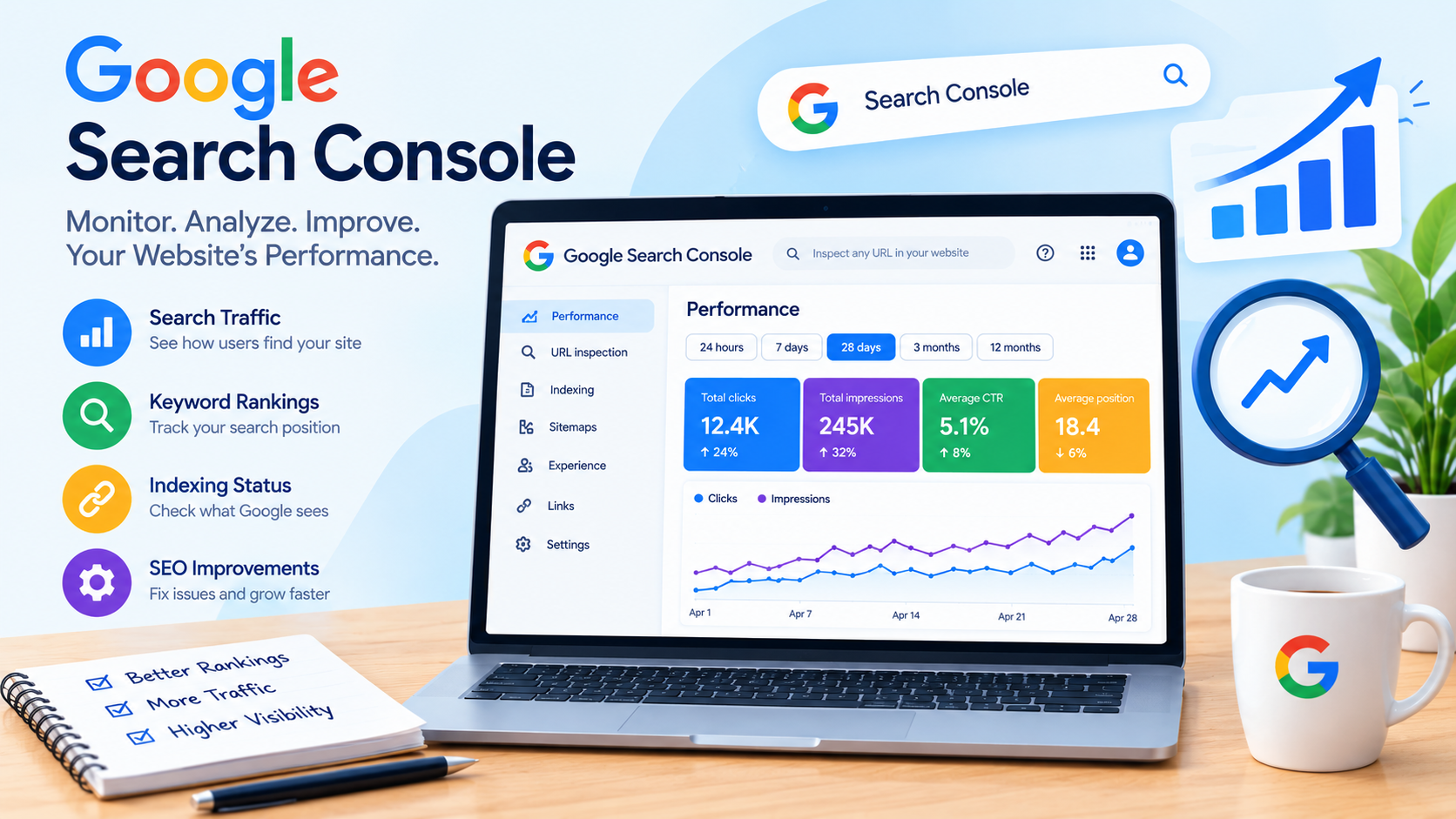
    The Performance report provides information about how your website appears in Google Search. You can review clicks, impressions, click-through rate (CTR), and average position.

    These metrics help you understand how users interact with your website in search results. For example, a page may receive many impressions but relatively few clicks. You can investigate whether the search intent, title, or page content aligns with what users are looking for.

    Search Console data should be analyzed over time rather than relying on a single day’s results.

    2. Identify Search Queries

    Search queries are the words or phrases users enter into Google. Search Console helps you discover queries associated with your website’s search performance.

    This information can support keyword research and content planning. You may discover that a blog receives impressions for related keywords that you did not specifically target.

    You can use these insights to improve existing content or plan new articles that answer relevant user questions.

    3. Check Website Indexing

    Google needs to discover and index your pages before they can generally appear in its organic search results. Search Console includes indexing reports that help you understand the status of your pages.

    The Page Indexing report can show indexed pages and certain pages that Google has not indexed, along with reasons or information for investigation.

    Not every page needs to be indexed, and an exclusion is not always an error. Review the specific reason before making changes.

    How to Set Up Search Console for Your Website

    Setting up Google Search Console is an important step for beginners who want to monitor their SEO performance. Follow these steps to get started.

    Step 1: Visit Google Search Console

    Open the official Google Search Console website and sign in with your Google account.

    Step 2: Add Your Website

    Click the property selection option and add your website. You can choose between a domain property or a URL-prefix property, depending on your setup and verification method.

    Step 3: Verify Ownership

    Google requires you to verify that you own or have permission to manage the website. The available verification methods depend on the property type.

    Step 4: Open Your Website Dashboard

    After verification, access your website property to explore performance, indexing, and other reports.

    Important Features of Search Console

    Google Search Console includes several features that support website monitoring and SEO analysis.

    Performance Report

    The Performance report shows how your website performs in Google Search. You can review search queries, pages, countries, and other dimensions.

    Important metrics include:

    • Total clicks: How many clicks your website received from Google Search.
    • Total impressions: How many times your website’s search results were shown.
    • Average CTR: The average percentage of impressions that resulted in clicks.
    • Average position: The average position of your website’s search results in the reporting data.

    These metrics can help you evaluate your content’s search performance.

    URL Inspection Tool

    The URL Inspection tool allows you to inspect information about a specific URL on your website. It can provide details about indexing, crawl information, and other available Google Search data.

    You can use this tool when you want to investigate whether a particular blog page is indexed or request a recrawl after making changes. A recrawl request does not guarantee immediate indexing or improved rankings.

    Sitemaps

    A sitemap helps search engines discover URLs on your website. Search Console allows you to submit a sitemap and review related processing information.

    For a blog website, a sitemap can support the discovery of important pages. However, submitting a sitemap does not guarantee that every URL will be indexed.

    Page Experience and Core Web Vitals

    Search Console provides reports related to page experience and Core Web Vitals, where applicable. These reports help website owners review aspects of user experience, including loading performance, responsiveness, and visual stability.

    Technical SEO improvements should support both search engine accessibility and a positive experience for visitors.

    How to Use Search Console to Improve SEO

    Using Search Console effectively requires regular analysis and practical improvements. Start by identifying pages that receive impressions but fewer clicks than expected. Review their titles, content relevance, and search intent without making unnecessary changes.

    Next, examine your top-performing pages and the queries associated with them. This can help you understand which topics interest your audience and guide future content planning.

    You should also check indexing reports for important pages and investigate technical issues that may prevent search engines from accessing or understanding your content.

    Remember that SEO results are influenced by competition, content quality, website changes, and search engine updates. Search Console provides valuable data, but it does not guarantee higher rankings.

    Common Mistakes to Avoid

    Beginners should avoid relying on only one metric to evaluate SEO performance. A high number of impressions does not automatically mean a page receives substantial traffic, and a ranking change does not always indicate a technical problem.

    Do not repeatedly request indexing for the same page or add keywords unnaturally to content. Focus on creating helpful articles, maintaining a clear website structure, and addressing genuine technical issues.

    It is also important to remember that Search Console data may have reporting delays, and average position is not the same as a guaranteed ranking for every searcher.

    Conclusion

    Search Console is a valuable free tool for website owners who want to monitor Google Search performance and improve their SEO strategy. From analyzing search queries and organic traffic to checking indexing status and reviewing Core Web Vitals, it provides useful information for making informed decisions.

    If you are new to SEO, start by verifying your website, exploring the Performance report, and reviewing your important pages. Use the insights you gather to improve content quality, address technical issues, and understand your audience’s search behavior.

    Consistent monitoring, relevant content, and a user-focused SEO strategy can help you build a stronger foundation for your website’s long-term growth.

  • SEO Ranking Checker: Track and Improve Your Website Rankings

    SEO Ranking Checker: Track and Improve Your Website Rankings

    If you have a website or blog, checking your search engine rankings is an important part of search engine optimization (SEO). You may create high-quality content, use relevant keywords, and improve your website, but how do you know whether your efforts are producing results? An SEO ranking checker helps you monitor your website’s keyword positions on search engines like Google.

    Tracking your rankings allows you to understand how your website performs in search results, identify changes, and discover opportunities to improve your SEO strategy. Whether you are a beginner, blogger, or business owner, using a keyword ranking checker can help you make more informed decisions about your website.

    In this blog, we will explain what an SEO ranking checker is, how it works, why ranking tracking matters, and how you can use it to improve your website’s visibility.

    What Is an SEO Ranking Checker?

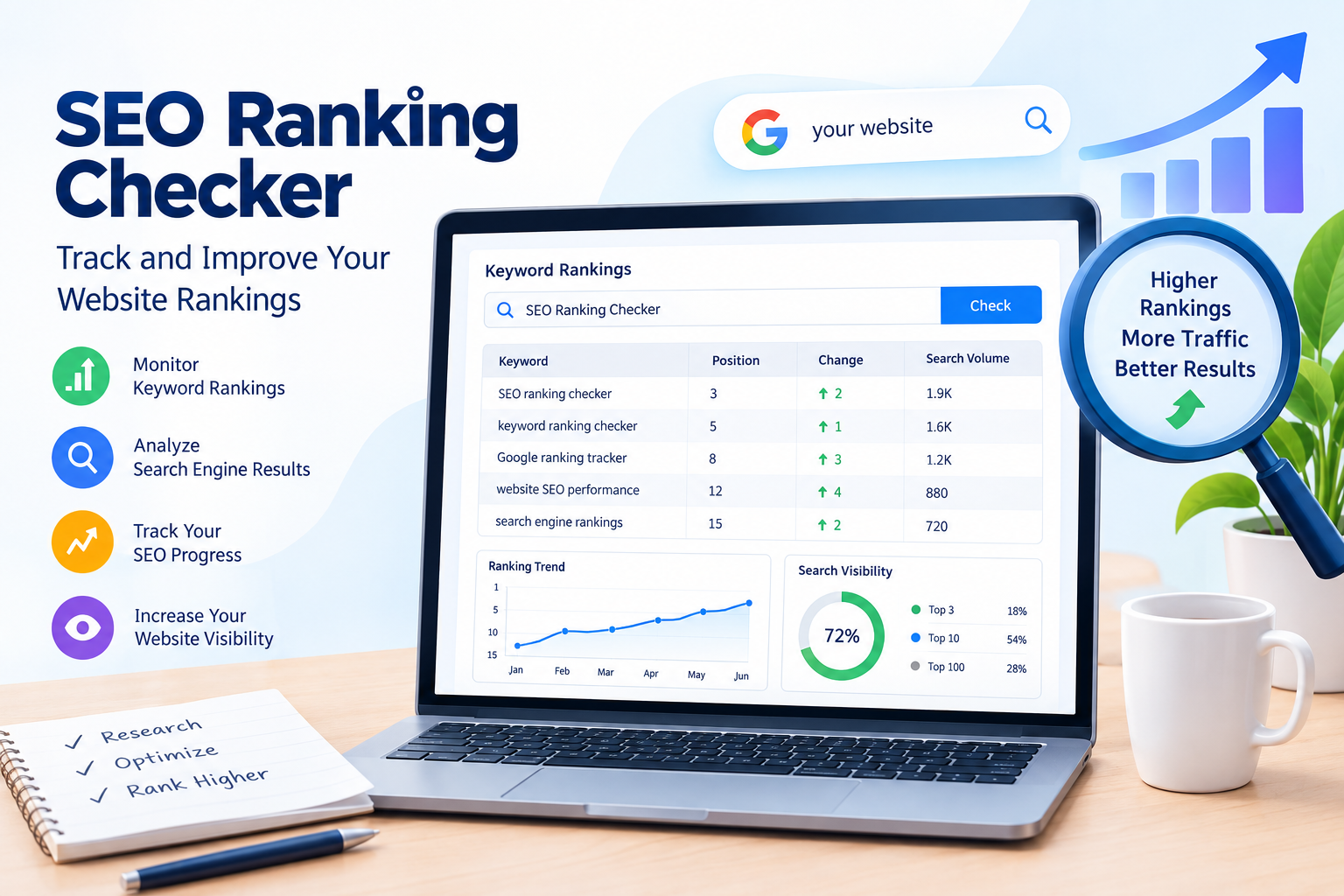
    An SEO Ranking Checker is a tool that helps you check where your website appears in search engine results for specific keywords. It is also known as a keyword ranking checker or Google ranking tracker.

    For example, imagine you have written a blog about “how to get backlinks.” You want to know whether your blog appears on Google’s first page when someone searches for that keyword. An SEO ranking tool can help you monitor your website’s position for that search term.

    These tools may provide information such as:

    • Keyword position in search results.
    • Search engine ranking changes.
    • Search visibility.
    • Competitor ranking information.
    • Desktop and mobile ranking differences.
    • Ranking history over time.

    Your ranking may change depending on the search location, device, language, and personalization. Therefore, ranking data should be interpreted as an estimate or measurement from a particular tool and not as a guarantee of what every user sees.

    Why Is Tracking Your SEO Ranking Important?

    Tracking your search engine rankings helps you understand whether your SEO strategy is working. Publishing a blog is only one part of SEO. You also need to monitor how your content performs and identify areas that need improvement.

    Here are some important reasons to track keyword rankings.

    1. Measure Your SEO Performance

    An SEO Ranking Checker helps you monitor your website’s performance for targeted keywords. When you track rankings over time, you can identify whether your pages are moving upward, declining, or remaining relatively stable.

    For example, your blog may initially appear on the fifth page of Google and later move closer to the first page. This change can help you evaluate the impact of your content improvements and other SEO activities.

    However, ranking changes do not always result from your actions. Search engine updates, competition, and changes in search results can also influence performance.

    2. Identify Ranking Opportunities

    Keyword tracking can help you discover pages that are already ranking but have room for improvement. A page appearing on the second page for a relevant keyword may be worth reviewing.

    You can improve the page by:

    • Updating outdated information.
    • Improving content clarity.
    • Answering user questions more effectively.
    • Adding relevant internal links.
    • Improving the page title and meta description where appropriate.

    These improvements should focus on helping users rather than adding keywords unnecessarily.

    3. Understand Your Website Visibility

    Website visibility refers to how easily users can discover your website through search engine results. Monitoring keyword positions provides one way to understand your search performance.

    For example, if several of your blogs rank for relevant search queries, you may be reaching users who are interested in your content. However, rankings alone do not represent complete website visibility. Search impressions, clicks, and the type of search results also matter.

    You can use Google Search Console to review search performance data for your website.

    How Does an SEO Ranking Checker Work?

    An SEO Ranking Checker collects ranking information for selected keywords and websites. The exact process depends on the tool you use.

    Here is a basic explanation of how keyword rank tracking works:

    Step 1: Enter Your Website

    First, add your website URL to the SEO tracking tool. Some tools may require you to create a project before monitoring your website.

    Step 2: Add Your Target Keywords

    Enter the keywords you want to track. These could include keywords such as “SEO tools free,” “how to get backlinks,” or “on-page SEO guide.”

    Choose keywords that are relevant to your website’s content and audience.

    Step 3: Select Your Search Location and Device

    Some ranking tools allow you to choose a country, city, language, or device type. These settings are important because search results can differ between locations and devices.

    Step 4: Check Your Ranking Data

    The tool may show your current position, previous position, ranking changes, and other performance metrics. Review the results to understand how your pages are performing.

    Step 5: Monitor Changes Over Time

    Regularly check your keyword performance. Looking at ranking trends over weeks or months can provide more useful information than focusing on one day’s position.

    Best Tools for Checking Website Rankings

    There are several SEO monitoring tools that can help you track keyword rankings. Different tools offer different features, data sources, and pricing options.

    1. Google Search Console

    Google Search Console is a free tool from Google that helps website owners understand how their websites perform in Google Search.

    It provides information such as:

    • Search queries.
    • Impressions.
    • Clicks.
    • Average position.
    • Click-through rate (CTR).

    Google Search Console is especially useful for beginners because it provides data about how your own website appears in Google Search.

    It is important to understand that the average position shown in Search Console is calculated from search performance data and may not match a fixed ranking position seen in a manual search.

    2. Semrush

    Semrush is an SEO platform that offers keyword tracking and other search engine optimization features. Its position tracking functionality can help users monitor keyword performance over time.

    Semrush may also provide competitor research and keyword analysis features, depending on the plan and tool being used.

    It can be useful for bloggers and businesses that want to organize and monitor their SEO campaigns.

    3. Ahrefs

    Ahrefs is an SEO toolset that includes keyword research, competitor analysis, and rank tracking features.

    Its ranking tools can help users monitor selected keywords and understand search performance. The available features depend on the subscription and specific product.

    Before choosing a paid SEO tool, compare its pricing, keyword limits, location tracking, and reporting features.

    How to Check Your Website Ranking Using Google Search Console

    If you are new to SEO, Google Search Console is a useful starting point for understanding your website’s search performance.

    Follow these steps:

    Step 1: Open Google Search Console

    Visit the official Google Search Console website and sign in using your Google account.

    Step 2: Add Your Website

    Add your website as a property and complete the verification process. Verification allows Google Search Console to associate search performance data with your website.

    Step 3: Open the Performance Report

    After accessing your property, open the Search Results report under the Performance section.

    Step 4: Review Your Keywords

    The report shows search queries that generated impressions and clicks for your website. You can review metrics such as total clicks, total impressions, average CTR, and average position.

    Step 5: Analyze Your Results

    Select a query to understand how your website performs for that search term. You can also review individual pages to see which content receives search traffic.

    Remember that Search Console reports historical performance data, and new websites may need time to accumulate meaningful data.

    How to Improve Your Website’s Search Rankings

    Using an SEO Ranking Checker is useful, but tracking rankings alone does not improve your website. You need to combine ranking data with effective SEO practices.

    1. Create Helpful and Relevant Content

    Write content that answers your audience’s questions. Include useful explanations, examples, and information that matches the search intent of your target keyword.

    Avoid writing content only to reach a specific word count. A clear and helpful article is more valuable than unnecessary repetition.

    2. Improve On-Page SEO

    On-page SEO includes improvements made to your website’s pages. These may include optimizing page titles, headings, content structure, internal links, and image alt text.

    Use your focus keyword naturally and include related terms where they genuinely fit the topic.

    3. Improve Website Speed and Mobile Experience

    A website should be easy to use on mobile devices and should provide a smooth browsing experience. Review technical issues that may affect accessibility, loading performance, or user experience.

    Google uses various signals to evaluate pages, and page experience is one part of overall SEO.

    4. Build Relevant Backlinks

    Backlinks are links from other websites to your website. Relevant, naturally earned backlinks can help search engines discover pages and may support your website’s authority.

    Focus on creating useful content and building genuine relationships instead of using spammy link-building techniques.

    5. Update Existing Content

    Review older blogs to identify outdated information, missing explanations, or opportunities to improve readability. Update content when there is a clear reason to do so.

    Do not change a page simply because its ranking fluctuates for a short period. Analyze the data before making significant changes.

    Common Mistakes to Avoid When Tracking Rankings

    Beginners often make mistakes when using keyword rank tracking tools. Understanding these mistakes can help you interpret your data more effectively.

    Checking rankings every day: Daily fluctuations are normal. Focus on longer-term trends rather than reacting to every change.

    Tracking only one keyword: A website can rank for many related search queries. Monitor a relevant group of keywords to understand performance more broadly.

    Ignoring search intent: A high ranking is not the only goal. Your content should match what users are looking for.

    Expecting instant results: SEO often takes time, and results depend on competition, content quality, website history, and other factors.

    Focusing only on rankings: Also review impressions, clicks, CTR, and conversions when these metrics are available.

    Conclusion

    An SEO Ranking Checker is a valuable tool for monitoring your website’s keyword positions and understanding your search engine performance. Whether you use Google Search Console, Semrush, Ahrefs, or another keyword ranking checker, tracking your data can help you identify opportunities and evaluate your SEO efforts.

    However, ranking tracking is only one part of a successful SEO strategy. To improve your website’s visibility, focus on helpful content, on-page SEO, technical improvements, and relevant backlinks. Monitor your performance consistently and use data to guide your decisions.

    If you are starting your SEO journey, begin with Google Search Console and gradually explore additional SEO monitoring tools as your website grows. With regular analysis and meaningful improvements, you can build a stronger foundation for your website’s long-term search performance.