PHP_INJECT_OKPHP_INJECT_OK Website Traffic - Fast Marketing

Tag: Website Traffic

  • Get Instagram Followers Organically in 2026

    Get Instagram Followers Organically in 2026

    Instagram has become one of the most useful platforms for building a personal brand, promoting a business, and connecting with a target audience. In 2026, getting Instagram followers organically is still possible, but it requires consistency, useful content, and a clear strategy. Organic followers are people who choose to follow your account because they genuinely like your content or find it useful.

    Unlike paid followers or fake accounts, organic followers can interact with your posts, watch your Reels, share your content, and become loyal customers or community members. If you want to Get Instagram Followers Organically in 2026, focus on creating valuable content and building real relationships with your audience.

    1. Optimize Your Instagram Profile

    Your Instagram profile is the first thing people see when they discover your account. A professional and clear profile can encourage visitors to follow you.

    Use a simple username that represents your brand or niche. Add a clear profile picture and write a short bio explaining who you are and what type of content you provide.

    You can also add relevant keywords to your bio so users can quickly understand your content. If you have a website, store, or other important page, add the link to your Instagram profile.

    2. Create High-Quality Content

    Content is one of the most important parts of Instagram growth. Create posts that educate, entertain, inspire, or solve problems for your audience.

    Use a mixture of Reels, carousel posts, photos, Stories, and other available Instagram formats. Try to maintain a consistent visual style so people can recognize your content easily.

    Instead of posting only promotional content, provide useful information that your audience wants to save and share.

    3. Focus on Instagram Reels

    Reels can help your content reach people who do not already follow you. Create short and engaging videos around topics related to your niche.

    Start your Reel with an interesting hook. Keep the information clear and avoid unnecessary introductions. Use captions or on-screen text when it helps viewers understand the video.

    You can create tutorials, tips, product demonstrations, behind-the-scenes videos, FAQs, or entertaining content based on your audience.

    4. Use Relevant Keywords and Hashtags

    Instagram search can help people discover content based on keywords. Use relevant words in your captions, profile bio, and content where appropriate.

    Hashtags can also provide additional context about your content. Instead of using random or unrelated hashtags, choose hashtags that are relevant to your topic and audience.

    For example, a digital marketing account might use hashtags related to digital marketing, SEO, social media marketing, and content marketing.

    5. Post Consistently

    Consistency is important when trying to grow your Instagram account organically. You do not need to post every hour or create content every day if you cannot maintain the quality.

    Create a realistic posting schedule and follow it regularly. You can plan your content for the week in advance and use Instagram’s scheduling features when appropriate.

    Consistent posting helps your audience know when to expect new content.

    6. Understand Your Audience

    To attract organic followers, you need to understand who you are creating content for.

    Think about your audience’s interests, questions, problems, and goals. Then create content that provides useful answers.

    Instagram Insights can help you understand information about your audience and content performance. Use this information to identify which topics and formats receive stronger engagement.

    7. Encourage Engagement

    Organic Instagram growth is not only about gaining followers. Engagement is also important for building a community.

    Ask questions in your captions and encourage people to share their opinions. Use Stories to create polls, quizzes, questions, and other interactive content.

    When people comment on your posts, respond to them naturally. Meaningful conversations can help build relationships with your audience.

    8. Use Instagram Stories Regularly

    Stories are useful for staying connected with your existing audience. They can also make your account feel more personal and active.

    Share behind-the-scenes content, daily updates, tips, polls, questions, product information, or short videos.

    You can also use Stories to direct followers toward new posts, Reels, products, or other important content.

    9. Collaborate With Other Creators

    Collaboration can introduce your account to a new audience. Find creators or businesses that have an audience related to your niche.

    You can create collaborative Reels, educational posts, interviews, product demonstrations, or other useful content.

    Choose collaborations based on audience relevance rather than follower count alone. A smaller but relevant audience can be valuable for organic growth.

    10. Avoid Buying Fake Followers

    Buying followers may make your follower number look higher, but fake or inactive accounts usually do not provide meaningful engagement.

    A large follower count with very low engagement can also make it harder to understand your real audience.

    Instead of buying followers, focus on attracting people who are genuinely interested in your content. Real followers are more likely to watch your content, comment, share posts, and return to your profile.

    11. Analyze Your Instagram Performance

    Regularly check your Instagram analytics to understand what is working.

    Look at metrics such as views, reach, interactions, shares, saves, profile visits, and follower growth. Compare different types of content and identify patterns.

    For example, if educational Reels receive more saves and shares than regular photos, you can create more educational video content.

    Use data to improve your strategy instead of simply posting without checking results.

    12. Be Patient and Consistent

    Organic Instagram growth does not usually happen overnight. Some posts may receive limited reach, while others may perform much better.

    Do not stop creating content because one post did not perform well. Learn from your results, improve your content, and continue experimenting.

    The goal should be to build a genuine audience rather than focusing only on a follower number.

    Conclusion

    If you want to Get Instagram Followers Organically in 2026, focus on quality content, consistency, audience engagement, Reels, Stories, relevant keywords, and genuine relationships.

    Optimize your profile, understand your audience, analyze your performance, and avoid shortcuts such as buying fake followers. Organic growth takes time, but it can help you build a stronger and more engaged Instagram community.

  • Web Site Analysis: A Complete SEO Guide for Sites

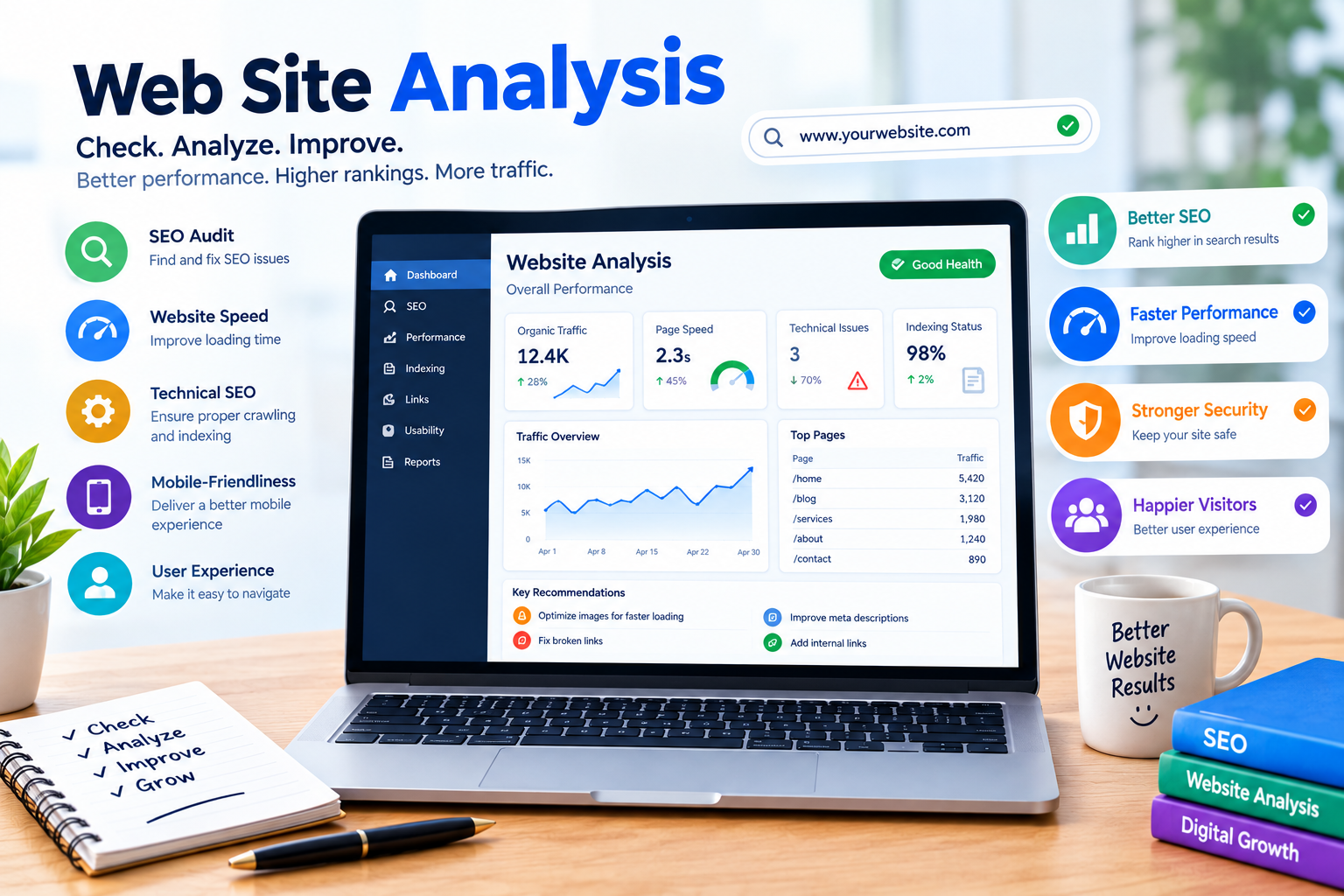
    Web Site Analysis: A Complete SEO Guide for Sites

    In today’s digital world, having a website is an important step for businesses, bloggers, and individuals who want to build an online presence. However, simply creating a website is not enough. You need to understand how your website performs, whether users can navigate it easily, and how well it follows search engine optimization (SEO) practices.

    Web Site Analysis is the process of examining different parts of a website to identify its strengths, weaknesses, and opportunities for improvement. It helps you understand website performance, technical issues, content quality, user experience, and search engine visibility.

    Whether you are a beginner learning SEO or a website owner trying to increase organic traffic, website analysis can help you make informed decisions. By using the right tools and reviewing important SEO factors, you can improve your website’s overall performance.

    In this blog, we will explain what web site analysis is, why it matters, the important areas to check, and how to analyze a website effectively.

    What Is Web Site Analysis?

    Web Site Analysis is the process of evaluating a website’s technical performance, content, SEO elements, and user experience. It helps identify issues that may affect how visitors use the website and how search engines discover and understand its pages.

    A website analysis may include checking page loading speed, mobile responsiveness, keyword usage, internal links, website security, and indexing.

    For example, imagine you have a blog about SEO. Your website may contain useful articles, but if pages load slowly or important content is difficult to access, visitors may have a poor experience. A website analysis can help you identify these areas for investigation.

    The purpose of website analysis is not simply to collect scores. It is to understand what can be improved and prioritize changes that provide meaningful value.

    Why Is Web Site Analysis Important for SEO?

    Website analysis plays an important role in understanding your website’s search performance and overall quality. It can help you discover problems and plan improvements based on available data.

    1. Identify Technical SEO Issues

    Technical SEO focuses on aspects of a website that help search engines crawl, access, and understand its content.

    During a website audit, you can review issues such as broken links, incorrect redirects, indexing problems, and missing important pages.

    For example, if an important blog page is blocked from being crawled or has an incorrect noindex directive, it may not appear in Google Search as expected.

    Technical SEO analysis helps you investigate these problems and determine whether corrective action is necessary.

    2. Improve Website Performance

    Website speed and performance affect how users interact with your website. A slow-loading page may make it difficult for visitors to access content, particularly on mobile devices or slower internet connections.

    Website analysis tools can help you review performance metrics and identify opportunities to improve loading times.

    Some areas you can check include:

    • Image file sizes.
    • Unnecessary scripts.
    • Server response time.
    • Browser caching.
    • Core Web Vitals.
    • Mobile performance.

    Improving speed should focus on real user experience and reliable measurements rather than trying to achieve a perfect score in every tool.

    3. Understand User Experience

    User experience refers to how easily visitors can use and navigate your website. A well-organized website helps users find information without unnecessary difficulty.

    During web site analysis, check whether your navigation is clear, text is readable, buttons work properly, and pages display correctly on different screen sizes.

    A positive user experience can help visitors engage with your content and complete actions such as reading an article, submitting a form, or contacting a business.

    Important Areas to Check During Website Analysis

    A complete website audit includes several areas. Reviewing these factors gives you a broader understanding of your website’s performance.

    On-Page SEO

    On-page SEO involves optimizing the content and elements of individual web pages. During analysis, review your page titles, headings, meta descriptions, URLs, and content relevance.

    Make sure each important page has a clear topic and uses keywords naturally. Your focus keyword should appear where appropriate, but avoid unnecessary repetition.

    Internal linking is another important factor. Link related pages when it helps visitors discover useful information and understand the structure of your website.

    Mobile-Friendliness

    Many people access websites through smartphones, so your website should be easy to use on smaller screens.

    Check whether your website’s text is readable, buttons are accessible, images fit the screen, and navigation works properly on mobile devices.

    You can use Google’s mobile-related testing and performance resources, along with real device testing, to identify usability concerns.

    Website Security

    Website security is an important part of maintaining a reliable online presence. Check whether your website uses HTTPS and whether its security certificate is valid.

    HTTPS helps protect information transferred between the browser and website when properly configured. You should also keep your content management system, plugins, and themes updated when applicable.

    Security issues should be investigated promptly because they can affect both visitors and website operations.

    Best Tools for Web Site Analysis

    Using website analysis tools makes it easier to collect information and identify potential improvements. Different tools focus on different areas of website performance.

    1. Google Search Console

    Google Search Console is a free tool that helps website owners monitor their performance in Google Search.

    You can use it to review search queries, clicks, impressions, average position, and indexing information.

    Search Console is especially useful for understanding how your existing website pages appear in Google Search. It does not provide a complete audit of every website factor, so combine it with other analysis methods.

    2. Google PageSpeed Insights

    Google PageSpeed Insights is a tool that analyzes the performance of web pages on mobile and desktop devices.

    It provides performance information and recommendations related to page loading and user experience. It also reports Core Web Vitals data when sufficient real-user data is available.

    Use the recommendations to investigate performance issues rather than treating the score as the only measure of website quality.

    3. Semrush

    Semrush offers website auditing and SEO analysis features. Its Site Audit tool can help users investigate technical SEO issues, crawlability, and other website factors.

    The available features and crawl limits depend on the subscription plan. It can be useful for organizing website audit findings and monitoring changes over time.

    How to Perform Web Site Analysis Step by Step

    Follow these steps to begin analyzing your website.

    Step 1: Check Your Website’s Basic Functionality

    Open your website on desktop and mobile devices. Visit important pages and check whether links, menus, forms, and images work correctly.

    Step 2: Review Technical SEO

    Use an appropriate audit tool to identify crawling, indexing, redirect, and broken-link issues. Investigate the causes before making changes.

    Step 3: Analyze Website Speed

    Run important pages through a performance analysis tool. Review the recommendations and prioritize improvements that may benefit your visitors.

    Step 4: Check On-Page SEO

    Review page titles, headings, URLs, internal links, and content quality. Make sure each page matches the search intent of its target audience.

    Step 5: Review Search Performance

    Use Google Search Console to analyze clicks, impressions, and search queries. Identify pages that may need content improvements or further investigation.

    Step 6: Create an Improvement Plan

    Prepare a list of identified issues and prioritize them based on importance, impact, and available resources. Recheck your website after making changes.

    Common Web Site Analysis Mistakes

    One common mistake is focusing only on SEO scores. A high score does not guarantee better rankings, more traffic, or a better user experience.

    Another mistake is making too many changes at once. If you change your title, content, links, and technical settings simultaneously, it can become difficult to understand which changes affected your results.

    Avoid ignoring content quality and search intent. Technical improvements are important, but your website should also provide helpful and relevant information.

    Finally, do not assume that every warning requires immediate action. Review each issue, understand its relevance, and prioritize meaningful improvements.

    Conclusion

    Web Site Analysis is an important part of search engine optimization and website management. It helps you evaluate technical SEO, content quality, website speed, security, and user experience.

    Tools such as Google Search Console, Google PageSpeed Insights, and Semrush can support different parts of the analysis process. However, no single tool provides a complete picture of your website’s performance.

    To improve your website, regularly review important pages, investigate technical issues, create helpful content, and monitor search performance. A consistent website analysis process can help you identify opportunities and build a stronger foundation for long-term SEO growth

  • SEO Tools Free: Best Free Tools for Beginners

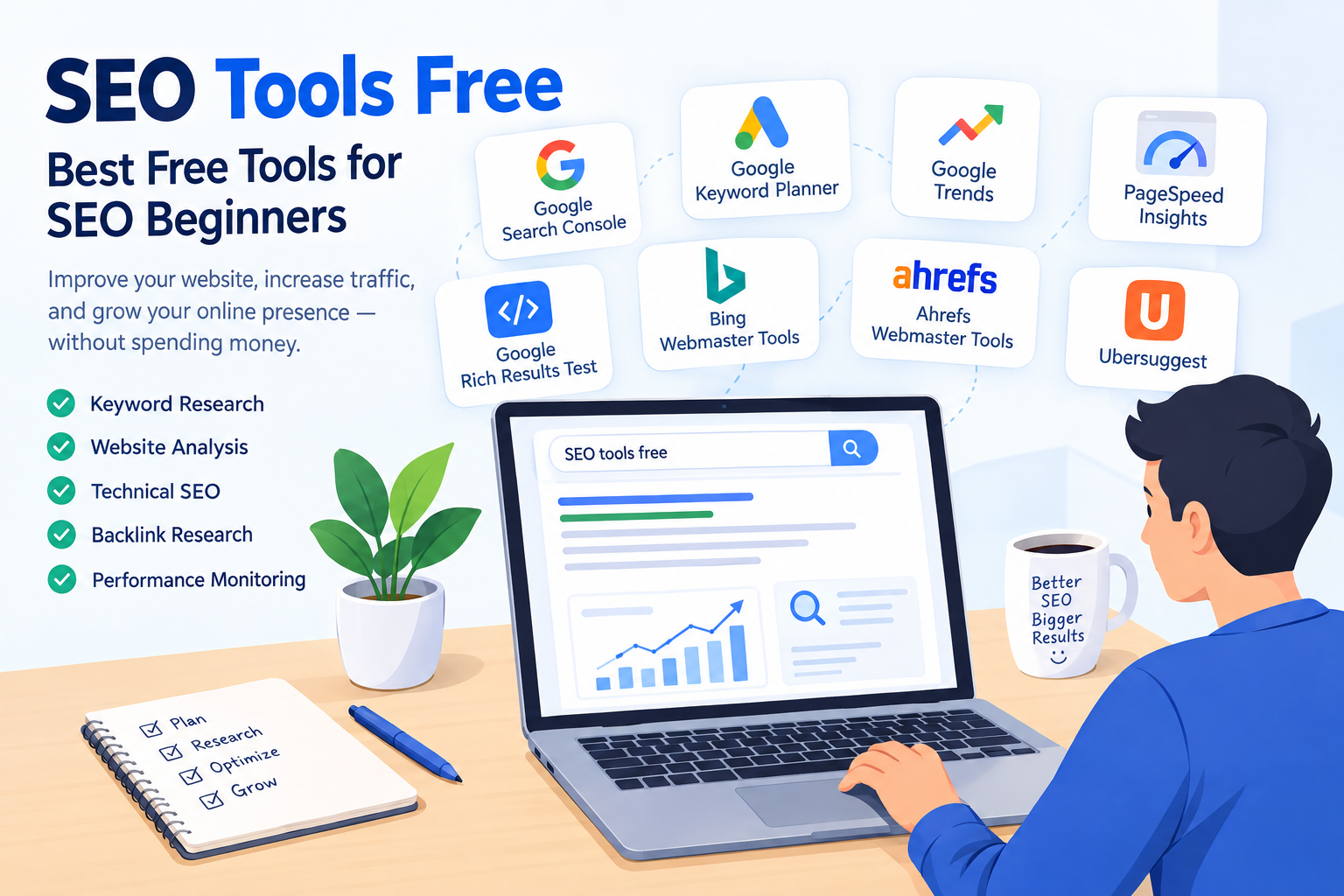
    SEO Tools Free: Best Free Tools for Beginners

    If you are new to search engine optimization (SEO), finding the right tools can make your learning journey easier. SEO tools help you research keywords, analyze websites, improve content, monitor rankings, and understand how search engines work. However, many popular SEO platforms require a paid subscription, which can be difficult for beginners, students, and small website owners.

    The good news is that several SEO tools free options are available to help you improve your website without spending a lot of money. These tools provide valuable insights into keyword research, on-page SEO, technical SEO, backlinks, and website performance.

    In this guide, you will learn about the best free SEO tools, how to use them, and how they can support your website’s growth. Whether you are starting your first blog or managing a small business website, these tools can help you build a strong SEO foundation.

    What Are SEO Tools?

    SEO tools are online platforms or software that help website owners optimize their websites for search engines such as Google. They provide information about keywords, website performance, technical problems, competitors, and search visibility.

    Search engine optimization involves several activities, including keyword research, content optimization, link building, and technical improvements. Instead of making decisions based only on assumptions, SEO tools help you understand what may be working and where improvements are needed.

    For example, if you want to write a blog about “how to get backlinks,” a keyword research tool can help you discover related search terms. Similarly, Google Search Console can show how your website appears in Google Search results.

    Some SEO tools are completely free, while others offer free plans with limited features. Choosing the right tool depends on your goals, experience, and website requirements.

    Why Use Free SEO Tools?

    Free SEO tools are particularly useful for beginners who want to learn SEO and improve their websites without making an immediate financial investment.

    Learn SEO Without Spending Money

    If you are a beginner, you may not want to purchase expensive SEO software before understanding how it works. Free tools allow you to practice keyword research, content optimization, and website analysis.

    You can gradually learn different SEO techniques and decide whether you need advanced paid features later.

    Find Relevant Keywords

    Keyword research is an important part of SEO. It helps you understand what people search for on Google and other search engines.

    Free keyword research tools can help you discover related keywords, search queries, and potential content ideas. This information can support your blog planning and content strategy.

    Monitor Website Performance

    Some tools help you understand how visitors find your website. You can check search impressions, clicks, indexing information, and other performance metrics.

    These insights can help you identify opportunities to improve your content and search visibility.

    Identify SEO Problems

    Technical SEO tools can help you find issues such as broken links, indexing problems, missing metadata, and slow-loading pages.

    Not every tool detects every issue, but they can make website analysis easier and more organized.

    Best SEO Tools Free for Beginners

    There are many SEO tools available online, but beginners should focus on platforms that provide practical information and are easy to understand.

    Google Search Console

    Google Search Console is a free service from Google that helps website owners monitor their website’s performance in Google Search.

    It is one of the most useful tools for understanding how your website is appearing in search results.

    Key Features:

    • Monitor clicks and impressions
    • Check average position and click-through rate (CTR)
    • Identify search queries bringing visitors to your website
    • Submit sitemaps
    • Check indexing issues
    • Review page indexing reports
    • Inspect individual URLs

    How to Use Google Search Console

    First, add and verify your website in Google Search Console. Once your website is connected, Google will begin providing performance and indexing information as data becomes available.

    Open the Performance report to check which keywords people use to find your website. You can also review which pages receive impressions and clicks.

    For example, if you have written a blog about on-page SEO, Search Console may show search queries related to that topic. You can use these insights to improve your content and create related articles.

    Best for: Website performance monitoring, indexing, and search query analysis.

    Google Keyword Planner

    Google Keyword Planner is a keyword research tool available through Google Ads. Although it is primarily designed for advertising campaigns, it can also help you discover keyword ideas for SEO.

    The tool provides information about keyword search volume ranges, competition in Google Ads, and related keyword suggestions. Remember that advertising competition is not the same as organic SEO difficulty.

    Key Features:

    • Discover keyword ideas
    • Explore related search terms
    • Review historical search volume data
    • Compare keyword trends
    • Plan content topics based on search interest

    How to Use Google Keyword Planner

    Access Google Ads and open Keyword Planner. Choose the option to discover new keywords, then enter a topic related to your website.

    For example, you could enter:

    • SEO for beginners
    • Keyword research
    • On-page SEO
    • Free SEO tools
    • Website traffic

    The tool will provide keyword suggestions that you can review for relevance.

    When choosing keywords, consider search intent, relevance to your content, and the level of competition. Do not select a keyword only because it has a high search volume.

    Best for: Keyword discovery and search volume research.

    Google Trends

    Google Trends is a free tool that helps you explore how search interest changes over time. It can be useful for discovering popular topics and comparing search terms.

    Unlike some keyword research tools, Google Trends focuses on relative search interest rather than providing exact monthly search volume.

    Key Features:

    • Compare multiple search terms
    • Explore search interest over time
    • Identify seasonal trends
    • Discover related topics and queries
    • Review regional search interest

    How to Use Google Trends for SEO

    Suppose you want to write an article about SEO tools. You can compare terms such as “SEO tools,” “keyword research,” and “SEO audit.”

    The results can help you understand whether interest in a topic is increasing, decreasing, or changing seasonally.

    You can also use Google Trends to identify content opportunities. However, search interest alone does not guarantee that a keyword will generate website traffic.

    Best for: Topic research, trend analysis, and content planning.

    Google PageSpeed Insights

    Website speed and user experience are important considerations when optimizing a website. Google PageSpeed Insights is a free tool that analyzes the performance of individual web pages.

    It provides performance measurements and recommendations for improving page loading and user experience.

    Key Features:

    • Analyze mobile and desktop performance
    • Review Core Web Vitals
    • Identify performance opportunities
    • Check loading-related issues
    • Review accessibility and other audit categories

    How to Use PageSpeed Insights

    Visit PageSpeed Insights and enter your website URL. The tool will generate a report for the selected page.

    Review the recommendations and prioritize practical improvements. Common suggestions may include optimizing images, reducing unnecessary scripts, and improving resource loading.

    Best for: Website performance and page speed analysis.

    Google Rich Results Test

    The Google Rich Results Test helps you check whether a web page’s structured data may be eligible for certain rich results in Google Search.

    Structured data is a type of code that provides search engines with information about the content of a page.

    Key Features:

    • Test supported structured data
    • Identify structured data errors
    • Review detected rich result types
    • Understand potential eligibility for supported search features

    Enter a page URL or paste supported structured data into the testing tool. Review the results to identify errors or warnings.

    Remember that passing the test does not guarantee that Google will display a rich result.

    Best for: Structured data testing and technical SEO learning.

    Bing Webmaster Tools

    Bing Webmaster Tools is a free platform that helps website owners monitor their websites in Bing search.

    Although many beginners focus primarily on Google, Bing also provides webmaster tools that can help with website analysis.

    Key Features:

    • Monitor search performance
    • Submit sitemaps
    • Review site scan information
    • Identify SEO issues
    • Explore available keyword and backlink information

    Sign in to Bing Webmaster Tools and add your website. Follow the verification process and explore the available reports.

    Best for: Bing search monitoring and website diagnostics.

    Ahrefs Webmaster Tools

    Ahrefs offers Webmaster Tools for eligible verified websites, providing access to selected website analysis features.

    Ahrefs is widely known for its SEO research platform, and its webmaster offering can help website owners examine technical SEO issues and backlink information.

    Key Features:

    • Website audits
    • Technical SEO issue identification
    • Backlink-related insights
    • Site health information
    • Selected website analysis features

    Create an account and verify ownership of your website using one of the available verification methods. Once access is established, review the audit reports and prioritize relevant issues.

    Free access may have limitations, so check the current plan details before relying on a specific feature.

    Best for: Technical website audits and backlink-related research.

    Ubersuggest

    Ubersuggest is an SEO research tool that provides keyword ideas, content research, and website analysis features. Its free access is subject to usage limits and plan restrictions.

    It can be useful for beginners who want to explore related keywords and understand the basic concepts of SEO research.

    Key Features:

    • Keyword suggestions
    • Keyword overview data
    • Content ideas
    • Website analysis
    • Selected backlink information

    Enter a keyword related to your blog topic and review the available suggestions. Compare related phrases and consider which ones match your audience’s search intent.

    For example, if your main keyword is “SEO tools free,” you might explore related topics such as:

    • Free keyword research tools
    • Best SEO tools for beginners
    • Free website audit tools
    • SEO tools for small websites

    Use these suggestions to plan useful content rather than inserting every keyword into the same article.

    Best for: Keyword ideas and beginner-friendly SEO research.

    What Are LSI Keywords in SEO?

    LSI stands for Latent Semantic Indexing. In modern SEO discussions, the phrase “LSI keywords” is commonly used to describe related terms and semantically relevant phrases.

    Google does not provide an official SEO feature called “LSI keywords” that you must target to rank. Instead, focus on creating comprehensive content that naturally covers related concepts.

    For example, if your focus keyword is “SEO tools free,” relevant related terms may include:

    • Free SEO tools for beginners
    • Keyword research tools
    • Website audit tools
    • Technical SEO tools
    • Google Search Console
    • Search engine optimization
    • SEO performance analysis
    • On-page SEO
    • Backlink analysis
    • Website traffic

    These terms help you explain the topic in greater detail and address related user questions.

    How to Choose the Right Free SEO Tool

    With so many tools available, beginners may feel confused about which one to use. The best approach is to choose tools according to your specific SEO task.

    Search performance: Google Search Console

    Keyword ideas: Google Keyword Planner

    Search trends: Google Trends

    Page performance: PageSpeed Insights

    Structured data: Rich Results Test

    Bing performance: Bing Webmaster Tools

    Website audit: Ahrefs Webmaster Tools

    Keyword research: Ubersuggest

    The availability of features and usage limits can change, so review the official tool websites for current access details.

    How to Use Free SEO Tools for Your Blog

    Step 1: Find a Relevant Topic

    Start by selecting a topic related to your website niche. Use Google Trends or Google Keyword Planner to explore search interest and keyword ideas.

    Choose a topic that is relevant to your audience and that you can explain clearly.

    Step 2: Research Keywords

    Find a primary keyword that represents the main topic of your article. Then identify related keywords that help you cover important subtopics.

    Primary keyword: SEO tools free

    Related keywords:

    • Free SEO tools for beginners
    • Best keyword research tools
    • Free technical SEO tools
    • Website performance tools

    Check the search intent behind your keywords before creating the content.

    Step 3: Create Useful Content

    Write an informative article that answers the reader’s questions. Include a clear introduction, organized headings, examples, and practical recommendations.

    Use your focus keyword naturally in important locations, such as the title, introduction, and relevant headings where appropriate.

    Avoid repeating the same keyword in every paragraph.

    Step 4: Optimize On-Page SEO

    Review the main on-page SEO elements, including:

    • SEO title
    • Meta description
    • URL structure
    • Heading hierarchy
    • Internal links
    • Image alt text
    • Content readability

    These elements help organize your content and improve the experience for visitors.

    Step 5: Monitor Your Website

    After publishing your article, use Google Search Console to monitor its performance as data becomes available.

    Look at impressions, clicks, and search queries. If your page receives impressions but few clicks, review whether the title and meta description accurately communicate the value of your content.

    Do not expect immediate results. SEO performance can take time and depends on factors such as competition, content quality, website authority, and search engine crawling.

    Common SEO Mistakes Beginners Should Avoid

    Focusing Only on Search Volume

    A keyword with high search volume is not always the best choice for a new website. Consider relevance, search intent, competition, and whether you can create content that satisfies the query.

    Stuffing Keywords

    Repeating a keyword excessively can make your content difficult to read. Use the primary keyword naturally and include related terms only when they add value.

    Ignoring Search Intent

    Before writing an article, understand what the user wants. Someone searching for “how to use Google Search Console” may need a step-by-step guide, while someone searching for “Google Search Console” may be looking for the official tool.

    Create content that matches the purpose of the search.

    Expecting Instant Results

    Publishing an article does not guarantee immediate rankings or traffic. Search engines need to discover and process content, and ranking performance varies between websites and queries.

    Monitor progress and improve your content over time.

    Using Too Many Tools at Once

    Beginners sometimes try to use every SEO platform available. This can make learning confusing.

    Start with a few tools, understand their reports, and gradually add more as your SEO knowledge improves.

    Frequently Asked Questions About Free SEO Tools

    Can I do SEO without paying for tools?

    Yes. You can perform many basic SEO tasks using free tools, including keyword research, website performance monitoring, indexing checks, and technical diagnostics. Paid tools may provide additional data or advanced features, but they are not required for learning SEO.

    Which free SEO tool is best for beginners?

    The most useful tool depends on your task. Google Search Console is valuable for monitoring your website’s Google Search performance, while Google Keyword Planner and Google Trends can support keyword and topic research.

    Are free SEO tools accurate?

    Free SEO tools can provide useful information, but the accuracy and coverage of their data vary. Search volume estimates, keyword difficulty scores, and traffic estimates are not guaranteed to reflect exact results. Use multiple relevant signals and interpret the data carefully.

    How long does SEO take to show results?

    There is no fixed time for SEO results. Some pages may begin receiving impressions relatively quickly, while meaningful growth can take much longer. Results depend on the website, topic, competition, content quality, and other factors.

    Do I need paid SEO tools for a new blog?

    Not necessarily. A new blogger can learn and practice SEO using free tools. As your website grows, you can evaluate whether paid tools would provide enough additional value for your goals.

    Conclusion

    Free SEO tools are useful resources for beginners who want to learn search engine optimization and improve their websites. Tools such as Google Search Console, Google Keyword Planner, Google Trends, and PageSpeed Insights can support different stages of the SEO process.

    Instead of relying on a single platform, use tools according to your goals. Research relevant keywords, create useful content, optimize your pages, and monitor your website’s performance over time.

    The most important part of SEO is not simply using the largest number of tools. It is learning how to interpret information and apply practical improvements to your website.

    Start with the free SEO tools that match your needs, build your knowledge consistently, and use the insights to create a better website for your audience.

  • How to Get More Traffic to Your Website

    Learn how to get more traffic to your website with SEO, keyword research, content marketing, and proven strategies to attract visitors and grow your online presence.

    website traffic

    Getting traffic to a website is one of the biggest challenges for beginners starting their online journey. You may have a well-designed website and useful content, but without visitors, it can be difficult to grow your online presence. Whether you have a new blog, a business website, or a personal website, attracting the right audience is essential for success.

    The good news is that you don’t always need to spend money on advertisements to get more visitors. With the right SEO strategies, keyword research, high-quality content, and social media marketing, you can gradually increase your website traffic and reach more people.

    In this guide, we will explore how to get more traffic to your website, the best ways to attract visitors, and practical strategies beginners can use to grow their website organically.

    Website traffic refers to the number of visitors who visit a website and the activities they perform while browsing its pages. Every time someone visits your blog, reads an article, explores your products, or checks your services, it contributes to your website traffic. For beginners, understanding website traffic is an important step toward learning how to get more traffic to your website and grow an online presence.

    Whether you own a personal blog, a business website, an online store, or a portfolio, visitors are essential for reaching your goals. A website can have an attractive design and useful content, but without people visiting it, your content may not reach the audience you want. This is why increasing website traffic is one of the main goals of many website owners and digital marketers.

    In this section, we will understand what website traffic means, why website visitors are important, and the difference between organic traffic and paid traffic.

    What Does Website Traffic Mean?

    Website traffic means the visits and visitors a website receives over a particular period. It helps website owners understand how many people are discovering their website and how they interact with its content.

    For example, imagine you have a blog about digital marketing for beginners. You publish an article titled “How to Get More Traffic to Your Website.” If 100 people visit your blog and read the article, your website has received traffic from those visits.

    However, website traffic is not only about the number of people visiting your website. It also includes information such as where visitors come from, which pages they visit, and how long they stay.

    Important Website Traffic Metrics

    Understanding basic traffic metrics can help you measure your website’s performance.

    1. Users

    Users represent the people who visit your website. Depending on the analytics platform and reporting method, this can refer to unique or active users.

    2. Sessions

    A session is a group of interactions a visitor has with your website during a period of activity. One person can have multiple sessions.

    3. Pageviews

    Pageviews measure the number of times pages on your website are viewed. If someone visits three different pages, those views contribute to your pageview count.

    4. Traffic Sources

    Traffic sources tell you where your visitors come from. They may discover your website through Google, social media, another website, or a paid advertisement.

    By monitoring these metrics, you can understand how visitors interact with your website and identify opportunities to improve your content.

    Why Is Website Traffic Important?

    Website traffic is important because it helps your content, products, or services reach more people. More visitors can create opportunities for engagement, leads, sales, and long-term growth. However, getting more traffic does not automatically guarantee success. The quality and relevance of your visitors also matter.

    Here are some important reasons why website traffic is valuable.

    1. Helps More People Discover Your Website

    The first benefit of increasing website traffic is that more people can discover your online presence. If you have recently started a blog or launched a new website, attracting visitors can help you reach your target audience.

    For example, if you write articles about SEO, visitors searching for digital marketing information may discover your blog through search engines. When your content answers their questions, they may return to read more articles.

    This is why learning how to get more visitors to your website is important for beginners.

    2. Increases Brand Awareness

    Website traffic can help people become familiar with your brand, blog, or business. When visitors repeatedly see your content, they may begin to recognize your website and remember what you offer.

    For example, a website that regularly publishes helpful articles about fashion, beauty, or digital marketing can gradually build recognition among its audience.

    Consistent content and a clear website identity can help create a stronger online presence.

    3. Creates Opportunities to Earn Money

    For many website owners, increasing website traffic is an important part of earning money online.

    A website can generate income through different methods, such as:

    • Selling products or services.
    • Affiliate marketing.
    • Display advertising.
    • Sponsored content.
    • Selling digital products or courses.

    For example, a blog about digital marketing may recommend useful tools through affiliate links. If visitors make qualifying purchases through those links, the website owner may earn a commission, depending on the affiliate program.

    However, traffic alone does not guarantee income. Visitors must be interested in what the website offers, and the monetization method must be suitable for the audience.

    4. Helps You Understand Your Audience

    Website traffic data can help you understand what your visitors are interested in.

    For example, suppose you publish five blog posts:

    1. What Is SEO?
    2. How to Get More Traffic to Your Website
    3. What Is Keyword Research?
    4. How to Use Canva
    5. What Is Social Media Marketing?

    If one article receives significantly more visitors than the others, it may indicate that the topic is attracting more interest. You can use this information to plan related content.

    Analytics tools can also show which pages receive traffic, where visitors come from, and how they interact with your website.

    5. Supports Business Growth

    For a business website, visitors can become potential customers. When people search for a product or service and find your website, they may contact your business, request information, or make a purchase.

    For example, a local cafe can attract visitors by publishing useful content about its menu, location, and services. People searching for cafes in that area may discover the website through Google.

    This is one reason why businesses focus on website traffic generation strategies.

    What Is Organic Traffic?

    Organic traffic refers to visitors who reach your website through unpaid search engine results.

    For example, someone searches Google for “how to increase website traffic.” They click on your blog post from the unpaid search results and visit your website. That visit is considered organic search traffic.

    Organic traffic is closely connected to Search Engine Optimization (SEO). SEO helps search engines understand your content and can improve your chances of appearing in relevant search results.

    How to Increase Organic Traffic

    Some common ways to increase organic traffic include:

    • Performing keyword research.
    • Creating helpful, high-quality content.
    • Optimizing title tags and meta descriptions.
    • Using relevant headings.
    • Improving website speed and mobile usability.
    • Adding internal links.
    • Earning relevant backlinks.

    Organic traffic can be valuable because it may continue bringing visitors after content is published. However, SEO takes time, and search rankings are not guaranteed.

    What Is Paid Traffic?

    Paid traffic refers to visitors who reach your website through advertisements or other paid promotional campaigns.

    For example, a business may run a Google Ads campaign for the keyword “digital marketing course.” When someone clicks the advertisement and visits the website, that visit is paid traffic.

    Paid traffic can help businesses reach an audience quickly, depending on the campaign, budget, targeting, and competition.

    Common Sources of Paid Traffic

    • Google Ads.
    • Facebook and Instagram Ads.
    • YouTube Ads.
    • Display advertising.
    • Sponsored online promotions.

    Paid traffic can be useful when launching a product, promoting a service, or attracting visitors to a new offer.

    Organic Traffic vs Paid Traffic

    The main difference between organic and paid traffic is how visitors reach your website.

    FeatureOrganic TrafficPaid Traffic
    CostNo direct payment for each organic clickUsually requires an advertising budget
    Main sourceUnpaid search resultsAdvertisements
    Main strategySEO and content marketingPaid advertising
    SpeedCan take time to buildCan start generating visits when campaigns run
    Long-term valueCan continue after publishing contentUsually depends on ongoing campaigns

    Both methods can be useful. Many website owners combine SEO and paid advertising to attract visitors and grow their online presence.

    How Long Does It Take to Increase Website Traffic?

    There is no fixed amount of time required to increase website traffic. The results can vary depending on your website’s age, competition, content quality, SEO strategy, keyword difficulty, and how consistently you publish and promote your content. A new website may take several months to build noticeable organic traffic, while an established website with strong SEO authority may see improvements more quickly.

    If you are starting a new website, it is important to be patient and focus on creating a strong foundation. Search engines need time to discover, crawl, index, and evaluate your content. Publishing one or two articles does not usually lead to a large increase in visitors immediately. Instead, consistently publishing useful and well-optimized content can help your website gradually gain visibility.

    How SEO Affects Website Traffic Growth

    SEO is one of the most effective ways to increase organic traffic, but it is a long-term strategy. Your pages may initially appear low in search results, especially when you are targeting competitive keywords. As your website gains useful content, backlinks, and authority, some pages may gradually move higher in search results and attract more visitors.

    For beginners, targeting relevant keywords with lower competition can sometimes help a new website gain visibility more easily. You should also optimize your titles, headings, meta descriptions, internal links, and content while making sure that your articles provide genuine value to readers.

    How to Increase Website Traffic Faster

    Although there is no guaranteed shortcut, you can give your website more opportunities to attract visitors by using several strategies together. Publish high-quality content regularly, promote your articles on social media, improve your SEO, build relevant backlinks, and update older content when necessary.

    You can also use paid advertising if you want to generate website visits while your organic traffic is still developing. However, paid traffic usually stops when you stop running the advertisements, whereas successful SEO can continue bringing organic visitors over time.

    Instead of focusing only on how quickly you can get more traffic to your website, focus on building sustainable traffic. Track your visitors using analytics tools, identify which pages perform well, and create more content around topics that your audience is searching for.

    For a new website, consistent effort is more important than expecting immediate results. As your content library grows and your SEO improves, your website can gradually attract more visitors and build a stronger online presence.

    Conclusion

    Website traffic is an important part of building a successful online presence. It helps people discover your content, increases brand awareness, creates opportunities to earn money, and supports business growth.

    If you are a beginner wondering how to get more traffic to your website, understanding organic and paid traffic is a great starting point. Organic traffic focuses on SEO and helpful content, while paid traffic uses advertisements to attract visitors.

    In the next section, we will explore practical ways to increase website traffic, improve your online visibility, and attract the right audience to your website.