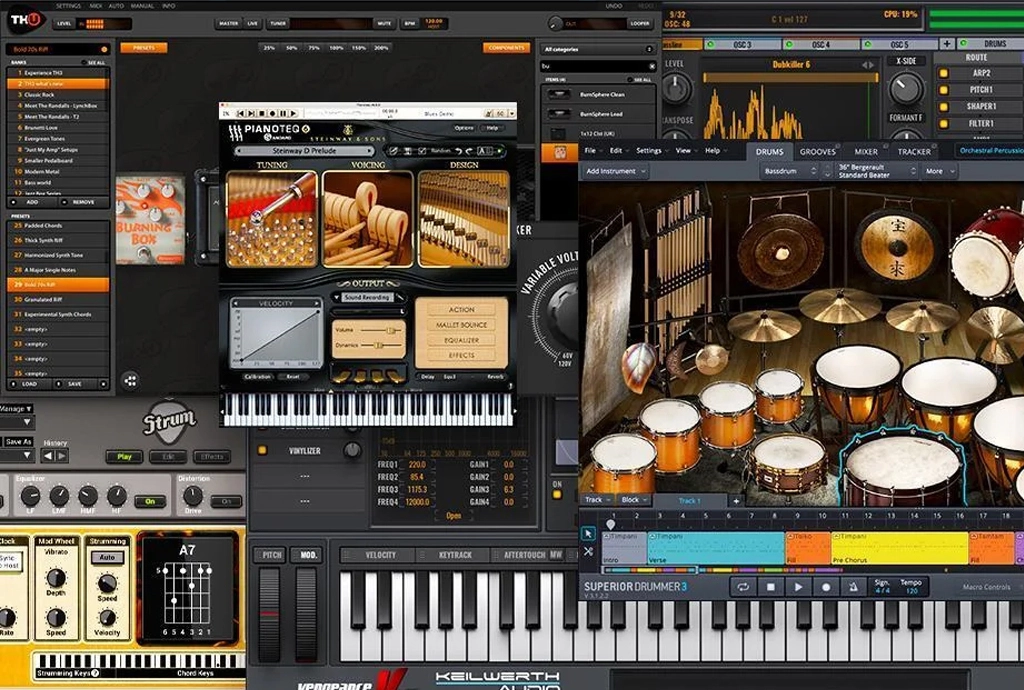
Discover the Best Music Production Software for beginners, beat makers, singers, and producers. Compare popular DAWs, features, pricing, recording tools, and more.
Best Music Production Software for Beginners and Producers
Introduction
- Choosing the right DAW can make music creation easier and more organized.
- The Best Music Production Software can help you create beats, record vocals, edit audio, arrange songs, mix tracks, and prepare music for release.
- Modern DAWs provide professional tools that can be used from a home studio.
- Different software is designed for different workflows, genres, and experience levels.
- Some programs are especially useful for beat making, while others are designed around recording, live performance, songwriting, or mixing.
- This guide explains the major options and the features you should consider before choosing a DAW.
What Is Music Production Software?
- Music Production Software is a digital application used to create and produce music.
- Most professional production applications are called Digital Audio Workstations, or DAWs.
- A DAW can provide audio recording, MIDI sequencing, editing, mixing, automation, virtual instruments, and effects.
- Modern Music Production Software can allow a producer to complete an entire song on a computer.
- Many DAWs also support third-party plugins, virtual instruments, samples, and audio effects.
How to Choose the Best Music Production Software
The Best Music Production Software for one producer may not be the right choice for another. Consider these factors before making a decision.
̥1. Your Music Genre
- Beat makers may need a fast MIDI and drum workflow.
- Electronic producers may prefer loop-based and performance features.
- Vocal artists may need strong recording and editing tools.
- Composers may prioritize MIDI and orchestral instruments.
- Live performers may require specialized performance features.
2. Your Operating System
- Check whether the DAW works on Windows or macOS.
- Some applications are designed specifically for Apple devices.
- Check minimum hardware requirements.
- Make sure your computer has enough RAM and storage for large projects.
3. Your Budget
- Some DAWs offer free versions.
- Some provide free trials.
- Some require a one-time purchase.
- Others may offer subscription-based plans.
- Compare the included instruments, effects, updates, and features.
4. Your Workflow
Ask yourself:
- Do you mainly create beats?
- Do you record vocals?
- Do you work with MIDI?
- Do you perform live?
- Do you mix and master your own songs?
- Do you need advanced audio editing?
Your answers can help you find suitable software.
7 Popular Music Production Software Options
1. FL Studio
FL Studio is widely used for beat making, electronic music, hip-hop, pop, and other genres.
Key Features
- Step-based beat creation.
- Powerful Piano Roll.
- Playlist-based arrangement.
- Audio recording.
- MIDI editing.
- Built-in instruments.
- Built-in effects.
- Mixer and routing.
- Third-party plugin support.
Suitable For
- Beat makers.
- Hip-hop producers.
- Electronic producers.
- Beginners.
- Songwriters.
2. Ableton Live
Ableton Live is known for its flexible workflow and is widely used for music creation and live performance.
Key Features
- Session View.
- Arrangement View.
- Audio recording.
- MIDI production.
- Audio warping.
- Built-in instruments.
- Effects.
- Live performance tools.
Suitable For
- Electronic music producers.
- Live performers.
- DJs.
- Loop-based producers.
- Experimental musicians.
3. Logic Pro
Logic Pro is Apple’s professional music creation platform.
Key Features
- Audio recording.
- MIDI production.
- Virtual instruments.
- Sound library.
- Beat-making tools.
- Mixing tools.
- Audio editing.
- Mastering features.
Suitable For
- Mac users.
- Vocal producers.
- Songwriters.
- Recording artists.
- Music producers.
4. Cubase
Cubase is a popular DAW for recording, composition, MIDI production, arrangement, and mixing.
Key Features
- Advanced MIDI editing.
- Audio recording.
- Virtual instruments.
- Mixing.
- Automation.
- Arrangement tools.
- Plugin support.
Suitable For
- Composers.
- Recording artists.
- MIDI producers.
- Songwriters.
- Mixing engineers.
5. GarageBand
GarageBand is an accessible option for people who are beginning to create music on Apple devices.
Key Features
- Simple interface.
- Virtual instruments.
- Audio recording.
- Loops.
- Basic effects.
- Easy songwriting workflow.
Suitable For
- Beginners.
- Songwriters.
- Musicians creating demos.
- Students.
- Casual producers.
6. Pro Tools
Pro Tools is widely associated with professional recording, editing, mixing, and studio workflows.
Key Features
- Multitrack recording.
- Detailed audio editing.
- Mixing.
- Automation.
- Plugin support.
- Professional studio workflow.
Suitable For
- Recording engineers.
- Professional studios.
- Vocal recording.
- Mixing engineers.
- Audio professionals.
7. Studio One
Studio One provides tools for recording, production, arrangement, mixing, and mastering.
Key Features
- Audio recording.
- MIDI production.
- Arrangement.
- Mixing.
- Mastering.
- Virtual instruments.
- Plugin support.
Suitable For
- Home producers.
- Songwriters.
- Recording artists.
- Mix engineers.
- Independent musicians.
Best DAW for Beginners
Finding the Best DAW for Beginners depends on how you want to create music.
FL Studio
- Easy pattern-based workflow.
- Strong beat-making features.
- Powerful Piano Roll.
- Large learning community.
- Suitable for electronic and beat-focused production.
GarageBand
- Simple interface.
- Easy recording.
- Built-in instruments.
- Useful loops.
- Good starting point for Apple users.
- Ableton Live
- Flexible workflow.
- Useful for electronic music.
- Session View supports experimentation.
- Suitable for both production and performance.
Logic Pro
- Large collection of sounds.
- Recording and songwriting tools.
- Built-in instruments and effects.
- Suitable for Apple users.
For someone starting Music Production for Beginners, choosing one DAW and learning it properly is usually more useful than constantly switching between different programs.
Free Music Production Software
If you have a limited budget, Free Music Production Software can be a useful way to start learning.
Benefits
- No large initial investment.
- Useful for learning DAW basics.
- Can help you understand your preferred workflow.
- Allows you to experiment before purchasing premium software.
- Suitable for simple recording and production projects.
What to Look For
When choosing Free Music Production Software, check whether it provides:
- Audio recording.
- MIDI support.
- Virtual instruments.
- Audio effects.
- Plugin compatibility.
- Export options.
- Enough tracks for your projects.
Music Recording Software Features
Good Music Recording Software should provide the tools required for clean and organized recording.
Audio Recording
- Microphone recording.
- Instrument recording.
- Multitrack recording.
- Audio editing.
- Multiple takes.
Vocal Recording
- Low-latency monitoring.
- Vocal editing.
- Take management.
- Comping features.
- Plugin support.
- Automation.
Instrument Recording
- Audio interface support.
- Guitar recording.
- Keyboard recording.
- MIDI integration.
- Multitrack editing.
Important Features to Compare
When comparing the Best Music Production Software, pay attention to the following features.
MIDI
- Piano Roll.
- MIDI recording.
- MIDI editing.
- Quantization.
- MIDI controller support.
Audio Editing
- Cutting and trimming.
- Time stretching.
- Pitch correction.
- Noise editing.
- Take management.
Mixing
- Channel mixer.
- EQ.
- Compression.
- Reverb.
- Delay.
- Automation.
- Routing.
Plugins
- Virtual instruments.
- Synthesizers.
- Samplers.
- Audio effects.
- Third-party plugin support.
Best Software for Beat Making
If beat making is your main goal, look for software with:
- Fast drum programming.
- Powerful MIDI editing.
- Good Piano Roll functionality.
- Sample management.
- Built-in instruments.
- Flexible arrangement.
- Easy automation.
FL Studio, Ableton Live, Logic Pro, and other DAWs can be used for beat production.
The right choice depends on your preferred workflow, music genre, and experience.
Best Software for Vocal Recording
When selecting Music Recording Software for vocals, consider:
- Microphone compatibility.
- Audio interface support.
- Low recording latency.
- Multiple takes.
- Vocal editing.
- Pitch correction.
- EQ and compression.
- Reverb and delay.
- Automation.
A good recording setup also requires a suitable microphone, audio interface, headphones, and an appropriate recording environment.
Music Production Tips for Better Results
These practical tips can help you get more from your DAW.
1. Learn One DAW
- Avoid constantly changing software.
- Learn the shortcuts.
- Learn the mixer.
- Learn MIDI editing.
- Learn automation.
2. Start With Simple Projects
- Create short beats.
- Make simple arrangements.
- Practice recording.
- Finish complete tracks.
- Increase project complexity gradually.
3. Learn Basic Music Theory
- Understand scales.
- Learn chords.
- Study rhythm.
- Learn basic harmony.
- Understand song structure.
4. Train Your Ears
- Listen to professional recordings.
- Compare frequency balance.
- Study vocal levels.
- Notice stereo width.
- Analyze different arrangements.
Music Production Software Comparison
| Software | Main Strength | Platform |
|---|---|---|
| FL Studio | Beat Making | Windows & macOS |
| Ableton Live | Electronic Music & Performance | Windows & macOS |
| Logic Pro | Songwriting & Recording | Apple |
| Cubase | MIDI & Composition | Windows & macOS |
| GarageBand | Beginners | Apple |
| Pro Tools | Professional Recording | Windows & macOS |
| Studio One | Production & Recording | Windows & macOS |
There is no single DAW that works perfectly for every producer. Your workflow, genre, hardware, and experience should guide the decision.
How to Start Music Production
For Music Production for Beginners, follow a simple learning process.
Step 1: Select One DAW
- Choose a program that matches your requirements.
- Install it.
- Learn the interface.
- Understand tracks and channels.
Step 2: Learn the Basics
- Learn BPM.
- Understand MIDI.
- Learn audio recording.
- Study EQ.
- Learn compression.
- Understand reverb and delay.
Step 3: Make Your First Track
- Create drums.
- Add bass.
- Add chords.
- Create a melody.
- Record vocals if required.
- Arrange the song.
Step 4: Practice Mixing
- Balance volume.
- Pan instruments.
- Control frequencies.
- Use compression carefully.
- Add effects where necessary.
Step 5: Finish the Track
- Complete the arrangement.
- Mix the song.
- Export the final version.
- Listen on different speakers and headphones.
- Take notes for your next project.
Common Mistakes When Choosing Music Software
- Buying software without checking system requirements.
- Choosing a DAW only because another producer uses it.
- Installing too many plugins.
- Switching DAWs constantly.
- Ignoring the learning curve.
- Focusing on expensive equipment instead of skills.
- Buying plugins without understanding their purpose.
- Not trying demos or free versions when available.
Frequently Asked Questions
What is the Best Music Production Software for beginners?
The answer depends on your music style, operating system, budget, and workflow. FL Studio, Ableton Live, Logic Pro, and GarageBand are commonly considered by people starting music production.
Is FL Studio good for music production?
Yes. FL Studio provides tools for beat creation, MIDI editing, audio recording, arrangement, mixing, instruments, effects, and plugin support.
What is the Best DAW for Beginners?
The Best DAW for Beginners depends on the type of music you want to create. A beat maker may prefer a different workflow from a vocalist, songwriter, or live performer.
Is free music software good enough?
Free Music Production Software can be sufficient for learning the basics and creating simple projects. As your requirements grow, you may choose a more advanced DAW.
What is the best software for recording vocals?
Good Music Recording Software should provide reliable audio recording, editing, low-latency monitoring, take management, and plugin support.
Can beginners learn music production at home?
Yes. Music Production for Beginners can be learned at home with a computer, DAW, headphones, and basic recording equipment. Consistent practice is important.
Conclusion
- The Best Music Production Software depends on your genre, workflow, computer, budget, and experience.
- FL Studio can be useful for beat-focused workflows.
- Ableton Live provides flexible production and performance workflows.
- Logic Pro provides a broad collection of tools for Apple users.
- Cubase, Pro Tools, Studio One, and GarageBand provide their own approaches to music creation.
- Music Production Software should be selected based on the features you actually need.
- Beginners should focus on learning one DAW instead of constantly switching between programs.
- Free Music Production Software can be a practical starting point if you are working with a limited budget.
- Good Music Recording Software is important when your workflow includes vocals or live instruments.
- If you are learning Music Production for Beginners, focus on recording, arrangement, mixing, and consistent practice.
- Ultimately, the Best Music Production Software is the one that fits your workflow and helps you turn your musical ideas into finished tracks.