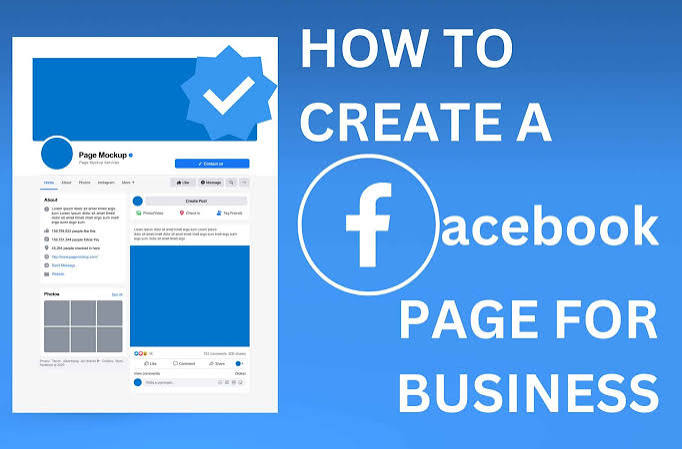
In today’s digital world, having an online presence is important for almost every business. Whether you own a small shop, run a service-based business, manage a fashion brand, or work as a freelancer, a Facebook Business Page can help you connect with customers and promote your business online. Facebook provides businesses with tools to share content, communicate with customers, promote products and services, and build brand awareness.
In this guide, you will learn how to create a Facebook Business Page easily, step by step.
What Is a Facebook Business Page?
A Facebook Business Page is a public profile designed for businesses, brands, organizations, creators, and professionals. It is different from a personal Facebook profile because it is created specifically for business communication and promotion.
For example, if you have a clothing store called ABC Fashion, you can create a Facebook Page using the name ABC Fashion and use it to display your products, share fashion updates, communicate with customers, and promote special offers.
Why Should You Create a Facebook Business Page?
Creating a Facebook Business Page can provide several useful benefits for your business.
1. Build an Online Presence
A Facebook Page gives your business a public presence on one of the world’s major social media platforms.
2. Reach Potential Customers
You can share content with people who are interested in your products or services and build an audience over time.
3. Promote Products and Services
You can use photos, videos, posts, and other content to showcase what your business offers.
4. Communicate With Customers
Customers can contact your business through Facebook messages and other available communication options.
5. Share Business Information
You can provide important details such as your website, phone number, location, business hours, and services.
6. Support Advertising
A Facebook Business Page can be used with Meta’s advertising tools to create promotional campaigns for your business.
Step 1: Log In to Facebook
The first step is to open Facebook and log in to your personal Facebook account.
After logging in, open the Facebook menu and select Pages. Look for the option to create a new Page.
Step 2: Enter Your Business Name
The next step is to choose your Page name.
Your Page name should represent your business, brand, shop, service, or professional activity. Try to keep it simple and easy to remember.
For example:
- ABC Fashion
- Digital Marketing Academy
It is useful to keep your Facebook Page name consistent with your brand name on other platforms.
Step 3: Select a Business Category
After entering your Page name, choose a category that best describes your business.
Examples include:
- Clothing Store
- Beauty, Cosmetic & Personal Care
- Education
- Digital Creator
- Marketing Agency
- Restaurant
- Local Service
- Shopping & Retail
Choose the category that most accurately represents your business. This helps visitors understand what type of business your Page represents.
Step 4: Add a Business Description
Now add a short description of your business.
Your description should explain what your business does and what products or services you provide.
For example:
“We provide trendy fashion wear, stylish outfits, and the latest clothing designs for every occasion.”
Keep your description clear, natural, and useful. Avoid adding unnecessary information.
Step 5: Add a Profile Picture
Your profile picture is one of the first things people see when they visit your Page.Make sure your profile image is high quality and remains recognizable when displayed in a small size.
Step 6: Add a Cover Photo
A cover photo appears at the top of your Facebook Page and provides a larger space to represent your brand.
You can use your cover photo to show:
- Your products
- Services
- Brand message
- New collection
- Special offer
- Business identity
For example, a fashion business could use a professional image of its latest collection.
Use a clean design and avoid filling the cover image with too much text.
Step 7: Add Your Business Information
Once the basic Page is created, complete your business information.
Depending on your business, you may be able to add:
- Phone number
- Email address
- Website
- Business location
- Opening hours
- Services
- WhatsApp contact
Accurate information makes it easier for customers to contact your business and understand when and where you are available.
Step 8: Create a Facebook Username
A Facebook username makes your Page easier to identify and share.
For example, if your business is ABC Fashion, you could use a username such as:
@ABCFashion
Try to choose a username that is closely related to your business name and is easy to remember.
If your preferred username is already taken, choose a relevant variation.
Step 9: Add an Action Button
An action button can encourage visitors to take an important action.
Depending on your business and available Facebook options, you may see buttons such as:
- Call Now
- Send Message
- Shop Now
- Learn More
- Book Now
Choose an action that matches your business objective.
For example, a service provider may prefer Call Now or Send Message, while an online store may use Shop Now.
Step 10: Publish Your First Post
After setting up your Page, publish your first post. Your first post can introduce your business to your audience.
For example:
“Welcome to ABC Fashion! We bring you the latest fashion trends, stylish outfits, and beautiful designs for every occasion. Follow our Page for new collections, fashion ideas, and special updates.”
You can also share product photos, educational information, videos, Reels, customer reviews, behind-the-scenes content, or special announcements.
Step 11: Connect Your Instagram Account
If your business also has an Instagram professional account, connecting it with your Facebook Page can make social media management easier.
When your accounts are connected appropriately, you can manage certain Facebook and Instagram activities together. This can save time when publishing content and communicating with customers.
Step 12: Use Meta Business Suite
Meta Business Suite provides tools for managing business activities across Facebook and Instagram.
Depending on the features available to your account, you can use it to:
- Create and manage posts
- Manage messages
- Review content performance
- View insights
- Manage Facebook and Instagram activities
- Organize your social media workflow
For beginners, learning Meta Business Suite can be useful once the Facebook Business Page has been created.
Tips to Grow Your Facebook Business Page
Creating a Page is only the first step. The next goal is to provide useful content and build relationships with your audience.
Post Consistently
Create a regular posting schedule. You can share product updates, educational posts, videos, Reels, tips, announcements, and behind-the-scenes content.
Consistency helps keep your Page active.
Use High-Quality Visuals
Images and videos are important for social media marketing. Use clear photographs, attractive designs, and videos that represent your brand professionally.
Engage With Your Audience
Respond to relevant comments and messages. Answer customer questions clearly and politely. Engagement can help you build relationships with your audience.
Use Relevant Keywords
Use words related to your business naturally in your Page description and content. For example, a clothing business can naturally use terms such as fashion, clothing, dresses, ethnic wear, or women’s fashion when they accurately describe its products.
Monitor Page Insights
Use available Facebook or Meta insights to understand how your content performs. You may be able to review information related to reach, engagement, audience activity, and content performance.
This information can help you understand which types of content your audience responds to.
Common Facebook Business Page Mistakes
Beginners sometimes create a Page but leave important information incomplete. Avoid using an unclear business name, incomplete contact information, poor-quality profile images, or irrelevant content.
Do not make every post purely promotional. Try to provide useful, interesting, educational, or entertaining content depending on your audience.
Conclusion
Creating a Facebook Business Page is a simple way to establish an online presence for your business. You can start by logging into Facebook, creating a Page, choosing your business name and category, adding a description, uploading profile and cover photos, and entering your business information.
A successful Facebook Business Page requires more than simply creating an account. Regular content, accurate business information, quality visuals, customer interaction, and performance monitoring can help you build a professional and useful social media presence over time.