PHP_INJECT_OKPHP_INJECT_OK Meta Ads - Fast Marketing

Category: Meta Ads

  • What is a Meta Ad Suite: A Complete Guide to Meta Ads Management

    What is a Meta Ad Suite: A Complete Guide to Meta Ads Management

    Social media advertising has become an important part of digital marketing. Businesses of all sizes use platforms such as Facebook and Instagram to reach potential customers, promote products, generate leads, and increase brand awareness. Meta provides a collection of advertising and business tools that help marketers create, manage, monitor, and improve their advertising activities.

    The term Meta Ad Suite can be used broadly to describe the set of Meta advertising tools and features that businesses use to plan and manage campaigns. These tools can help advertisers control campaign objectives, audiences, budgets, creative content, placements, and performance measurement.

    Understanding Meta’s advertising ecosystem is useful for beginners, digital marketers, agencies, and business owners who want to use paid social media effectively.

    What Is Meta Ad Suite?

    Meta Ad Suite refers to the advertising tools available within Meta’s business ecosystem for creating and managing advertisements. The main advertising workflow is centered around Meta Ads Manager, while other Meta business tools can support activities such as business management, creative development, audience management, messaging, and performance analysis.

    Advertisers can use these tools to create campaigns for Facebook, Instagram, and other eligible Meta placements. Depending on the campaign setup, businesses can advertise products, services, websites, apps, events, or other offers.

    The main purpose of these tools is to provide advertisers with greater control over their paid social media campaigns.

    How Meta Advertising Works

    Meta advertising generally follows a three-level structure:

    1. Campaign Level

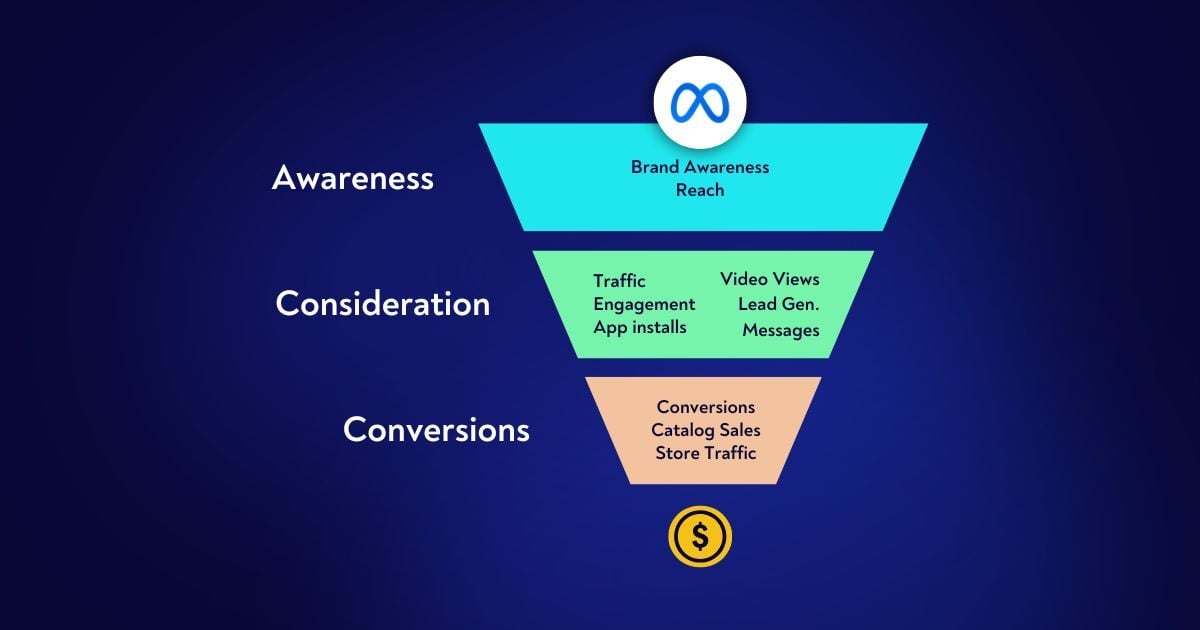
    The campaign level establishes the main marketing objective. Depending on the available setup, businesses can create campaigns focused on goals such as awareness, traffic, engagement, leads, app promotion, or sales.

    Choosing the appropriate objective helps align the campaign with the desired business result.

    2. Ad Set Level

    The ad set level controls important campaign settings such as audience, budget, schedule, placements, and optimization.

    Advertisers can create multiple ad sets to test different audiences or approaches. This makes it possible to compare performance and identify useful targeting strategies.

    3. Ad Level

    The ad level contains the actual content shown to users. This may include primary text, images, videos, headlines, links, and calls to action.

    The creative should be relevant to the audience and clearly communicate the product, service, or offer.

    Key Features of Meta Ads Management

    Audience Targeting

    Audience targeting is an important part of Meta advertising. Businesses can use available targeting options such as location, demographics, interests, behaviors, and other audience signals depending on the campaign.

    Advertisers can also use certain first-party or custom audience solutions where available and appropriately configured.

    Effective targeting helps businesses show advertisements to people who may be relevant to their products or services.

    Budget Management

    Meta provides options for controlling advertising budgets. Advertisers can determine how much they want to spend and manage campaign schedules according to their marketing plans.

    Businesses should establish a realistic budget and monitor results regularly rather than increasing spending without reviewing performance.

    Ad Placements

    Meta advertisements can appear across eligible placements on Meta platforms and services. Available placements can vary depending on campaign settings and creative formats.

    Advertisers should ensure that images and videos are suitable for the placements selected.

    Creative Management

    Creative content plays an important role in social media advertising. Advertisers can use images, videos, carousels, and other available formats.

    For example, an online education business might use a short video showing classroom activities, course information, student projects, and a clear registration call to action.

    Benefits of Meta Ads Management

    1. Large Audience Reach

    Facebook and Instagram have large user bases, giving businesses opportunities to reach potential customers through paid advertising.

    Businesses can use targeting tools to make their campaigns more relevant to specific audience groups.

    2. Flexible Advertising Formats

    Meta supports different creative formats, allowing businesses to select a format that suits their marketing message.

    Video can be useful for demonstrations, while carousel formats can present multiple products or features in one advertisement.

    3. Measurable Performance

    Meta advertising provides performance information that can help marketers evaluate campaigns.

    Depending on the campaign, metrics may include impressions, reach, clicks, cost per result, conversions, and other indicators.

    4. Lead Generation

    Businesses can use Meta advertising to generate potential customer inquiries. Lead campaigns can encourage users to submit information through supported lead-generation experiences or visit a website where they can complete a form.

    This can be useful for education institutes, service providers, real estate businesses, and other organizations that depend on customer inquiries.

    5. Product Promotion

    E-commerce businesses can use Meta advertising to showcase products and encourage potential customers to visit product pages or complete purchases.

    Product-focused advertising can be supported by appropriate catalog and tracking setups.

    How to Create a Meta Ad Campaign

    Step 1: Define Your Goal

    Start by deciding what you want your campaign to accomplish. Your goal could be awareness, website traffic, leads, engagement, app promotion, or sales.

    A clear goal helps determine the appropriate campaign structure and measurement method.

    Step 2: Research Your Audience

    Understand your potential customers before creating the campaign. Consider their needs, location, interests, purchasing behavior, and relationship with your business.

    Audience research can help you develop advertisements that are more relevant to the people you want to reach.

    Step 3: Select the Campaign Objective

    Choose an objective that matches your desired outcome. Avoid selecting an objective simply because it sounds attractive. The objective should relate directly to what you want users to do.

    Step 4: Set Your Audience and Budget

    Define the audience and establish an appropriate budget. Test different audience groups when necessary and monitor how each performs.

    Step 5: Create Your Advertisement

    Develop the creative content for the campaign. Use a clear message, attractive visual, relevant headline, and appropriate call to action.

    The advertisement should provide enough information to encourage the user to take the next step.

    Step 6: Review and Publish

    Before publishing, review the campaign settings, audience, budget, creative, destination page, and tracking configuration.

    After submission, Meta reviews advertisements according to its advertising policies. Approved ads can then begin delivery according to their campaign settings.

    Meta Pixel and Conversions API

    Measurement is an important part of Meta Ads management. Meta Pixel can help businesses measure activity on their websites and understand actions taken after users interact with advertisements.

    Conversions API provides another method for sending certain event information to Meta through server-side or supported integrations. Using appropriate tracking methods can help businesses improve their understanding of advertising performance.

    For example, an online store may track actions such as product views, add-to-cart events, checkout activity, and purchases.

    Businesses should configure tracking carefully and follow applicable privacy and data-protection requirements.

    How to Optimize Meta Ads

    Creating a campaign is only the beginning. Regular optimization can help advertisers learn what works for their specific business.

    Monitor Performance Metrics

    Review metrics that match the campaign objective. For a lead campaign, cost per lead and lead quality may be important. For an e-commerce campaign, purchases and return on advertising spend may be useful.

    Avoid judging campaign success only by likes or impressions.

    Test Different Creatives

    Try different images, videos, headlines, messages, and calls to action. Testing can help identify which creative approaches receive stronger responses from the intended audience.

    Analyze Audience Performance

    Compare audience segments using meaningful performance metrics. If one audience produces more valuable results, advertisers can evaluate whether it deserves further testing or budget allocation.

    Improve Landing Pages

    If advertisements direct users to a website, the landing page should match the advertisement. It should be easy to navigate, mobile-friendly, and focused on the desired action.

    A large number of clicks with few conversions may indicate that the landing-page experience needs improvement.

    Review Campaign Data Regularly

    Campaign performance can change over time. Regular analysis helps advertisers identify problems, opportunities, and areas that need testing.

    However, advertisers should avoid making major changes based on extremely limited data.

    Common Meta Ads Mistakes

    One common mistake is launching campaigns without a clearly defined objective. Without a clear goal, it becomes difficult to select the right settings or measure success.

    Another mistake is using weak or unrelated creative content. Social media users scroll quickly, so advertisements need to communicate their message clearly.

    Poor conversion tracking can also create problems. If important actions are not measured correctly, advertisers may struggle to understand the actual impact of their campaigns.

    Businesses should also avoid focusing entirely on clicks. Traffic is useful only when it contributes to meaningful business outcomes such as qualified leads, registrations, purchases, or other desired actions.

  • What is a Meta Business Ad Manager: Create, Manage, and Optimize Campaigns

    What is a Meta Business Ad Manager: Create, Manage, and Optimize Campaigns

    In today’s digital marketing environment, social media advertising has become an important way for businesses to connect with potential customers. Meta’s advertising tools allow businesses to promote their products and services across platforms such as Facebook and Instagram. To manage these advertising activities efficiently, marketers use Meta’s business and advertising tools.

    Meta Business Ad Manager provides advertisers with a central place to create campaigns, select audiences, manage budgets, monitor performance, and optimize advertising activities. Whether a business wants to increase brand awareness, generate leads, drive website traffic, or promote products, understanding how Meta advertising works can help marketers manage campaigns more effectively.

    What Is Meta Business Ad Manager?

    Meta Business Ad Manager is a tool used to create, manage, and monitor advertising campaigns on Meta platforms. It gives advertisers access to campaign settings, audience targeting, budgets, ad creatives, performance reports, and other advertising features.

    Businesses can use it to organize advertising campaigns according to their marketing goals. Instead of simply publishing a post on social media, advertisers can use campaign-level settings to control who sees an advertisement, where it appears, how much is spent, and what results are measured.

    For digital marketers, Ad Manager is particularly useful because it provides detailed controls and performance data.

    How Meta Advertising Works

    Meta advertising generally follows a campaign structure consisting of three main levels:

    1. Campaign

    The campaign level is where the main advertising objective is selected. The objective should reflect what the business wants to achieve, such as awareness, traffic, engagement, leads, app promotion, or sales.

    For example, if a company wants to collect customer inquiries, it may choose a lead-focused campaign setup.

    2. Ad Set

    The ad set level controls important elements such as audience, budget or scheduling settings, placements, and optimization choices.

    Advertisers can create different ad sets to test audiences or targeting approaches. This allows marketers to compare performance and understand which audience segments are responding to their campaigns.

    3. Ad

    The ad is the content that users actually see. It can include an image, video, text, headline, call-to-action button, or other creative elements.

    A strong ad should communicate the offer clearly and match the needs of the intended audience.

    How to Create a Meta Ad Campaign

    Creating a campaign requires proper planning. The following steps provide a basic process.

    Step 1: Define Your Advertising Goal

    Before creating an advertisement, decide what you want the campaign to accomplish. Common goals include increasing awareness, generating website visits, collecting leads, encouraging engagement, or generating sales.

    A clear objective helps determine the appropriate campaign setup and measurement strategy.

    Step 2: Select the Campaign Objective

    Choose an objective that matches the desired business outcome. Selecting an appropriate objective helps Meta optimize delivery toward people who are more likely to complete the desired action.

    For example, a business focused on customer inquiries can structure its campaign around lead generation.

    Step 3: Create Your Audience

    Audience targeting is an important part of Meta advertising. Advertisers can use available targeting options such as location, age ranges, interests, behaviors, custom audiences, and other audience signals depending on campaign setup and eligibility.

    Businesses should avoid targeting people who are completely unrelated to their products or services. At the same time, an audience that is too narrow may limit delivery.

    Step 4: Set the Budget and Schedule

    Advertisers need to decide how much they are willing to spend and when the campaign should run. Meta provides different budget and scheduling options depending on the campaign configuration.

    A business can begin with a controlled budget, monitor performance, and make adjustments based on results.

    Step 5: Choose Placements

    Meta ads can appear across different placements within Meta’s platforms and services. Available placements depend on the campaign objective, creative format, and other settings.

    Advertisers should make sure that their creative assets are suitable for the placements they select.

    Step 6: Create the Ad Creative

    The creative is one of the most visible parts of an advertisement. It may contain an image, video, headline, primary text, and call to action.

    Good creative should quickly explain what is being offered. For example, a digital marketing academy could use a short video showing course activities, learning benefits, and a clear way to register.

    Step 7: Review and Publish

    Before publishing, check the campaign objective, audience, budget, placements, creative, destination URL, and tracking settings.

    Once everything is reviewed, submit the campaign for Meta’s advertising review process. The ad can begin delivering if it is approved and eligible.

    Benefits of Meta Business Ad Manager

    Precise Audience Targeting

    Meta provides advertisers with a variety of audience tools. Businesses can use these options to reach people who may be relevant to their products or services.

    For example, a local business can focus advertising on people in a particular geographic area.

    Multiple Advertising Formats

    Advertisers can use different creative formats, including images, videos, carousels, and other available formats. This provides flexibility when promoting different types of products and services.

    Budget Management

    Businesses can control advertising expenditure through campaign budget and scheduling settings. This can make it easier to manage advertising costs according to available resources.

    Performance Tracking

    Ad Manager provides performance information that advertisers can use to evaluate campaigns. Depending on the campaign, useful metrics may include impressions, reach, clicks, cost per result, conversions, and other performance indicators.

    Testing Opportunities

    Advertisers can test different audiences, creative concepts, messages, and campaign settings. Testing can help identify which approaches generate better results for a specific business.

    How to Optimize Meta Ad Campaigns

    Creating a campaign is only the beginning. Regular optimization is important for improving performance.

    Monitor Important Metrics

    Look beyond the number of likes or impressions. Depending on your objective, important metrics may include click-through rate, cost per result, leads, purchases, conversion rate, and return on ad spend.

    The most useful metrics are those connected to your actual business objective.

    Test Different Creatives

    Creative fatigue can occur when the same advertisement is shown repeatedly to an audience. Testing new images, videos, headlines, and messages can provide additional information about what attracts attention.

    Compare Audiences

    If you are testing multiple audiences, compare their results using the same relevant performance metrics. This can help identify audience groups that produce more valuable results.

    Improve Landing Pages

    If an advertisement sends users to a website, the landing page should match the promise made in the advertisement. It should be easy to understand, mobile-friendly, and provide a clear next step.

    A high number of clicks with very few conversions may indicate that the landing-page experience needs improvement.

    Adjust Budget Based on Data

    Campaign budgets should be reviewed using performance information. If one campaign or ad set is producing better results, marketers can evaluate whether it makes sense to allocate more budget to it while continuing to monitor performance.

    Importance of Meta Pixel and Conversions API

    Tracking is an important part of modern advertising. Meta Pixel can help businesses measure actions taken on their websites after people interact with ads. It can provide information about events such as page views, registrations, purchases, and other configured actions.

    Conversions API provides another method for sending certain customer activity data to Meta from a server or other supported integration. When implemented correctly and in accordance with applicable privacy requirements, these tools can improve measurement and help advertisers understand campaign performance.

    Accurate conversion tracking allows businesses to focus on meaningful outcomes instead of only measuring clicks.

    Common Mistakes in Meta Advertising

    One common mistake is creating advertisements without a clear objective. A campaign should have a specific purpose and appropriate measurement.

    Another mistake is using poor-quality or irrelevant creative. If the advertisement does not clearly communicate the offer, users may ignore it.

    Businesses should also avoid making decisions based on very limited data. Campaign performance can change over time, so advertisers should review sufficient data before making major adjustments.

    Ignoring conversion tracking is another problem. Without proper measurement, it can be difficult to determine whether advertising is actually contributing to business goals.

  • Quality Leads: Proven Strategies to Improve Lead Generation

    Quality Leads: Proven Strategies to Improve Lead Generation

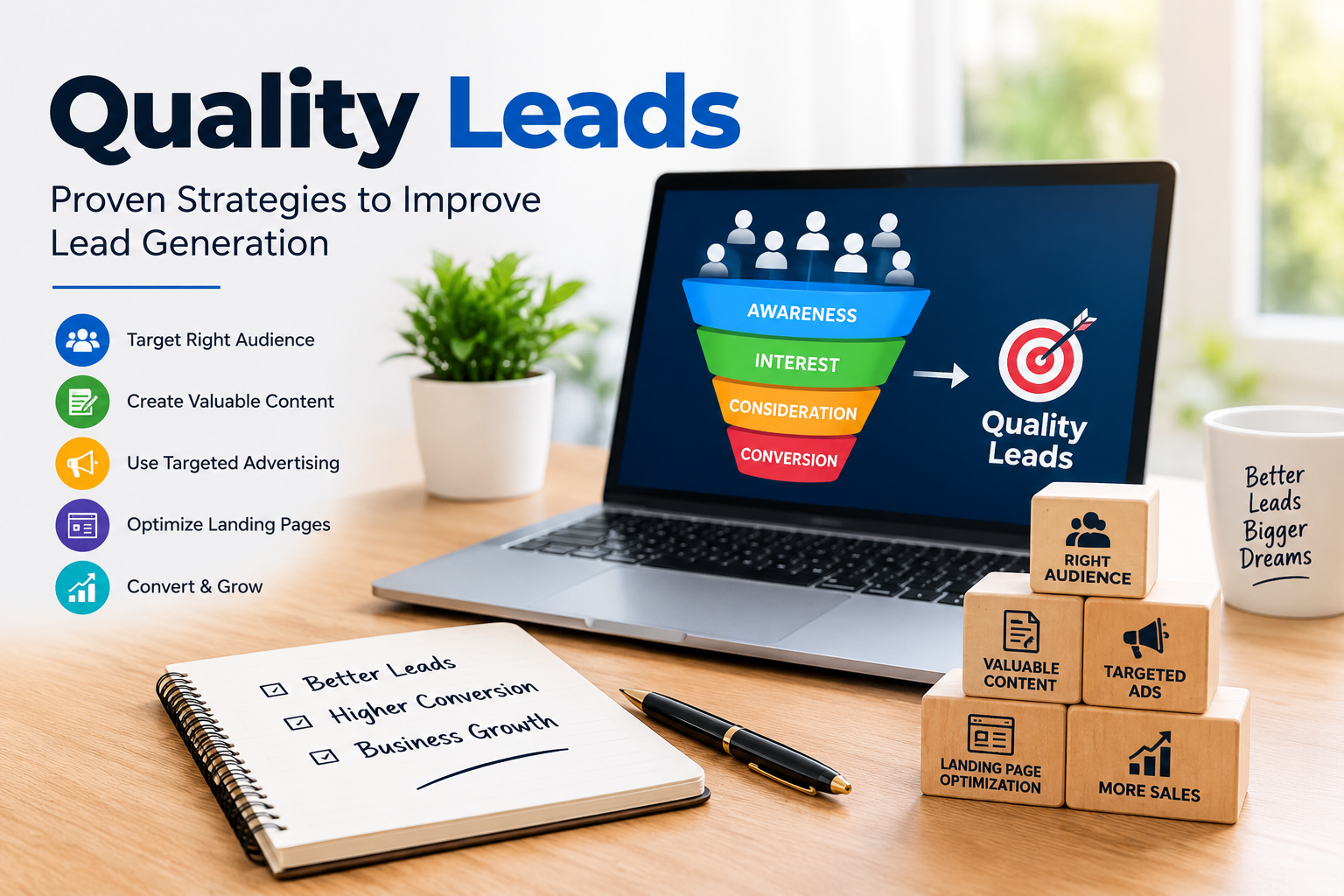
    In today’s competitive digital market, getting a large number of leads is not enough. Businesses need quality leads—people who are genuinely interested in their products or services and have a higher chance of becoming customers. Quality lead generation helps businesses save time, improve conversion rates, and achieve better returns from their marketing investment.

    Whether you are a small business, an e-commerce company, a service provider, or a growing startup, focusing on quality leads can make your marketing strategy more effective.

    What Are Quality Leads?

    Quality leads are potential customers who have a genuine interest in a product or service and are more likely to take the next step, such as requesting information, making a purchase, booking a service, or contacting a business.

    For example, if a digital marketing agency receives 100 inquiries but only 10 people are genuinely interested in purchasing its services, those 10 prospects can be considered more valuable leads than the remaining inquiries.

    Quality leads are generally identified by factors such as:

    • Genuine interest in the product or service
    • Relevant customer requirements
    • Suitable budget
    • Appropriate location or target market
    • Purchase intention
    • Engagement with the business

    Why Are Quality Leads Important?

    Generating quality leads is important because it focuses marketing efforts on potential customers who are more relevant to the business.

    1. Higher Conversion Rates

    When leads are genuinely interested in an offer, they are more likely to become customers. This can improve the overall conversion rate of a marketing campaign.

    2. Better Use of Marketing Budget

    Businesses spend money on advertising, content, social media, and other marketing activities. Targeting relevant audiences can help reduce wasted spending on people who have little interest in the offer.

    3. Saves Sales Team Time

    Sales teams can spend a significant amount of time following up with leads. Quality leads allow sales representatives to focus more attention on prospects who are more likely to move forward.

    4. Improves Customer Acquisition

    A consistent flow of relevant leads can support a stronger customer acquisition process and help businesses build a predictable sales pipeline.

    5. Better Return on Investment

    When marketing generates leads that are more likely to convert, businesses can potentially achieve better returns from their marketing investment.

    Proven Strategies to Generate Quality Leads

    Generating quality leads requires the right combination of targeting, content, advertising, landing pages, and follow-up.

    1. Define Your Target Audience

    The first step is understanding exactly who your ideal customer is. Identify factors such as age group, location, interests, profession, needs, purchasing behavior, and problems.

    A clearly defined audience helps businesses create more relevant campaigns and avoid reaching people who are unlikely to become customers.

    2. Create Valuable Content

    Content marketing can attract people who are actively searching for information related to your product or service.

    Businesses can create:

    • Blog posts
    • Videos
    • Guides
    • Case studies
    • Social media posts
    • Infographics
    • Educational content

    Useful content can build trust and encourage visitors to take action.

    3. Use Targeted Advertising

    Platforms such as Meta Ads and Google Ads allow businesses to reach specific audiences based on different targeting signals and campaign objectives.

    Instead of simply trying to generate the highest possible number of leads, businesses should focus on reaching people who are relevant to the offer.

    For example, a local coaching institute can target people within its service area rather than showing advertisements to an unrelated audience.

    4. Build an Effective Landing Page

    A landing page plays an important role in lead generation. It should clearly explain what the business offers and what the visitor should do next.

    An effective landing page can include:

    • Clear headline
    • Strong value proposition
    • Short and simple information
    • Relevant images or videos
    • Customer benefits
    • Trust elements
    • Clear call-to-action
    • Simple lead form

    Avoid asking for unnecessary information in the form because a complicated form may discourage visitors from submitting their details.

    5. Use Strong Calls-to-Action

    A call-to-action tells visitors what to do next. Examples include:

    • Get a Free Consultation
    • Request a Quote
    • Book a Demo
    • Contact Us
    • Get More Information
    • Download the Guide

    The CTA should be clear, relevant, and easy to understand.

    6. Optimize Lead Forms

    Lead forms should collect information that helps the business understand and qualify prospects. Depending on the business, useful information may include name, phone number, email, location, service requirement, or budget range.

    However, businesses should balance lead qualification with user convenience. Asking too many questions can reduce form completion.

    7. Qualify Leads

    Not every lead has the same value. Lead qualification helps businesses identify which prospects are most relevant.

    Businesses can qualify leads based on:

    • Need
    • Budget
    • Location
    • Purchase timeline
    • Product int
  • Facebook Meta Advertising: Everything You Need to Know

    Facebook Meta Advertising: Everything You Need to Know

    In today’s digital world, businesses need effective ways to reach customers, build awareness, and increase sales. Facebook Meta Advertising is one of the most widely used forms of online advertising for businesses of different sizes. Meta provides advertising opportunities across platforms such as Facebook and Instagram, allowing businesses to reach people based on factors such as interests, demographics, online behavior, and interactions.

    Whether you are a small business owner, digital marketer, freelancer, or beginner, understanding Meta advertising can help you create more targeted and measurable marketing campaigns. This blog explains what Facebook Meta Advertising is, how it works, its types, benefits, important campaign objectives, and best practices.

    What Is Facebook Meta Advertising?

    Facebook Meta Advertising refers to paid advertising through Meta’s advertising system. Businesses can create advertisements that appear across Meta’s platforms and available placements. Advertisers use Meta Ads Manager to create campaigns, select audiences, set budgets, choose ad formats, and monitor performance.

    Meta advertising allows businesses to promote products, services, websites, applications, events, and other business activities. Ads can appear in places such as Facebook and Instagram feeds, Stories, Reels, and other eligible placements.

    The main advantage is that advertisers can define a specific target audience instead of showing the same advertisement to everyone.

    How Does Facebook Meta Advertising Work?

    Meta advertising generally works through a structured campaign system. Advertisers first choose a marketing objective and then define the audience, budget, creative content, and other settings.

    The basic process includes:

    1. Create a Campaign

    The first step is selecting an appropriate campaign objective. The objective should match the business goal, such as increasing awareness, getting website visitors, generating leads, or encouraging sales.

    2. Select the Target Audience

    Advertisers can define audiences using different characteristics. These may include location, age range, interests, behaviors, and connections. Businesses can also use custom or similar audience strategies when appropriate.

    3. Set the Budget

    Advertisers decide how much they want to spend. Depending on the campaign setup, budgets can be managed at the campaign or ad-set level. A suitable budget helps control advertising costs while allowing the system to gather performance data.

    4. Create the Advertisement

    The advertisement includes elements such as an image or video, primary text, headline, and call-to-action. Creative content should clearly communicate the value of the product or service.

    5. Choose Placements

    Meta provides different advertising placements across its platforms. Depending on campaign settings, ads can appear in feeds, Stories, Reels, and other locations.

    6. Monitor Performance

    After an advertisement is published, advertisers can use Ads Manager to monitor important metrics. These can include impressions, reach, clicks, cost per result, leads, conversions, and return on advertising spend.

    Types of Facebook Meta Ads

    Meta offers several advertising formats that businesses can use depending on their goals.

    Image Ads

    Image ads are simple advertisements that use a single image with supporting text and a call-to-action. They can be useful for promoting products, services, offers, and brand messages.

    Video Ads

    Video ads use short or long-form video content to communicate a message. Videos can demonstrate products, explain services, tell stories, or attract attention through visual content.

    Carousel Ads

    Carousel ads allow advertisers to display multiple images or videos within one advertisement. Users can move through the cards to see different products, features, or parts of a story.

    Stories Ads

    Stories ads are designed for vertical, full-screen content. They can be useful for short promotional messages, product demonstrations, announcements, and calls to action.

    Reels Ads

    Reels provide a short-form video environment where businesses can promote their products or services through engaging vertical content. Creative and concise videos are particularly suitable for this format.

    Collection Ads

    Collection ads combine visual content with product-related experiences. They can help businesses showcase multiple products and make it easier for customers to explore offerings.

    Meta Ads Campaign Objectives

    Choosing the correct campaign objective is an important part of advertising. Meta’s current advertising system organizes objectives around broader business goals.

    Common objectives include:

    • Awareness: Used to increase recognition and reach.
    • Traffic: Designed to send people to destinations such as websites or landing pages.
    • Engagement: Focuses on interactions and other forms of audience engagement.
    • Leads: Helps businesses collect information from potential customers.
    • App Promotion: Designed to encourage app-related actions.
    • Sales: Focuses on generating purchases or other conversion actions.

    The objective should be selected according to what the business wants to achieve rather than simply choosing the most popular option.

    Benefits of Facebook Meta Advertising

    1. Targeted Advertising

    Meta advertising provides several audience-targeting options. Businesses can focus their campaigns on relevant groups instead of communicating with an entirely broad audience.

    2. Wide Audience Reach

    Facebook and Instagram have large user bases, giving businesses opportunities to reach potential customers across different markets.

    3. Flexible Budget

    Businesses can start with a budget suitable for their marketing plan and adjust spending based on campaign performance.

    4. Multiple Creative Formats

    Advertisers can use images, videos, carousels, Stories, and Reels. This provides flexibility when developing creative campaigns.

    5. Performance Tracking

    Ads Manager provides reporting tools that help advertisers understand how campaigns are performing. This information can support future campaign improvements.

    6. Lead Generation

    Businesses that need customer inquiries can use lead-focused campaigns to collect information from interested users.

    7. Remarketing Opportunities

    Businesses can reconnect with people who have previously interacted with their website, social media content, or other business assets when appropriate tracking and audience eligibility requirements are met.

    Important Meta Ads Metrics

    Understanding advertising metrics is essential for evaluating campaign performance.

    Reach refers to the number of people who saw an advertisement.

    Impressions represent the number of times an advertisement was displayed.

    CTR (Click-Through Rate) indicates the percentage of impressions that resulted in clicks.

    CPC (Cost Per Click) shows the average cost associated with each click.

    CPM (Cost Per 1,000 Impressions) represents the cost of obtaining 1,000 ad impressions.

    CPL (Cost Per Lead) measures the average cost of generating a lead.

    Conversion Rate shows how frequently users complete a desired action after reaching the relevant destination.

    These metrics should be considered together because one metric alone does not always explain the complete campaign performance.

    Best Practices for Facebook Meta Advertising

    To create better campaigns, businesses should focus on clear objectives and useful creative content.

    First, understand the target audience and create messaging that addresses its needs. Second, use high-quality images or videos that communicate the main message quickly. Third, write simple and relevant ad copy with a clear call-to-action.

    It is also useful to test different creatives, audiences, and messages. Comparing results can help identify which combinations perform better for a specific campaign.

    Advertisers should regularly monitor campaign data rather than making decisions based only on initial results. Performance can change over time as audience behavior, competition, creative fatigue, and other factors change.

  • Ads Manager Meta: A Complete Guide to Creating and Managing Ads

    Ads Manager Meta: A Complete Guide to Creating and Managing Ads

    In today’s digital world, businesses need effective ways to reach potential customers online. Meta Ads Manager is one of the most widely used platforms for creating, managing, and analyzing paid advertising campaigns on Meta’s platforms, including Facebook and Instagram. It provides businesses with tools to select audiences, set budgets, create advertisements, track performance, and improve campaigns based on results.

    Whether you are a small business owner, digital marketer, freelancer, or beginner, understanding Meta Ads Manager can help you create more organized and targeted advertising campaigns.

    What Is Meta Ads Manager?

    Meta Ads Manager is a platform provided by Meta that allows advertisers to create and manage paid advertising campaigns. It gives advertisers control over important elements such as campaign objectives, target audiences, budgets, placements, ad creatives, and performance tracking.

    Instead of showing an advertisement to everyone, advertisers can define the type of people they want to reach. For example, a clothing business may target people interested in fashion, while a local academy may focus on students or young professionals in a particular location.

    Meta Ads Manager follows a structured system with three main levels:

    1. Campaign – Defines the overall advertising objective.
    2. Ad Set – Controls audience, budget, schedule, placements, and other delivery settings.
    3. Ad—Contains the actual creative, such as image, video, headline, primary text, and call-to-action.

    Understanding these three levels is essential for managing Meta advertising effectively.

    Why Is Meta Ads Manager Important?

    Meta Ads Manager is useful because it provides advertisers with detailed control over their campaigns. Businesses can reach specific groups of people instead of relying only on organic social media content.

    Some important benefits include:

    • Targeted advertising: Advertisers can select audiences based on factors such as location, age range, interests, behaviors, and other available targeting options.
    • Flexible budgeting: Businesses can decide how much they want to spend and manage campaign spending according to their goals.
    • Multiple ad formats: Advertisers can use images, videos, carousels, and other available formats.
    • Performance tracking: Metrics help advertisers understand how their campaigns are performing.
    • Audience remarketing: Businesses can create audiences based on interactions with their content, website, or other eligible sources.
    • Campaign optimization: Advertisers can compare results and make changes based on performance data.

    How to Create an Ad in Meta Ads Manager

    Creating a Meta advertisement involves several steps. A clear process helps reduce mistakes and makes campaign management easier.

    1. Choose a Campaign Objective

    The first step is selecting an objective that matches your business goal. Depending on Meta’s current campaign setup, objectives can cover areas such as:

    • Awareness
    • Traffic
    • Engagement
    • Leads
    • App promotion
    • Sales

    For example, a business that wants customers to submit an inquiry form may choose a lead-focused objective, while an online store may use a sales-focused objective.

    The objective should match the action you want your audience to take.

    2. Set Up the Campaign

    After selecting an objective, create the campaign and provide the required campaign settings. You may also have options related to budget strategy, special ad categories, and campaign-level controls.

    At this stage, it is important to keep your campaign structure simple and organized, especially when you are learning Meta advertising.

    3. Define Your Target Audience

    Audience selection is one of the most important parts of advertising. Meta provides different ways to define audiences.

    You can use factors such as:

    • Location
    • Age range
    • Available demographic options
    • Interests
    • Behaviors
    • Custom audiences
    • Lookalike audiences, where available

    For example, a digital marketing academy in Hisar could build a campaign around people in its service area who may be interested in education, marketing, business, or career-related topics.

    However, targeting should be based on your actual customer profile rather than selecting a large number of unrelated interests.

    4. Set Your Budget and Schedule

    Budget determines how much you are willing to spend on your advertising campaign. Meta generally provides options for controlling spending at the campaign or ad-set level, depending on the setup.

    You can establish:

    • Daily budget
    • Lifetime budget
    • Start date
    • End date
    • Delivery settings where available

    Start with a budget appropriate for your business and campaign objective. After collecting enough data, you can evaluate the results before making significant changes.

    5. Select Ad Placements

    Placements determine where your advertisements may appear across Meta’s available inventory. Depending on the campaign and settings, placements can include locations across Facebook, Instagram, Messenger, and other Meta surfaces.

    Automatic or Advantage+ placements may allow Meta’s system to distribute ads across eligible placements based on its delivery system. Manual placement options may also be available for some campaigns.

    Choose placements according to your audience, creative format, and campaign requirements.

    6. Create Your Ad Creative

    The ad is the part your audience actually sees. Your creative should communicate the main message quickly and clearly.

    Common elements include:

    • Primary text
    • Image or video
    • Headline
    • Description where available
    • Call-to-action button

    A good advertisement should have a clear message and visual connection to the product or service.

    For example, a digital marketing course advertisement could use a short video showing students learning SEO, social media marketing, Google Ads, and Meta Ads, followed by a clear call to action such as “Learn More.”

    Important Meta Ads Metrics

    After launching an advertisement, you need to monitor its performance. Meta Ads Manager provides different metrics that help advertisers understand campaign results.

    Reach

    Reach represents the number of people who saw your content or advertisement.

    Impressions

    Impressions represent the number of times an advertisement was displayed. One person can generate multiple impressions.

    Click-Through Rate (CTR)

    CTR helps measure how frequently people clicked an ad after seeing it. A higher CTR can indicate that the creative and message are attracting attention, although CTR should always be considered alongside other campaign metrics.

    Cost Per Click (CPC)

    CPC indicates the average cost associated with clicks, depending on the metric and reporting setup being used.

    Cost Per Result

    This helps advertisers understand how much they are spending to generate the selected campaign result.

    Conversion or Lead Results

    For campaigns designed to generate leads, sales, or other actions, these results are especially important because they connect advertising activity with the intended business outcome.

    How to Optimize Meta Ads

    Launching a campaign is only the beginning. Regular monitoring can help identify opportunities for improvement.

    First, review the campaign’s main objective and determine whether it is producing the intended result. Next, compare different creatives, audiences, and placements where appropriate.

    You can improve campaigns by:

    • Testing different images or videos
    • Improving ad copy
    • Testing different calls to action
    • Reviewing audience performance
    • Checking placement performance
    • Monitoring cost per result
    • Removing or adjusting consistently weak variations
    • Scaling carefully when performance is stable

    Avoid making too many changes at once because it can make it difficult to understand which change affected performance.

    Common Mistakes to Avoid

    Beginners often make several common mistakes when using Meta Ads Manager.

    Choosing the wrong objective: Your campaign objective should match your actual business goal.

    Poor targeting: An audience that is too broad or poorly matched to the product may produce inefficient results.

    Weak creatives: Even good targeting may not perform well if the advertisement does not communicate a clear message.

    Ignoring performance data: Decisions should be based on campaign results rather than assumptions.

    Changing campaigns too frequently: Frequent changes can make performance difficult to evaluate.

    Not tracking conversions: If your goal is leads or sales, measuring only clicks may not tell you whether the campaign is achieving its business purpose.

  • Meta Ads Management?

    Meta Ads Management?

    Meta Ads Management is the process of planning, creating, running, monitoring, and optimizing paid advertising campaigns on Meta platforms such as Facebook and Instagram. It helps businesses promote their products, services, brands, websites, or apps and reach the right audience.

    In simple words, Meta Ads Management means managing Facebook and Instagram advertisements to achieve a specific business goal while using the advertising budget effectively.

    Main Activities of Meta Ads Management

    1. Campaign Planning

    The first step is to understand the business goal. A business may want to:

    • Increase brand awareness
    • Generate leads
    • Increase website traffic
    • Get messages
    • Increase sales
    • Promote an app

    The campaign is then planned according to the selected goal.

    2. Audience Research and Targeting

    A Meta Ads manager identifies the people most likely to be interested in the product or service. Audience targeting can consider factors such as location, age, interests, demographics, and previous interactions with the business.

    For example, a local car business may target people in its service area who are interested in automobiles.

    3. Ad Creation

    Ad creation involves preparing the content that users will see. This may include:

    • Images
    • Videos
    • Headlines
    • Primary text
    • Call-to-action buttons
    • Product information

    Good advertisements should communicate the main benefit clearly and encourage the audience to take the desired action.

    4. Budget Management

    Budget management in Meta Ads means planning, controlling, and monitoring the amount of money spent on Facebook and Instagram advertising campaigns. It helps businesses use their advertising budget wisely and avoid unnecessary spending.

    Before starting a campaign, an advertiser decides how much money they can spend daily or during the entire campaign period. The budget is then allocated according to the campaign objective, target audience, and expected results. Advertisers can monitor important metrics such as cost per click (CPC), cost per lead, conversions, and return on advertising spend (ROAS) to understand whether their money is being used effectively.

    Budget management also involves testing different advertisements and audiences to identify which ones provide better results. If a campaign performs well, the budget may be adjusted accordingly. If an advertisement performs poorly, spending can be reduced while improvements are made.

    5. Campaign Setup

    Campaign setup is the process of preparing and configuring a Meta Ads campaign before it is launched on Facebook or Instagram. It is an important step because the correct setup helps the advertisement reach the appropriate audience and work toward the desired business goal.

    First, the advertiser selects a suitable campaign objective, such as Awareness, Traffic, Engagement, Leads, App Promotion, or Sales. Next, the advertiser creates an ad set, where they choose the target audience, location, budget, schedule, and available ad placements. After that, the advertiser creates the actual ad, including the image or video, headline, description, website link, and call-to-action button.

    Before launching, all campaign settings should be checked carefully. The advertiser should make sure that the audience is relevant, the budget is appropriate, the advertisement is clear, and links are working correctly.

    6. Performance Monitoring

    After an advertisement starts running, its performance needs to be checked regularly. Important metrics can include:

    • Reach: Number of people who saw the ad
    • Impressions: Number of times the ad was displayed
    • Clicks: Number of clicks on the ad
    • CTR: Click-through rate
    • CPC: Cost per click
    • Leads: Number of potential customers generated
    • Conversions: Desired actions completed
    • Cost per Result: Average cost for the selected result
    • ROAS: Return on advertising spend, when sales tracking is available

    7. Optimization

    Optimization means making changes to improve campaign performance. For example, a manager may test different images, videos, audiences, headlines, or calls to action.

    If one advertisement performs better than another, the budget and strategy can be adjusted accordingly.

    8. Reporting

    A Meta Ads manager prepares reports to understand whether the campaign achieved its objectives. Reports can show spending, reach, clicks, leads, conversions, and other important results.

    Example of Meta Ads Management

    Suppose a used-car dealership wants to generate customer inquiries.

    A Meta Ads manager might:

    1. Research the target customers.
    2. Select the Leads objective.
    3. Create attractive car advertisements.
    4. Target an appropriate local audience.
    5. Set an advertising budget.
    6. Launch the campaign.
    7. Monitor leads and cost per lead.
    8. Test different advertisements.
    9. Optimize the campaign based on performance.
    10. Prepare a performance report.

    This complete process is called Meta Ads Management.

    Benefits of Meta Ads Management

    Effective management can help businesses:

    • Reach relevant audiences
    • Control advertising budgets
    • Generate leads
    • Increase website traffic
    • Promote products and services
    • Increase brand awareness
    • Improve advertising performance
    • Measure campaign results
    • Reduce wasted advertising spend
    • Make data-based marketing decisions

    Conclusion

    Meta Ads Management is much more than simply creating a Facebook or Instagram advertisement. It is a complete process that includes research, planning, campaign creation, audience targeting, budgeting, ad creation, monitoring, optimization, and reporting.

    When Meta Ads are properly managed, businesses can use their advertising budget more efficiently and work toward specific goals such as generating leads, increasing sales, getting customer messages, or building brand awareness

  • What is Meta Ads? – Complete Explanation

    What is Meta Ads? – Complete Explanation

    Introduction

    Meta Ads are paid advertisements created through Meta’s advertising platform to promote a business, product, service, website, application, or brand. Meta is the company that owns major social media platforms such as Facebook and Instagram. Through Meta Ads, businesses can display advertisements to selected audiences based on factors such as location, age, interests, online activity, and previous interactions.

    Meta Ads are an important part of digital marketing because they help businesses reach potential customers quickly and measure the performance of their advertising campaigns. Businesses of different sizes can use Meta Ads with different budgets.

    unnamed

    What are Meta Ads?

    Meta Ads are online advertisements that businesses pay Meta to display across its advertising network. Advertisers create and manage these campaigns using Meta Ads Manager.

    A Meta advertisement may appear in places such as

    • Facebook Feed
    • Instagram Feed
    • Facebook Stories
    • Instagram Stories
    • Instagram Reels
    • Facebook Reels
    • Messenger
    • Other available Meta advertising placements

    For example, if a clothing company wants to promote a new collection, it can create an advertisement with product images or videos. The company can select an appropriate audience and budget, and Meta’s advertising system can deliver the advertisement to people who are more likely to be interested.

    How Meta Ads Work

    Meta Ads generally work through a series of steps.

    1. Set a Marketing Goal

    First, the advertiser decides what they want to achieve. Common goals include:

    • Brand awareness
    • Website traffic
    • Engagement
    • Lead generation
    • App promotion
    • Sales

    A clear objective helps the advertiser create a suitable campaign.

    2. Select the Target Audience

    Audience targeting is one of the major features of Meta Ads. Advertisers can select an audience using different characteristics, such as

    • Age
    • Location
    • Interests
    • Demographic information
    • Online behavior
    • Previous interactions with a business

    For example, a business selling sports products may create advertisements for people who are likely to be interested in sports-related products.

    3. Decide the Budget

    Advertisers can set a budget for their campaigns. They can choose how much they want to spend and control their advertising expenditure.

    A business can start with a smaller budget, analyze the results, and make adjustments based on campaign performance.

    4. Create the Advertisement

    The next step is creating the actual advertisement. A Meta Ad may contain:

    • Images
    • Videos
    • Text
    • Headlines
    • Product information
    • Website links
    • Call-to-action buttons

    The advertisement should clearly communicate what the business is offering and encourage the audience to take an appropriate action.

    5. Choose Placements

    Advertisers can select where their advertisements should appear. Meta provides different placement options across Facebook, Instagram, Messenger, and other supported locations.

    Advertisers may use automatic placements or select specific placements depending on their campaign strategy.

    6. Launch and Monitor the Campaign

    After the advertisement is created, it can be submitted for review and, once approved, delivered to the selected audience.

    The advertiser can then monitor its performance using Meta’s advertising tools.

    Types of Meta Ads

    Meta provides several advertisement formats that businesses can use.

    1. Image Ads

    Image ads use photographs, graphics, or other visual content to promote a product or service. They are simple and effective for communicating a message quickly.

    2. Video Ads

    Video ads use videos to explain products, demonstrate services, tell stories, or attract attention. They are particularly useful when a business wants to show how something works.

    3. Carousel Ads

    Carousel ads allow advertisers to display multiple images or videos in one advertisement. Businesses can use each card to present a different product, feature, or benefit.

    4. Story Ads

    Story ads are vertical advertisements designed for Facebook and Instagram Stories. They provide a full-screen format and are useful for short promotional messages.

    5. Reels Ads

    Reels ads appear in short-form video experiences. Businesses can use engaging vertical videos to introduce products, services, or brand messages.

    6. Lead Ads

    Lead ads are designed to help businesses collect information from people who are interested in their products or services. They can be useful for inquiries, registrations, and business leads.

    7. Collection Ads

    Collection ads combine visual content with product selections. They can help businesses showcase multiple products and encourage customers to explore them.

    Benefits of Meta Ads

    1. Large Reach

    Meta Ads allow businesses to reach a large number of potential customers through Facebook, Instagram, and other Meta platforms.

    2. Targeted Advertising

    Businesses can focus their advertising on audiences that are relevant to their products or services. This can help reduce wasted advertising expenditure.

    3. Flexible Budget

    Meta Ads can be used with different budgets. Small businesses can start with a limited amount, while larger businesses can spend more depending on their goals.

    4. Measurable Performance

    One of the biggest advantages of digital advertising is the ability to measure results. Advertisers can examine information such as impressions, reach, clicks, leads, conversions, and spending.

    5. Different Ad Formats

    Businesses can choose from images, videos, carousels, Stories, Reels, and other formats. This gives advertisers flexibility when communicating with customers.

    6. Retargeting

    Meta advertising can help businesses reach people who have previously interacted with their business, website, or content, subject to applicable platform rules and privacy requirements.

    Important Meta Ads Metrics

    Advertisers use different metrics to understand whether a campaign is successful.

    Reach: The number of unique people who saw an advertisement.

    Impressions: The total number of times an advertisement was displayed.

    Clicks: The number of times people clicked on an advertisement.

    CTR (Click-Through Rate): The percentage of impressions that resulted in clicks.

    CPC (Cost Per Click): The average cost paid for each click.

    Conversions: Desired actions completed by users, such as making a purchase or submitting a form.

    ROAS (Return on Ad Spend): A measurement that compares revenue generated with the amount spent on advertising.

    Example of Meta Ads

    Suppose a local automobile business wants to promote used cars. The business can create a Meta Ad containing photographs or a video of available cars, important vehicle information, and a contact button.

    The business can select an appropriate audience and set an advertising budget. When people see the advertisement, they may click the button to visit the website or contact the business. The company can then analyze the results and improve its advertising campaign.

    Tips for Successful Meta Ads

    Businesses should follow some basic practices when creating Meta Ads:

    1. Understand the target audience.
    2. Use clear and attractive visuals.
    3. Write simple and relevant advertising text.
    4. Use a clear call-to-action.
    5. Set a realistic budget.
    6. Test different advertisements.
    7. Monitor campaign performance regularly.
    8. Improve campaigns based on performance data.