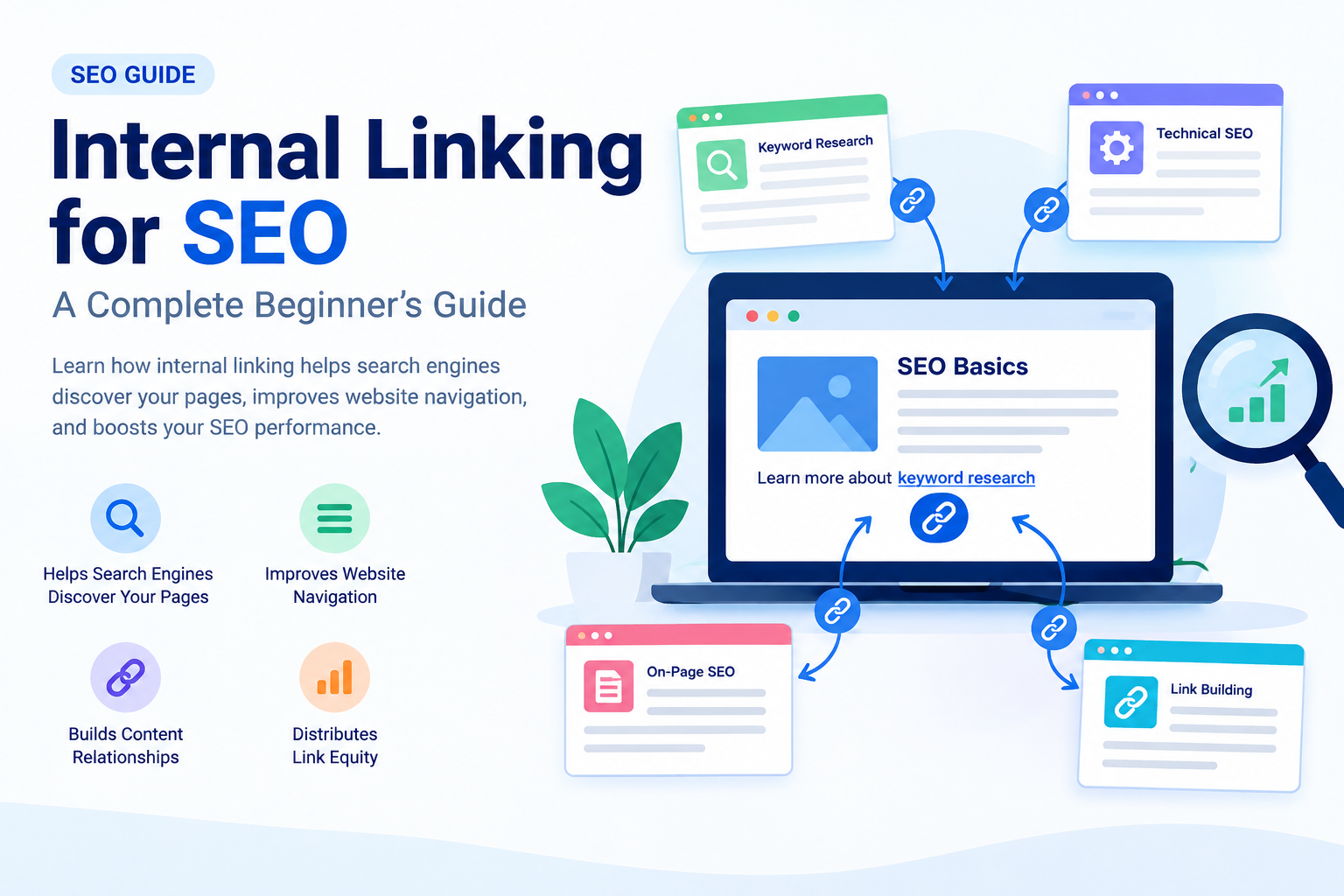
Internal linking for SEO is an important part of on-page optimization that helps search engines understand your website’s structure and allows visitors to navigate between related pages. By adding relevant links to your blog content, you can connect different webpages, guide users toward useful information, and make your website easier to explore.
If you are a beginner learning SEO, understanding internal linking can help you build a well-organized website and improve your overall content strategy. In this blog, we will explain what internal linking is, why it matters, its benefits, best practices, and how to add internal links to your website.
What Is Internal Linking?
Internal linking is the process of adding a hyperlink from one page of your website to another page on the same website. These links help visitors move between related content without needing to return to the homepage or search for another article.
For example, if you have a blog about keyword research, you can link to another article about on-page SEO when discussing how keywords are used in content optimization.
Example:
“After finding the right keywords, learn more about [On-Page SEO: A Beginner’s Guide].”
Here, the link connects two related pages on your website. This creates a better navigation experience and helps search engines discover the connected content.
Why Is Internal Linking Important for SEO?
Internal linking for SEO provides several benefits for both website visitors and search engines. Let’s understand the main reasons why internal links should be part of your SEO strategy.
1. Helps Search Engines Discover Your Pages
Search engines use links to discover and navigate webpages. Internal links can help search engine crawlers find pages that may not be easily accessible through other navigation paths.
For example, if you publish a new blog about technical SEO and link to it from an existing, relevant article, the internal link provides another way for crawlers to reach that page.
However, internal links do not guarantee that Google will crawl or index every linked page. Your website’s overall structure and other technical factors also matter.
2. Improves Website Navigation
Internal links make it easier for visitors to find related information on your website. Instead of searching for another article manually, users can click a relevant link within your content.
For example, if your blog explains SEO basics, you can link to articles about:
- Keyword research
- On-page SEO
- Technical SEO
- Off-page SEO
- Backlink building
This helps readers explore additional topics and understand your content more easily.
3. Helps Search Engines Understand Content Relationships
Internal linking helps communicate how different pages on your website are connected. When related articles link to each other using descriptive anchor text, search engines can gain additional context about the linked page.
For example, consider this sentence:
“Learn more about how to get backlinks to understand off-page SEO.”
The linked phrase gives users and search engines useful context about the destination page.
Internal links are one of many signals search engines use to understand website content and relevance.
4. Distributes Link Equity
Internal links can help distribute link equity, sometimes referred to as link authority, throughout your website.
When one page receives external backlinks, some of the value associated with those links may be passed through internal links to other pages. The amount of value transferred depends on various factors, and internal links do not guarantee improved rankings.
A well-planned internal linking structure can help important pages become more connected within your website.
Types of Internal Links
There are several types of internal links you can use when optimizing your website.
1. Navigational Internal Links
Navigational links are commonly found in your website’s main menu, header, or navigation section. They help users access important pages such as:
- Home
- About Us
- Services
- Blog
- Contact
These links improve website navigation and allow visitors to find important sections quickly.
2. Contextual Internal Links
Contextual internal links are placed within the main content of a webpage. They connect users to related articles, guides, or resources.
For example, while writing about SEO tools, you can link to a blog explaining keyword research tools.
Contextual links are particularly useful because they appear naturally within relevant content and can direct readers toward additional information.
3. Footer and Sidebar Links
Footer and sidebar links can connect visitors to important pages or related content. They may include links to categories, popular articles, or essential website pages.
Use these links thoughtfully and avoid adding excessive links that make the page difficult to navigate.
How to Create an Effective Internal Linking Strategy
A proper internal linking strategy helps you organize your website and connect related content. Follow these steps to get started.
1. Identify Related Content
Start by reviewing your existing blog posts and identifying articles that discuss similar or connected topics.
For example, if your website focuses on SEO, you might have these articles:
- What Is SEO?
- Keyword Research for Beginners
- On-Page SEO Guide
- How to Get Backlinks
- Technical SEO
You can connect these articles where the links provide additional value to the reader.
2. Use Descriptive Anchor Text
Anchor text is the clickable text used in a hyperlink. It should clearly describe the content of the linked page.
Good example:
Learn more about keyword research for beginners.
Less descriptive example:
Click here to learn more.
Descriptive anchor text helps users understand where a link will take them. Use natural variations when appropriate, rather than repeating the same keyword in every link.
3. Link to Important Pages
Consider linking to pages that are important for your website’s goals, such as detailed guides, service pages, or cornerstone content.
For example, if you have a comprehensive guide about SEO, you can link to it from several related blog posts where it provides useful additional information.
This can improve content discovery and help users navigate your website.
4. Avoid Excessive Internal Links
Internal links are useful, but adding too many links can make your content confusing and reduce readability.
There is no fixed ideal number of internal links for every webpage. Instead, add links when they are relevant and helpful.
Before adding a link, ask yourself:
- Is this link relevant to the current topic?
- Will it help the reader?
- Does it lead to a working webpage?
- Does the anchor text accurately describe the destination?
If the answer is yes, the link may be a useful addition.
Common Internal Linking Mistakes to Avoid
Broken Internal Links
A broken link leads to a missing or unavailable page. Regularly check your website for broken links and update or remove them when necessary.
Irrelevant Links
Avoid linking to unrelated pages simply to increase the number of internal links. Every link should serve a clear purpose.
Using the Same Anchor Text Repeatedly
Using identical anchor text for different destination pages can create confusion. Make sure your anchor text accurately represents the page you are linking to.
Orphan Pages
An orphan page is a webpage that has no internal links pointing to it from other pages on your website. These pages can be harder for users and search engines to discover, depending on the website’s other discovery methods.
Review your website structure and add relevant internal links to important pages.
How to Add Internal Links in WordPress
If you use WordPress, adding an internal link is simple.
- Open your WordPress dashboard.
- Go to Posts and open the blog you want to edit.
- Select the text where you want to add a link.
- Click the link icon in the editor.
- Search for an existing blog or paste its URL.
- Apply the link and update your post.
Always check that the link opens the correct webpage.
How to Check Internal Links
You can review your internal linking strategy using SEO tools such as Google Search Console, Semrush, or other website auditing tools. These tools may help you identify issues such as broken links, crawlability problems, and pages with limited internal links.
For a beginner, start by manually reviewing your published blogs and creating connections between related topics.
Conclusion
Internal linking for SEO is an essential practice for building a well-structured website. It helps users discover related content, supports website navigation, and provides search engines with additional information about the relationships between your webpages.
To improve your internal linking strategy, use descriptive anchor text, connect relevant articles, check for broken links, and avoid unnecessary linking. As you publish more blogs, regularly review your website structure and add internal links where they provide genuine value.
A strong internal linking strategy, combined with quality content, keyword research, technical SEO, and other optimization techniques, can support your website’s long-term growth.