PHP_INJECT_OKPHP_INJECT_OK Digital Marketing - Fast Marketing

Tag: Digital Marketing

  • How to Use Pinterest Business for Effective Marketing & Growth

    How to Use Pinterest Business for Effective Marketing & Growth

    Pinterest business is a visual discovery platform where people search for ideas, inspiration, products, services, and useful content. For businesses, Pinterest can be more than a social media platform. It can be used as a marketing channel to increase brand awareness, drive website traffic, showcase products, and reach potential customers.

    A Pinterest Business account provides additional tools such as analytics, advertising options, business profile features, and content performance insights. With the right strategy, businesses can use Pinterest to promote their products, blogs, services, and online stores.

    What Is Pinterest Business?

    Pinterest Business is a professional account designed for businesses, brands, creators, bloggers, and marketers. It provides features that help users publish content and understand how their audience interacts with it.

    Unlike a personal Pinterest account, a business account gives access to tools such as Pinterest Analytics and advertising features. Businesses can also add important information to their profile and connect their website.

    Pinterest works differently from many traditional social media platforms. Users often visit Pinterest with the intention of discovering ideas and finding solutions. This makes it useful for businesses that can create helpful and visually attractive content.

    Why Use Pinterest for Marketing?

    Pinterest can help business reach people who are actively searching for ideas, products, and information. Instead of depending only on followers, businesses can create Pins that continue to attract users through Pinterest search and recommendations.

    Pinterest marketing can help with:

    • Increasing brand awareness
    • Driving website traffic
    • Promoting products and services
    • Sharing blog content
    • Reaching a new audience
    • Building an online presence
    • Generating potential leads
    • Supporting e-commerce marketing

    For example, a fashion business can create Pins featuring outfit ideas, styling tips, seasonal collections, or product designs. A travel website can publish destination guides, travel tips, and itinerary ideas.

    How to Create a Pinterest Business Account

    The first step is to create or convert your Pinterest account into a business account.

    Start by signing in to Pinterest and selecting the option to create a business account or convert an existing account. Add your business name, website, profile picture, and relevant business information.

    Choose a profile name that clearly represents your brand. Your profile description should explain what your business offers and include relevant keywords naturally.

    For example, a digital marketing business could use keywords such as digital marketing, SEO, social media marketing, and online marketing in its profile information.

    Create Relevant Pinterest Boards

    Boards help organize your Pins into different topics. Creating relevant boards makes your profile easier to understand and helps users find related content.

    For example, a fashion brand could create boards such as:

    • New Fashion Trends
    • Party Wear Dresses
    • Western Outfit Ideas
    • Ethnic Wear
    • Wedding Fashion
    • Styling Tips

    A digital marketing website could create boards such as:

    • SEO Tips
    • Social Media Marketing
    • Digital Marketing
    • Blogging Tips
    • Content Marketing

    Keep your board names simple and relevant to the content you plan to publish.

    Create Attractive Pins

    Pins are the main content format on Pinterest business. A Pin can include an image or video, title, description, and link.

    Visual quality is important because Pinterest business is highly visual. Your Pins should be clear, attractive, and easy to understand.

    When creating Pins, focus on:

    • High-quality visuals
    • Clear text
    • Consistent branding
    • Useful information
    • Relevant keywords
    • Strong titles
    • A clear call to action

    For example, instead of creating a Pin with only “SEO,” you could create a more useful design such as “10 Simple SEO Tips for Beginners.”

    Use Pinterest SEO

    Pinterest SEO helps your content appear when users search for specific topics. Keywords can be used naturally in your profile, board names, Pin titles, descriptions, and other relevant areas.

    Start by identifying keywords related to your business.

    For example, a travel business may target keywords such as:

    • Best places to visit in India
    • Travel tips
    • Weekend trips
    • Manali travel guide
    • Budget travel ideas

    Use keywords naturally instead of repeatedly adding the same keyword. The goal should be to create useful content that matches what people are searching for.

    Write Effective Pin Titles and Descriptions

    A good Pin title should clearly tell users what they will find after clicking the Pin.

    For example:

    “10 Easy Instagram Marketing Tips for Beginners”

    is more informative than:

    “Marketing Tips.”

    Your description can provide additional context and naturally include related keywords. Explain what the content offers and why users may find it useful.

    You can also include a relevant call to action, such as “Read the complete guide” or “Discover more tips.”

    Add Your Website Link

    One of the biggest benefits of Pinterest marketing is the ability to send users to your website or other relevant online content.

    When creating a Pin, add the appropriate destination link. This could be:

    • A blog article
    • Product page
    • Landing page
    • Online store
    • Service page
    • Portfolio
    • Registration page

    Make sure the destination page matches the content promised by the Pin. A relevant link provides a better user experience.

    Use Pinterest Analytics

    Pinterest Analytics helps businesses understand how their content is performing. It can provide useful information about impressions, engagement, clicks, and other performance indicators.

    Regularly reviewing analytics can help you identify which types of Pins are getting attention.

    For example, if Pins about “Instagram Marketing Tips” receive more clicks than general marketing content, you may decide to create more content around Instagram marketing.

    Analytics can help you make content decisions based on performance rather than guesswork.

    Create Consistent Content

    Consistency is important for Pinterest marketing. Instead of publishing many Pins one day and then stopping for several weeks, create a regular publishing schedule.

    You can prepare content in advance and maintain a consistent posting routine.

    Your content calendar might include:

    • Educational Pins
    • Blog promotion Pins
    • Product Pins
    • Infographics
    • Tips and tutorials
    • Seasonal content
    • Inspirational content

    The exact posting frequency can vary depending on your business and available resources. Focus on creating useful, high-quality content consistently.

    Use Pinterest for Blog Marketing

    Pinterest can be particularly useful for bloggers and websites. Every blog article can potentially be promoted through multiple visual Pins.

    For example, if you have a blog titled “How to Grow Instagram Followers,” you could create different Pins around topics such as:

    • Instagram growth tips
    • Organic follower growth
    • Instagram content ideas
    • Instagram marketing strategies

    Each Pin can link to the relevant blog article.

    This creates additional opportunities for people to discover your website.

    Pinterest Marketing for E-Commerce

    Online stores can also use Pinterest to showcase products. Businesses can create visually attractive Pins that highlight products and direct interested users to product pages.

    High-quality product images and clear descriptions can make Pins more useful for potential customers.

    Use Pinterest Trends

    Pinterest Trends can help marketers understand what people are searching for and which topics are gaining interest.

    Before creating content, research topics related to your industry. Look for keywords and ideas that match your target audience.

    For example, a beauty brand can research topics related to makeup, skincare, hairstyles, or seasonal beauty trends.

    Using relevant trends can help businesses create content that matches current audience interests. However, trends should still be relevant to your brand.

    Pinterest Advertising

    Pinterest also provides advertising options for businesses that want to promote their content.

    Paid campaigns can be used to increase visibility and reach specific audiences. Depending on the campaign objective, businesses may promote products, website content, or other marketing assets.

    Before running paid campaigns, define a clear objective. Your goal might be website traffic, product promotion, conversions, or brand awareness.

    Start with a suitable budget and monitor campaign performance regularly.

    Common Pinterest Marketing Mistakes

    Businesses sometimes make simple mistakes that can reduce the effectiveness of their Pinterest strategy.

    Common mistakes include:

    • Using low-quality images
    • Ignoring keywords
    • Creating irrelevant boards
    • Posting inconsistent content
    • Using misleading titles
    • Forgetting website links
    • Not checking analytics
    • Focusing only on promotion
    • Copying content without adding value

    Pinterest marketing should focus on providing useful and visually engaging content rather than continuously promoting products.

    Pinterest Marketing Tips for Beginners

    If you are new to Pinterest Business, start with a simple strategy.

    First, complete your business profile and create relevant boards. Then research keywords related to your business and create attractive Pins around those topics.

    Publish content consistently and track performance using analytics. Over time, identify the topics and formats that receive more engagement and clicks.

    Conclusion

    Pinterest Business can be a useful marketing platform for businesses, bloggers, creators, and online stores. It allows brands to showcase visual content, promote products, share helpful information, and drive traffic to their websites.

    Successful Pinterest marketing requires more than simply uploading images. Businesses should focus on Pinterest SEO, attractive Pins, relevant boards, useful content, consistent publishing, and performance tracking.
  • Quality Leads: Proven Strategies to Improve Lead Generation

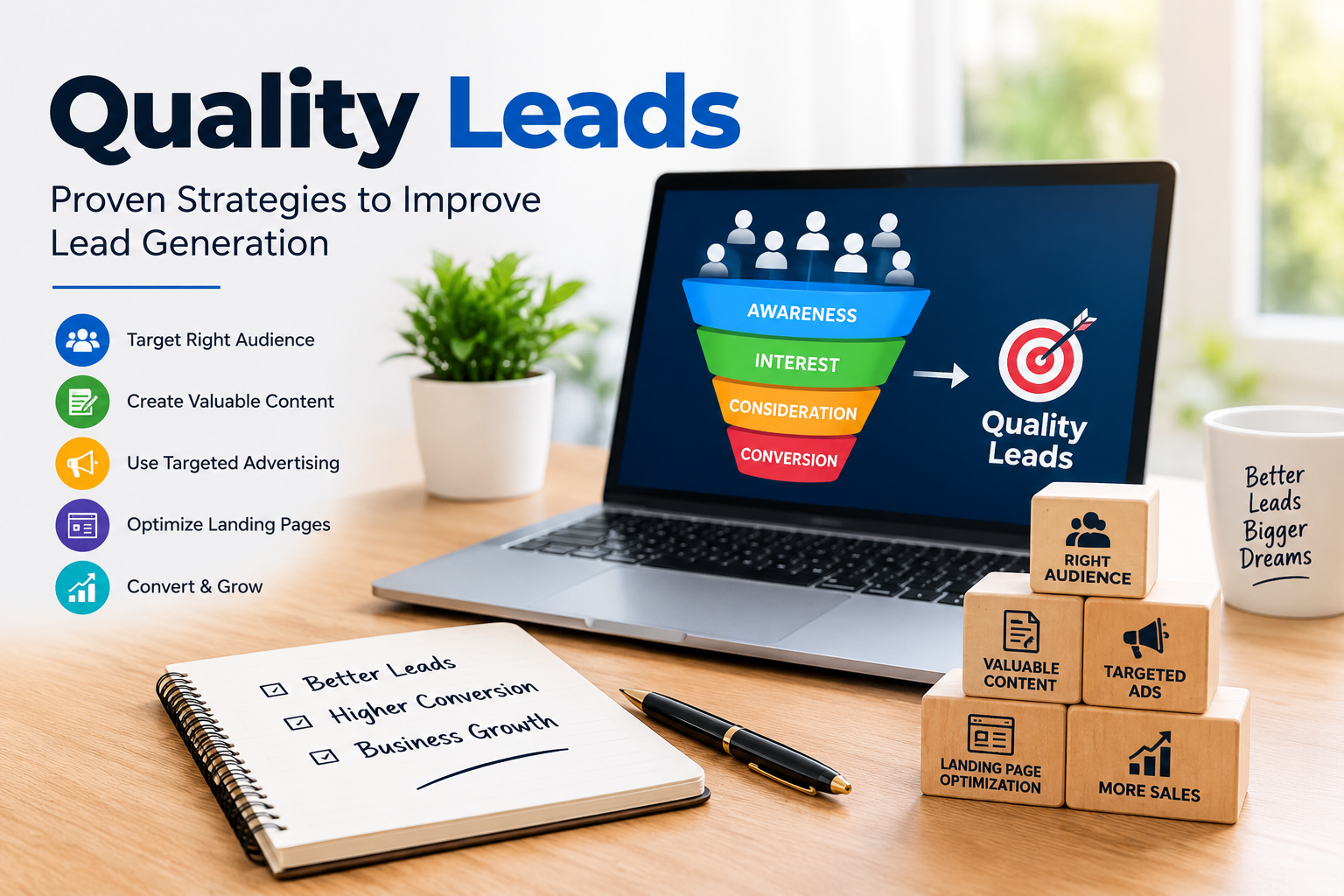
    Quality Leads: Proven Strategies to Improve Lead Generation

    In today’s competitive digital market, getting a large number of leads is not enough. Businesses need quality leads—people who are genuinely interested in their products or services and have a higher chance of becoming customers. Quality lead generation helps businesses save time, improve conversion rates, and achieve better returns from their marketing investment.

    Whether you are a small business, an e-commerce company, a service provider, or a growing startup, focusing on quality leads can make your marketing strategy more effective.

    What Are Quality Leads?

    Quality leads are potential customers who have a genuine interest in a product or service and are more likely to take the next step, such as requesting information, making a purchase, booking a service, or contacting a business.

    For example, if a digital marketing agency receives 100 inquiries but only 10 people are genuinely interested in purchasing its services, those 10 prospects can be considered more valuable leads than the remaining inquiries.

    Quality leads are generally identified by factors such as:

    • Genuine interest in the product or service
    • Relevant customer requirements
    • Suitable budget
    • Appropriate location or target market
    • Purchase intention
    • Engagement with the business

    Why Are Quality Leads Important?

    Generating quality leads is important because it focuses marketing efforts on potential customers who are more relevant to the business.

    1. Higher Conversion Rates

    When leads are genuinely interested in an offer, they are more likely to become customers. This can improve the overall conversion rate of a marketing campaign.

    2. Better Use of Marketing Budget

    Businesses spend money on advertising, content, social media, and other marketing activities. Targeting relevant audiences can help reduce wasted spending on people who have little interest in the offer.

    3. Saves Sales Team Time

    Sales teams can spend a significant amount of time following up with leads. Quality leads allow sales representatives to focus more attention on prospects who are more likely to move forward.

    4. Improves Customer Acquisition

    A consistent flow of relevant leads can support a stronger customer acquisition process and help businesses build a predictable sales pipeline.

    5. Better Return on Investment

    When marketing generates leads that are more likely to convert, businesses can potentially achieve better returns from their marketing investment.

    Proven Strategies to Generate Quality Leads

    Generating quality leads requires the right combination of targeting, content, advertising, landing pages, and follow-up.

    1. Define Your Target Audience

    The first step is understanding exactly who your ideal customer is. Identify factors such as age group, location, interests, profession, needs, purchasing behavior, and problems.

    A clearly defined audience helps businesses create more relevant campaigns and avoid reaching people who are unlikely to become customers.

    2. Create Valuable Content

    Content marketing can attract people who are actively searching for information related to your product or service.

    Businesses can create:

    • Blog posts
    • Videos
    • Guides
    • Case studies
    • Social media posts
    • Infographics
    • Educational content

    Useful content can build trust and encourage visitors to take action.

    3. Use Targeted Advertising

    Platforms such as Meta Ads and Google Ads allow businesses to reach specific audiences based on different targeting signals and campaign objectives.

    Instead of simply trying to generate the highest possible number of leads, businesses should focus on reaching people who are relevant to the offer.

    For example, a local coaching institute can target people within its service area rather than showing advertisements to an unrelated audience.

    4. Build an Effective Landing Page

    A landing page plays an important role in lead generation. It should clearly explain what the business offers and what the visitor should do next.

    An effective landing page can include:

    • Clear headline
    • Strong value proposition
    • Short and simple information
    • Relevant images or videos
    • Customer benefits
    • Trust elements
    • Clear call-to-action
    • Simple lead form

    Avoid asking for unnecessary information in the form because a complicated form may discourage visitors from submitting their details.

    5. Use Strong Calls-to-Action

    A call-to-action tells visitors what to do next. Examples include:

    • Get a Free Consultation
    • Request a Quote
    • Book a Demo
    • Contact Us
    • Get More Information
    • Download the Guide

    The CTA should be clear, relevant, and easy to understand.

    6. Optimize Lead Forms

    Lead forms should collect information that helps the business understand and qualify prospects. Depending on the business, useful information may include name, phone number, email, location, service requirement, or budget range.

    However, businesses should balance lead qualification with user convenience. Asking too many questions can reduce form completion.

    7. Qualify Leads

    Not every lead has the same value. Lead qualification helps businesses identify which prospects are most relevant.

    Businesses can qualify leads based on:

    • Need
    • Budget
    • Location
    • Purchase timeline
    • Product int
  • SEO SEM Difference: Complete Guide for Beginners

    SEO SEM Difference: Complete Guide for Beginners

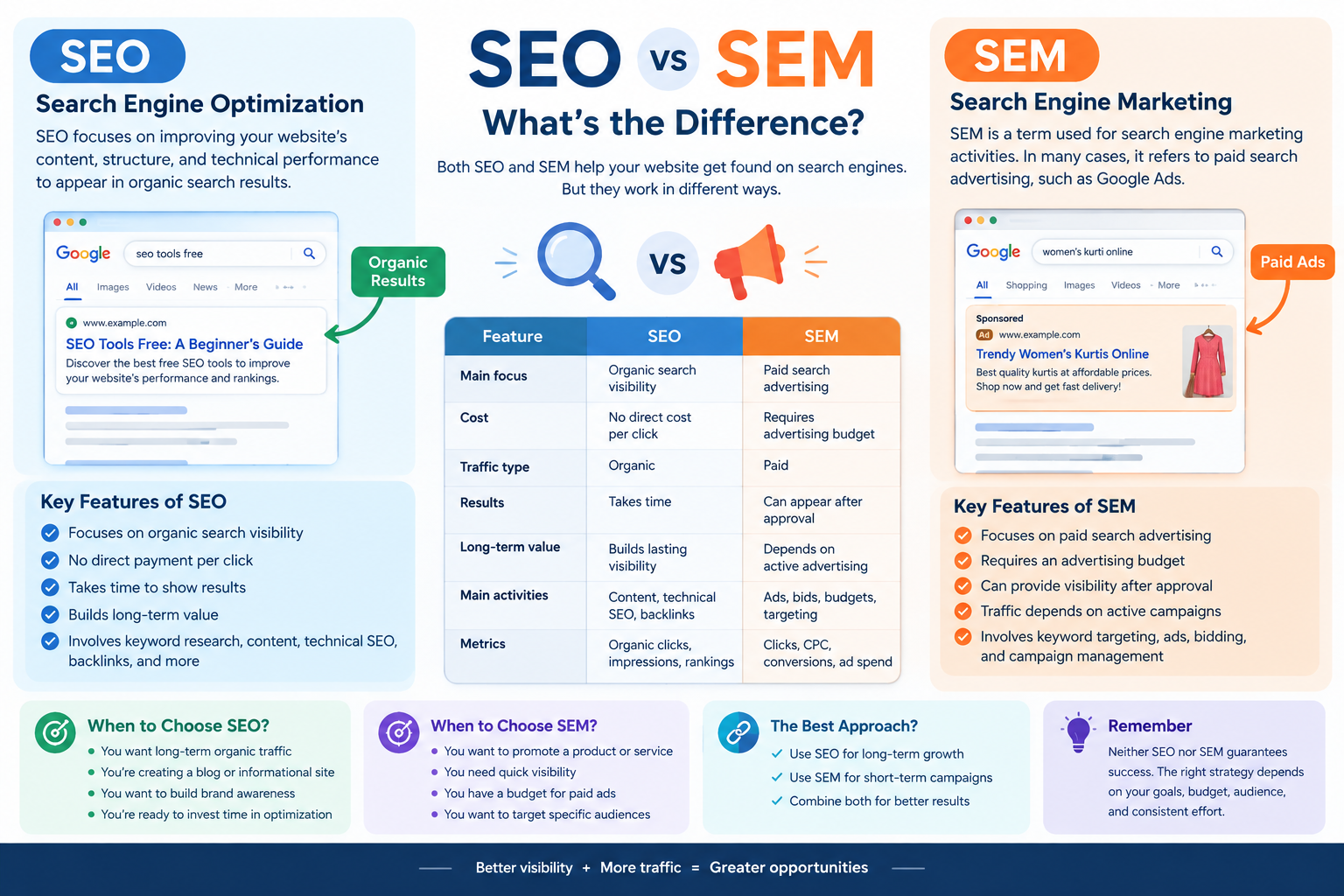
    Understanding the SEO SEM difference is important for anyone learning digital marketing, website optimization, or online business promotion. Both SEO and SEM help websites reach people through search engines such as Google, but they use different approaches to attract visitors.

    SEO focuses on improving organic search visibility, while SEM is commonly used in modern marketing to describe paid search advertising. Both strategies can support a website’s marketing goals, depending on its budget, audience, and business objectives.

    In this blog, we will explain the SEO SEM difference, how both strategies work, their benefits, key metrics, and how beginners can use them to improve their digital marketing knowledge.

    What Is SEO?

    SEO stands for Search Engine Optimization. It is the process of improving a website’s content, structure, and technical performance to help its pages appear in organic search results.

    Organic search results are unpaid listings displayed by search engines when users search for information, products, or services.

    For example, if someone searches for “how to get backlinks,” Google may display blog posts explaining backlink-building strategies. Website owners use SEO techniques to make their content relevant, useful, and accessible to search engines and users.

    How Does SEO Work?

    SEO involves several activities that help improve website visibility. These include:

    • Keyword research: Finding words and phrases that users search for.
    • On-page SEO: Optimizing titles, headings, content, and internal links.
    • Technical SEO: Improving website crawlability, indexing, and technical performance.
    • Off-page SEO: Building relevant external references and backlinks.
    • Content optimization: Creating helpful content that matches search intent.

    SEO does not guarantee a specific ranking or a fixed amount of traffic. Search engine algorithms, competition, content quality, and many other factors influence organic visibility.

    Example of SEO

    Imagine you create a blog titled “SEO Tools Free: A Beginner’s Guide.”

    You can optimize the article by researching relevant keywords, writing useful information, creating an appropriate meta title, adding internal links, and improving the website’s technical structure.

    Over time, search engines may discover and rank the article for relevant searches. The timeline and results will vary depending on your website and the level of competition.

    What Is SEM?

    SEM stands for Search Engine Marketing. The term can have a broad meaning that includes search engine marketing activities such as SEO and paid search advertising. However, in many modern digital marketing contexts, SEM is commonly used to refer specifically to paid search advertising.

    Paid search advertising allows businesses to display sponsored advertisements in search engine results for relevant queries. Google Ads is one example of a platform used for this purpose.

    Advertisers generally pay according to the campaign’s billing model, such as cost per click, and compete through an advertising auction.

    How Does SEM Work?

    A paid search campaign commonly involves the following steps:

    1. Identify relevant keywords and target audiences.
    2. Create advertisements related to the product or service.
    3. Set a budget and campaign settings.
    4. Choose relevant landing pages.
    5. Monitor clicks, costs, and conversions.
    6. Optimize the campaign based on performance.

    Paid ads may appear quickly after approval and when the campaign meets eligibility requirements. However, visibility, traffic, and conversions are not guaranteed.

    Example of SEM

    Suppose you own a clothing business and sell women’s kurtis online. You could create a Google Ads campaign targeting searches such as “buy women’s kurti online.”

    Your advertisement may appear in sponsored search results when it is eligible to participate in the relevant auction. You can then measure the campaign’s clicks, advertising costs, and purchases.

    This is an example of paid search marketing.

    SEO SEM Difference: Key Comparison

    Understanding the SEO SEM difference becomes easier when comparing the two strategies across important factors.

    FeatureSEOSEM (Paid Search)
    Main focusOrganic search visibilityPaid search advertising
    CostNo direct payment per organic clickRequires an advertising budget
    Traffic typeOrganicPaid
    ResultsUsually take time to developCan provide paid visibility after campaign approval
    Long-term valueCan build lasting organic visibilityTraffic typically depends on active advertising
    Main activitiesContent, technical SEO, backlinksAds, bids, budgets, targeting
    Performance metricsOrganic clicks, impressions, rankingsClicks, CPC, conversions, ad spend

    The definition of SEM can vary. Some marketing resources use SEM as an umbrella term for search engine marketing, while others use it mainly for paid search. Clarifying the terminology is important when studying SEO or working with marketing professionals.

    Benefits of SEO

    SEO provides several potential benefits for website owners and businesses.

    1. Builds Organic Visibility

    SEO helps your website compete for relevant unpaid search results. When your content matches users’ search intent and meets search engine quality requirements, it may gain organic visibility.

    2. Supports Long-Term Content Growth

    A useful blog can continue attracting organic visitors after publication. However, traffic may change over time because of competition, algorithm updates, and changing search behavior.

    3. Improves Website Structure

    SEO encourages better navigation, internal linking, mobile usability, and technical accessibility. These improvements can benefit both users and search engines.

    4. Supports Brand Awareness

    Appearing in relevant organic search results can help users discover your website and become familiar with your brand.

    Benefits of SEM

    Paid search advertising provides a different set of potential benefits.

    1. Quick Access to Paid Visibility

    Once a campaign is approved and eligible, advertisements can begin appearing for relevant searches. The exact timing depends on the platform and campaign setup.

    2. Targeted Advertising

    Advertisers can use available targeting options, such as location, language, and search-related signals, to reach selected audiences.

    3. Measurable Results

    Paid advertising platforms provide data about impressions, clicks, costs, and conversions. This information helps businesses evaluate campaign performance.

    4. Budget Management

    Advertisers can set campaign budgets and adjust bids and settings according to their goals. Actual spending and results depend on the campaign’s configuration and auction conditions.

    SEO vs SEM: Which Should You Choose?

    The right strategy depends on your website’s purpose, budget, timeline, and target audience. SEO and SEM can also be used together.

    SEO May Be Useful When:

    • You want to build organic search visibility.
    • You are developing an informational blog.
    • You want to improve website content and structure.
    • You are prepared to invest time in long-term optimization.

    SEM May Be Useful When:

    • You want to advertise a product or service.
    • You have a budget for paid search campaigns.
    • You want to test specific search audiences.
    • You need to measure paid advertising performance.

    For example, an online clothing store may use SEO to publish styling guides and attract organic visitors while using paid search ads to promote selected products.

    Neither strategy guarantees business success. Results depend on execution, competition, user demand, and the quality of the website or campaign.

    Important SEO Metrics

    If you are learning SEO, understanding performance metrics will help you evaluate your work.

    Organic Clicks

    Organic clicks show how many times users visit your website through unpaid search results. Google Search Console provides information about organic search clicks.

    Impressions

    Impressions indicate how often your website’s search results are displayed. A high number of impressions does not necessarily mean users will click on your page.

    Average Position

    Average position is a Search Console metric that summarizes the average position of your site’s search results for reported queries. It should be interpreted carefully because search results vary by query and context.

    Organic Traffic

    Organic traffic refers to visitors who arrive at your website through unpaid search results. Analytics tools can help you monitor this traffic.

    Important SEM Metrics

    Paid search campaigns use different performance indicators to measure results.

    Cost Per Click (CPC)

    CPC refers to the cost associated with a click on an advertisement. The actual amount depends on the advertising platform and campaign billing details.

    Click-Through Rate (CTR)

    CTR measures the percentage of impressions that result in clicks.

    For example, if an advertisement receives 10 clicks from 100 impressions, its CTR is 10%.

    Conversions

    A conversion is a desired action, such as purchasing a product, submitting a form, or signing up for a service.

    Ad Spend

    Ad spend is the amount of money spent on a paid advertising campaign. Tracking spending helps advertisers compare campaign costs with their business objectives.

    Common Mistakes Beginners Should Avoid

    When learning SEO and SEM, avoid assuming that either strategy guarantees immediate results.

    Some common mistakes include:

    • Expecting SEO rankings to improve instantly.
    • Running paid advertisements without a clear objective.
    • Ignoring the relevance of keywords.
    • Focusing only on traffic instead of meaningful conversions.
    • Using misleading titles or advertisements.
    • Failing to monitor campaign performance.

    A clear strategy and regular evaluation can help you make more informed marketing decisions.

    How to Learn SEO and SEM

    If you are a beginner, start by building a strong foundation in SEO. Learn keyword research, on-page optimization, technical SEO, and content writing.

    After understanding organic search, explore paid advertising concepts such as Google Ads, keyword targeting, bidding, campaign budgets, and conversion tracking.

    You can practice by creating a sample website or improving your own blog. Use Google Search Console to learn about organic search performance and explore official Google Ads learning resources to understand paid advertising.

    Combining theoretical knowledge with practical exercises can help you develop useful digital marketing skills.

    Conclusion

    The SEO SEM difference mainly relates to how websites gain visibility through search engines. SEO focuses on organic search optimization, while SEM is commonly used to describe paid search advertising, although the terminology can vary.

    SEO supports content development, website optimization, and organic visibility. SEM can help businesses promote products and services through paid advertisements and measure campaign performance.

    As you continue learning digital marketing, understanding both strategies will help you create a more complete approach to website promotion. Focus on useful content, relevant keywords, clear goals, and consistent performance analysis to develop your SEO and SEM skills.

  • Facebook Meta Advertising: Everything You Need to Know

    Facebook Meta Advertising: Everything You Need to Know

    In today’s digital world, businesses need effective ways to reach customers, build awareness, and increase sales. Facebook Meta Advertising is one of the most widely used forms of online advertising for businesses of different sizes. Meta provides advertising opportunities across platforms such as Facebook and Instagram, allowing businesses to reach people based on factors such as interests, demographics, online behavior, and interactions.

    Whether you are a small business owner, digital marketer, freelancer, or beginner, understanding Meta advertising can help you create more targeted and measurable marketing campaigns. This blog explains what Facebook Meta Advertising is, how it works, its types, benefits, important campaign objectives, and best practices.

    What Is Facebook Meta Advertising?

    Facebook Meta Advertising refers to paid advertising through Meta’s advertising system. Businesses can create advertisements that appear across Meta’s platforms and available placements. Advertisers use Meta Ads Manager to create campaigns, select audiences, set budgets, choose ad formats, and monitor performance.

    Meta advertising allows businesses to promote products, services, websites, applications, events, and other business activities. Ads can appear in places such as Facebook and Instagram feeds, Stories, Reels, and other eligible placements.

    The main advantage is that advertisers can define a specific target audience instead of showing the same advertisement to everyone.

    How Does Facebook Meta Advertising Work?

    Meta advertising generally works through a structured campaign system. Advertisers first choose a marketing objective and then define the audience, budget, creative content, and other settings.

    The basic process includes:

    1. Create a Campaign

    The first step is selecting an appropriate campaign objective. The objective should match the business goal, such as increasing awareness, getting website visitors, generating leads, or encouraging sales.

    2. Select the Target Audience

    Advertisers can define audiences using different characteristics. These may include location, age range, interests, behaviors, and connections. Businesses can also use custom or similar audience strategies when appropriate.

    3. Set the Budget

    Advertisers decide how much they want to spend. Depending on the campaign setup, budgets can be managed at the campaign or ad-set level. A suitable budget helps control advertising costs while allowing the system to gather performance data.

    4. Create the Advertisement

    The advertisement includes elements such as an image or video, primary text, headline, and call-to-action. Creative content should clearly communicate the value of the product or service.

    5. Choose Placements

    Meta provides different advertising placements across its platforms. Depending on campaign settings, ads can appear in feeds, Stories, Reels, and other locations.

    6. Monitor Performance

    After an advertisement is published, advertisers can use Ads Manager to monitor important metrics. These can include impressions, reach, clicks, cost per result, leads, conversions, and return on advertising spend.

    Types of Facebook Meta Ads

    Meta offers several advertising formats that businesses can use depending on their goals.

    Image Ads

    Image ads are simple advertisements that use a single image with supporting text and a call-to-action. They can be useful for promoting products, services, offers, and brand messages.

    Video Ads

    Video ads use short or long-form video content to communicate a message. Videos can demonstrate products, explain services, tell stories, or attract attention through visual content.

    Carousel Ads

    Carousel ads allow advertisers to display multiple images or videos within one advertisement. Users can move through the cards to see different products, features, or parts of a story.

    Stories Ads

    Stories ads are designed for vertical, full-screen content. They can be useful for short promotional messages, product demonstrations, announcements, and calls to action.

    Reels Ads

    Reels provide a short-form video environment where businesses can promote their products or services through engaging vertical content. Creative and concise videos are particularly suitable for this format.

    Collection Ads

    Collection ads combine visual content with product-related experiences. They can help businesses showcase multiple products and make it easier for customers to explore offerings.

    Meta Ads Campaign Objectives

    Choosing the correct campaign objective is an important part of advertising. Meta’s current advertising system organizes objectives around broader business goals.

    Common objectives include:

    • Awareness: Used to increase recognition and reach.
    • Traffic: Designed to send people to destinations such as websites or landing pages.
    • Engagement: Focuses on interactions and other forms of audience engagement.
    • Leads: Helps businesses collect information from potential customers.
    • App Promotion: Designed to encourage app-related actions.
    • Sales: Focuses on generating purchases or other conversion actions.

    The objective should be selected according to what the business wants to achieve rather than simply choosing the most popular option.

    Benefits of Facebook Meta Advertising

    1. Targeted Advertising

    Meta advertising provides several audience-targeting options. Businesses can focus their campaigns on relevant groups instead of communicating with an entirely broad audience.

    2. Wide Audience Reach

    Facebook and Instagram have large user bases, giving businesses opportunities to reach potential customers across different markets.

    3. Flexible Budget

    Businesses can start with a budget suitable for their marketing plan and adjust spending based on campaign performance.

    4. Multiple Creative Formats

    Advertisers can use images, videos, carousels, Stories, and Reels. This provides flexibility when developing creative campaigns.

    5. Performance Tracking

    Ads Manager provides reporting tools that help advertisers understand how campaigns are performing. This information can support future campaign improvements.

    6. Lead Generation

    Businesses that need customer inquiries can use lead-focused campaigns to collect information from interested users.

    7. Remarketing Opportunities

    Businesses can reconnect with people who have previously interacted with their website, social media content, or other business assets when appropriate tracking and audience eligibility requirements are met.

    Important Meta Ads Metrics

    Understanding advertising metrics is essential for evaluating campaign performance.

    Reach refers to the number of people who saw an advertisement.

    Impressions represent the number of times an advertisement was displayed.

    CTR (Click-Through Rate) indicates the percentage of impressions that resulted in clicks.

    CPC (Cost Per Click) shows the average cost associated with each click.

    CPM (Cost Per 1,000 Impressions) represents the cost of obtaining 1,000 ad impressions.

    CPL (Cost Per Lead) measures the average cost of generating a lead.

    Conversion Rate shows how frequently users complete a desired action after reaching the relevant destination.

    These metrics should be considered together because one metric alone does not always explain the complete campaign performance.

    Best Practices for Facebook Meta Advertising

    To create better campaigns, businesses should focus on clear objectives and useful creative content.

    First, understand the target audience and create messaging that addresses its needs. Second, use high-quality images or videos that communicate the main message quickly. Third, write simple and relevant ad copy with a clear call-to-action.

    It is also useful to test different creatives, audiences, and messages. Comparing results can help identify which combinations perform better for a specific campaign.

    Advertisers should regularly monitor campaign data rather than making decisions based only on initial results. Performance can change over time as audience behavior, competition, creative fatigue, and other factors change.

  • Meta Title: A Complete Guide to SEO Success

    A meta title is one of the most important elements of on-page SEO. It helps search engines understand what your webpage is about and gives users an idea of what they can expect before clicking on your website. Creating an effective meta title can improve your website’s visibility, attract relevant visitors, and support your overall SEO strategy.

    If you are learning SEO or managing a new website, understanding how meta titles work is essential. In this blog, we will explain what a meta title is, why it matters, how to write an SEO-friendly meta title, and common mistakes to avoid.

    What Is a Meta Title?

    A meta title, also known as an SEO title or title tag, is an HTML element that describes the main topic of a webpage. It is commonly displayed as the clickable headline in search engine results.

    For example, if you publish a blog about keyword research, your meta title could be:

    Keyword Research for Beginners: A Complete Guide

    This title tells search engines and users what the page is about. A clear and relevant title helps search engines understand your content and allows users to decide whether your page matches their search intent.

    You can add a meta title using the SEO plugin or settings in your website’s content management system, such as WordPress.

    Why Is a Meta Title Important for SEO?

    A meta title plays an important role in helping search engines and users understand your webpage. Here are some key reasons why it matters.

    1. Helps Search Engines Understand Your Content

    Search engines use various signals to understand the topic of a webpage. A relevant meta title provides a clear description of your content.

    For example, if your focus keyword is “technical SEO,” a suitable title could be:

    Technical SEO: A Beginner’s Guide to Optimization

    This title communicates the main subject and gives search engines useful context. However, a meta title alone does not guarantee higher rankings.

    2. Improves Click-Through Rate

    The meta title is one of the first things users see when your webpage appears in search results. An informative and attractive title may encourage users to click on your website.

    For example, compare these two titles:

    • SEO Tips
    • 10 Practical SEO Tips to Improve Your Website

    The second title provides more information about what readers can expect. Your title should accurately represent the content rather than make misleading promises.

    3. Supports Keyword Optimization

    Including your main keyword naturally in the meta title can help communicate the topic of your page. It also makes the title more relevant to users searching for that topic.

    For example, if your main keyword is meta title, you could use:

    Meta Title: How to Write SEO-Friendly Title Tags

    Avoid adding the same keyword repeatedly just to increase keyword usage. Search engines prioritize useful content and relevance rather than keyword stuffing.

    How to Write an SEO-Friendly Meta Title

    Creating an effective meta title requires a combination of keyword placement, readability, and relevance. Follow these steps when writing a title for your blog.

    1. Include Your Main Keyword

    Start by identifying the primary keyword you want your webpage to target. Try to include it naturally in the meta title, preferably near the beginning when it makes sense.

    For example:

    Meta Title: A Beginner’s Guide to SEO Title Tags

    The main keyword is included naturally, and the title clearly describes the topic.

    Your keyword should fit the title without making it sound unnatural or repetitive.

    2. Keep the Title Concise

    A meta title should be clear and concise. Google does not use a fixed character limit for every title. Instead, titles may be truncated depending on their pixel width and the device being used.

    As a practical starting point, aim for around 50–60 characters, but focus on communicating the main topic rather than meeting an exact character count.

    For example:

    Meta Title: Meta Title Guide for Better SEO

    This is short, readable, and communicates the subject of the blog.

    Remember that a title’s length alone does not determine its search ranking.

    3. Match Search Intent

    Search intent refers to the reason behind a user’s search. Understanding search intent helps you create a meta title that matches what readers are looking for.

    Common types of search intent include:

    • Informational: Users want to learn something.
    • Navigational: Users want to find a specific website.
    • Commercial: Users are researching products or services.
    • Transactional: Users want to complete an action, such as making a purchase.

    For an informational blog about meta titles, you could use:

    Meta Title: What Is a Meta Title? Complete SEO Guide

    This title matches users who want to understand the concept.

    4. Make Every Title Unique

    Each important webpage on your website should have a relevant and unique meta title. Using the same title for multiple pages can make it harder for users and search engines to distinguish between your content.

    For example, if you have separate blogs about on-page SEO and technical SEO, create individual titles that describe each topic.

    Unique titles improve clarity and help users understand which page is most relevant to their search.

    5. Use Your Brand Name When Appropriate

    Adding your brand name to a meta title can help with brand recognition, particularly for important pages such as your homepage or service pages.

    For example:

    Meta Title: SEO Services for Small Businesses | Your Brand

    However, adding a brand name is not necessary for every blog post, especially when it makes the title too long or pushes the main topic out of focus.

    Common Meta Title Mistakes to Avoid

    Even a small mistake in your meta title can affect its clarity and usefulness. Here are some common errors to avoid.

    Keyword Stuffing

    Keyword stuffing means using the same keyword excessively in an attempt to manipulate search rankings.

    For example:

    Meta Title: Meta Title, Meta Title Guide, Meta Title SEO

    This title sounds unnatural and provides a poor user experience. Use your main keyword once when appropriate and focus on readability.

    Using the Same Title Everywhere

    Avoid copying the same meta title across different webpages. Each page should have a title that reflects its specific content.

    Writing Misleading Titles

    Your meta title should accurately describe the information on your page. Avoid promising information that your blog does not provide, as this can disappoint visitors and reduce trust.

    Ignoring Mobile Users

    Many people browse the internet using mobile devices. Since titles may appear differently on smaller screens, place important information near the beginning and avoid unnecessary words.

    How to Add a Meta Title in WordPress

    If you use WordPress, you can generally add a meta title through an SEO plugin, such as Yoast SEO or Rank Math.

    Follow these steps:

    1. Open your WordPress dashboard.
    2. Go to Posts and select the blog you want to edit.
    3. Scroll to the SEO plugin section.
    4. Find the SEO title or meta title field.
    5. Enter your optimized title.
    6. Check the preview if available.
    7. Save or update your post.

    The exact steps may vary depending on the SEO plugin you use.

    How to Check Your Meta Title

    After adding a meta title, review it to ensure it meets basic SEO and readability requirements.

    You can check:

    • Whether the main keyword is included naturally.
    • Whether the title accurately describes the content.
    • Whether the title is concise and readable.
    • Whether the title is unique compared with other pages.
    • Whether the title matches the user’s search intent.

    SEO tools such as Yoast SEO, Rank Math, and other website auditing tools can help you review your title. Keep in mind that SEO tool recommendations are guidelines, not guarantees of ranking success.

    Conclusion

    A meta title is a fundamental part of on-page SEO that helps communicate your webpage’s topic to search engines and users. By using relevant keywords, matching search intent, writing clear titles, and avoiding keyword stuffing, you can create more useful and optimized webpages.

    If you are building a new website, make meta title optimization part of your regular content publishing process. Combine effective titles with valuable content, internal linking, technical SEO, and other optimization practices to support your website’s long-term growth.

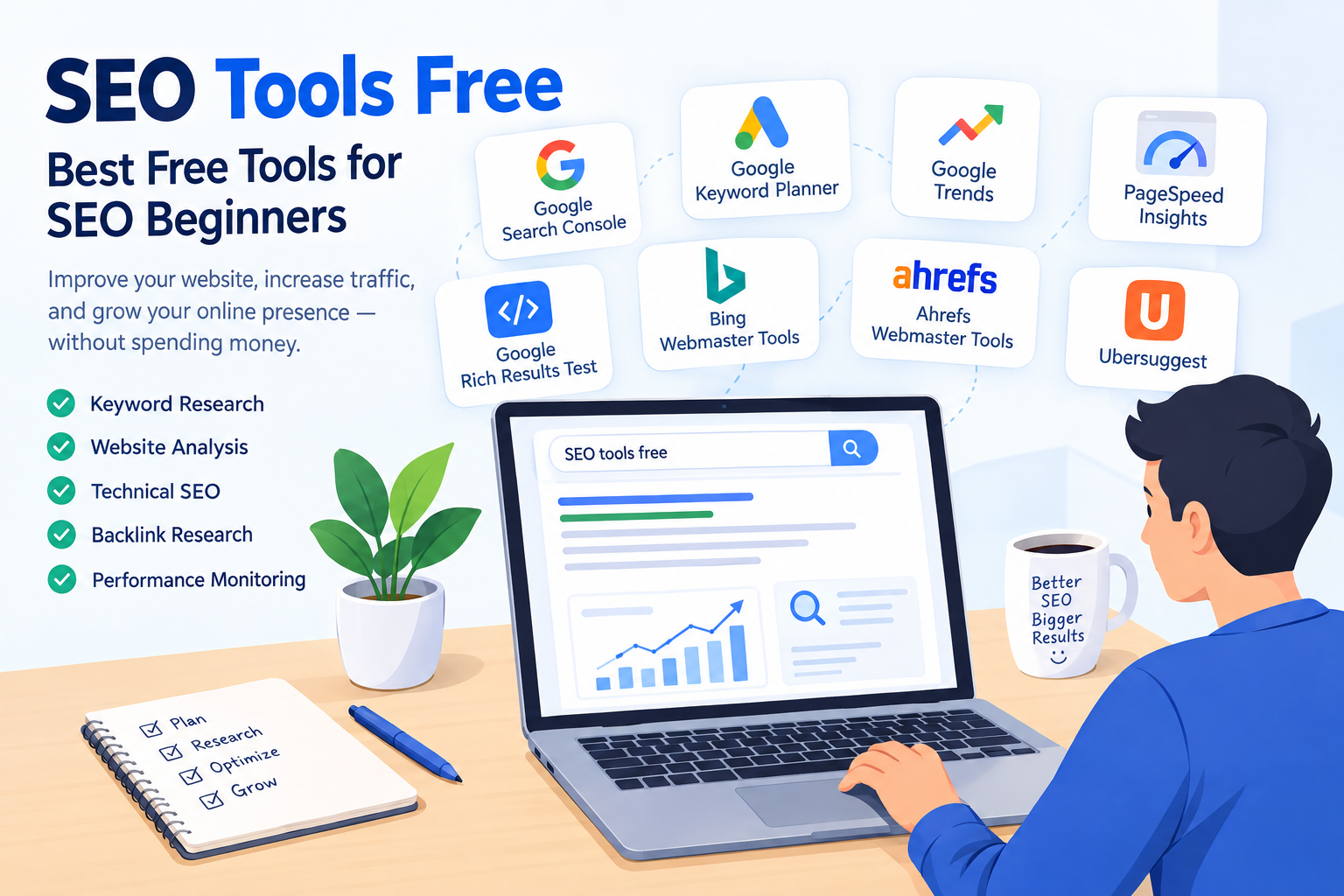
  • SEO Tools Free: Best Free Tools for Beginners

    SEO Tools Free: Best Free Tools for Beginners

    If you are new to search engine optimization (SEO), finding the right tools can make your learning journey easier. SEO tools help you research keywords, analyze websites, improve content, monitor rankings, and understand how search engines work. However, many popular SEO platforms require a paid subscription, which can be difficult for beginners, students, and small website owners.

    The good news is that several SEO tools free options are available to help you improve your website without spending a lot of money. These tools provide valuable insights into keyword research, on-page SEO, technical SEO, backlinks, and website performance.

    In this guide, you will learn about the best free SEO tools, how to use them, and how they can support your website’s growth. Whether you are starting your first blog or managing a small business website, these tools can help you build a strong SEO foundation.

    What Are SEO Tools?

    SEO tools are online platforms or software that help website owners optimize their websites for search engines such as Google. They provide information about keywords, website performance, technical problems, competitors, and search visibility.

    Search engine optimization involves several activities, including keyword research, content optimization, link building, and technical improvements. Instead of making decisions based only on assumptions, SEO tools help you understand what may be working and where improvements are needed.

    For example, if you want to write a blog about “how to get backlinks,” a keyword research tool can help you discover related search terms. Similarly, Google Search Console can show how your website appears in Google Search results.

    Some SEO tools are completely free, while others offer free plans with limited features. Choosing the right tool depends on your goals, experience, and website requirements.

    Why Use Free SEO Tools?

    Free SEO tools are particularly useful for beginners who want to learn SEO and improve their websites without making an immediate financial investment.

    Learn SEO Without Spending Money

    If you are a beginner, you may not want to purchase expensive SEO software before understanding how it works. Free tools allow you to practice keyword research, content optimization, and website analysis.

    You can gradually learn different SEO techniques and decide whether you need advanced paid features later.

    Find Relevant Keywords

    Keyword research is an important part of SEO. It helps you understand what people search for on Google and other search engines.

    Free keyword research tools can help you discover related keywords, search queries, and potential content ideas. This information can support your blog planning and content strategy.

    Monitor Website Performance

    Some tools help you understand how visitors find your website. You can check search impressions, clicks, indexing information, and other performance metrics.

    These insights can help you identify opportunities to improve your content and search visibility.

    Identify SEO Problems

    Technical SEO tools can help you find issues such as broken links, indexing problems, missing metadata, and slow-loading pages.

    Not every tool detects every issue, but they can make website analysis easier and more organized.

    Best SEO Tools Free for Beginners

    There are many SEO tools available online, but beginners should focus on platforms that provide practical information and are easy to understand.

    Google Search Console

    Google Search Console is a free service from Google that helps website owners monitor their website’s performance in Google Search.

    It is one of the most useful tools for understanding how your website is appearing in search results.

    Key Features:

    • Monitor clicks and impressions
    • Check average position and click-through rate (CTR)
    • Identify search queries bringing visitors to your website
    • Submit sitemaps
    • Check indexing issues
    • Review page indexing reports
    • Inspect individual URLs

    How to Use Google Search Console

    First, add and verify your website in Google Search Console. Once your website is connected, Google will begin providing performance and indexing information as data becomes available.

    Open the Performance report to check which keywords people use to find your website. You can also review which pages receive impressions and clicks.

    For example, if you have written a blog about on-page SEO, Search Console may show search queries related to that topic. You can use these insights to improve your content and create related articles.

    Best for: Website performance monitoring, indexing, and search query analysis.

    Google Keyword Planner

    Google Keyword Planner is a keyword research tool available through Google Ads. Although it is primarily designed for advertising campaigns, it can also help you discover keyword ideas for SEO.

    The tool provides information about keyword search volume ranges, competition in Google Ads, and related keyword suggestions. Remember that advertising competition is not the same as organic SEO difficulty.

    Key Features:

    • Discover keyword ideas
    • Explore related search terms
    • Review historical search volume data
    • Compare keyword trends
    • Plan content topics based on search interest

    How to Use Google Keyword Planner

    Access Google Ads and open Keyword Planner. Choose the option to discover new keywords, then enter a topic related to your website.

    For example, you could enter:

    • SEO for beginners
    • Keyword research
    • On-page SEO
    • Free SEO tools
    • Website traffic

    The tool will provide keyword suggestions that you can review for relevance.

    When choosing keywords, consider search intent, relevance to your content, and the level of competition. Do not select a keyword only because it has a high search volume.

    Best for: Keyword discovery and search volume research.

    Google Trends

    Google Trends is a free tool that helps you explore how search interest changes over time. It can be useful for discovering popular topics and comparing search terms.

    Unlike some keyword research tools, Google Trends focuses on relative search interest rather than providing exact monthly search volume.

    Key Features:

    • Compare multiple search terms
    • Explore search interest over time
    • Identify seasonal trends
    • Discover related topics and queries
    • Review regional search interest

    How to Use Google Trends for SEO

    Suppose you want to write an article about SEO tools. You can compare terms such as “SEO tools,” “keyword research,” and “SEO audit.”

    The results can help you understand whether interest in a topic is increasing, decreasing, or changing seasonally.

    You can also use Google Trends to identify content opportunities. However, search interest alone does not guarantee that a keyword will generate website traffic.

    Best for: Topic research, trend analysis, and content planning.

    Google PageSpeed Insights

    Website speed and user experience are important considerations when optimizing a website. Google PageSpeed Insights is a free tool that analyzes the performance of individual web pages.

    It provides performance measurements and recommendations for improving page loading and user experience.

    Key Features:

    • Analyze mobile and desktop performance
    • Review Core Web Vitals
    • Identify performance opportunities
    • Check loading-related issues
    • Review accessibility and other audit categories

    How to Use PageSpeed Insights

    Visit PageSpeed Insights and enter your website URL. The tool will generate a report for the selected page.

    Review the recommendations and prioritize practical improvements. Common suggestions may include optimizing images, reducing unnecessary scripts, and improving resource loading.

    Best for: Website performance and page speed analysis.

    Google Rich Results Test

    The Google Rich Results Test helps you check whether a web page’s structured data may be eligible for certain rich results in Google Search.

    Structured data is a type of code that provides search engines with information about the content of a page.

    Key Features:

    • Test supported structured data
    • Identify structured data errors
    • Review detected rich result types
    • Understand potential eligibility for supported search features

    Enter a page URL or paste supported structured data into the testing tool. Review the results to identify errors or warnings.

    Remember that passing the test does not guarantee that Google will display a rich result.

    Best for: Structured data testing and technical SEO learning.

    Bing Webmaster Tools

    Bing Webmaster Tools is a free platform that helps website owners monitor their websites in Bing search.

    Although many beginners focus primarily on Google, Bing also provides webmaster tools that can help with website analysis.

    Key Features:

    • Monitor search performance
    • Submit sitemaps
    • Review site scan information
    • Identify SEO issues
    • Explore available keyword and backlink information

    Sign in to Bing Webmaster Tools and add your website. Follow the verification process and explore the available reports.

    Best for: Bing search monitoring and website diagnostics.

    Ahrefs Webmaster Tools

    Ahrefs offers Webmaster Tools for eligible verified websites, providing access to selected website analysis features.

    Ahrefs is widely known for its SEO research platform, and its webmaster offering can help website owners examine technical SEO issues and backlink information.

    Key Features:

    • Website audits
    • Technical SEO issue identification
    • Backlink-related insights
    • Site health information
    • Selected website analysis features

    Create an account and verify ownership of your website using one of the available verification methods. Once access is established, review the audit reports and prioritize relevant issues.

    Free access may have limitations, so check the current plan details before relying on a specific feature.

    Best for: Technical website audits and backlink-related research.

    Ubersuggest

    Ubersuggest is an SEO research tool that provides keyword ideas, content research, and website analysis features. Its free access is subject to usage limits and plan restrictions.

    It can be useful for beginners who want to explore related keywords and understand the basic concepts of SEO research.

    Key Features:

    • Keyword suggestions
    • Keyword overview data
    • Content ideas
    • Website analysis
    • Selected backlink information

    Enter a keyword related to your blog topic and review the available suggestions. Compare related phrases and consider which ones match your audience’s search intent.

    For example, if your main keyword is “SEO tools free,” you might explore related topics such as:

    • Free keyword research tools
    • Best SEO tools for beginners
    • Free website audit tools
    • SEO tools for small websites

    Use these suggestions to plan useful content rather than inserting every keyword into the same article.

    Best for: Keyword ideas and beginner-friendly SEO research.

    What Are LSI Keywords in SEO?

    LSI stands for Latent Semantic Indexing. In modern SEO discussions, the phrase “LSI keywords” is commonly used to describe related terms and semantically relevant phrases.

    Google does not provide an official SEO feature called “LSI keywords” that you must target to rank. Instead, focus on creating comprehensive content that naturally covers related concepts.

    For example, if your focus keyword is “SEO tools free,” relevant related terms may include:

    • Free SEO tools for beginners
    • Keyword research tools
    • Website audit tools
    • Technical SEO tools
    • Google Search Console
    • Search engine optimization
    • SEO performance analysis
    • On-page SEO
    • Backlink analysis
    • Website traffic

    These terms help you explain the topic in greater detail and address related user questions.

    How to Choose the Right Free SEO Tool

    With so many tools available, beginners may feel confused about which one to use. The best approach is to choose tools according to your specific SEO task.

    Search performance: Google Search Console

    Keyword ideas: Google Keyword Planner

    Search trends: Google Trends

    Page performance: PageSpeed Insights

    Structured data: Rich Results Test

    Bing performance: Bing Webmaster Tools

    Website audit: Ahrefs Webmaster Tools

    Keyword research: Ubersuggest

    The availability of features and usage limits can change, so review the official tool websites for current access details.

    How to Use Free SEO Tools for Your Blog

    Step 1: Find a Relevant Topic

    Start by selecting a topic related to your website niche. Use Google Trends or Google Keyword Planner to explore search interest and keyword ideas.

    Choose a topic that is relevant to your audience and that you can explain clearly.

    Step 2: Research Keywords

    Find a primary keyword that represents the main topic of your article. Then identify related keywords that help you cover important subtopics.

    Primary keyword: SEO tools free

    Related keywords:

    • Free SEO tools for beginners
    • Best keyword research tools
    • Free technical SEO tools
    • Website performance tools

    Check the search intent behind your keywords before creating the content.

    Step 3: Create Useful Content

    Write an informative article that answers the reader’s questions. Include a clear introduction, organized headings, examples, and practical recommendations.

    Use your focus keyword naturally in important locations, such as the title, introduction, and relevant headings where appropriate.

    Avoid repeating the same keyword in every paragraph.

    Step 4: Optimize On-Page SEO

    Review the main on-page SEO elements, including:

    • SEO title
    • Meta description
    • URL structure
    • Heading hierarchy
    • Internal links
    • Image alt text
    • Content readability

    These elements help organize your content and improve the experience for visitors.

    Step 5: Monitor Your Website

    After publishing your article, use Google Search Console to monitor its performance as data becomes available.

    Look at impressions, clicks, and search queries. If your page receives impressions but few clicks, review whether the title and meta description accurately communicate the value of your content.

    Do not expect immediate results. SEO performance can take time and depends on factors such as competition, content quality, website authority, and search engine crawling.

    Common SEO Mistakes Beginners Should Avoid

    Focusing Only on Search Volume

    A keyword with high search volume is not always the best choice for a new website. Consider relevance, search intent, competition, and whether you can create content that satisfies the query.

    Stuffing Keywords

    Repeating a keyword excessively can make your content difficult to read. Use the primary keyword naturally and include related terms only when they add value.

    Ignoring Search Intent

    Before writing an article, understand what the user wants. Someone searching for “how to use Google Search Console” may need a step-by-step guide, while someone searching for “Google Search Console” may be looking for the official tool.

    Create content that matches the purpose of the search.

    Expecting Instant Results

    Publishing an article does not guarantee immediate rankings or traffic. Search engines need to discover and process content, and ranking performance varies between websites and queries.

    Monitor progress and improve your content over time.

    Using Too Many Tools at Once

    Beginners sometimes try to use every SEO platform available. This can make learning confusing.

    Start with a few tools, understand their reports, and gradually add more as your SEO knowledge improves.

    Frequently Asked Questions About Free SEO Tools

    Can I do SEO without paying for tools?

    Yes. You can perform many basic SEO tasks using free tools, including keyword research, website performance monitoring, indexing checks, and technical diagnostics. Paid tools may provide additional data or advanced features, but they are not required for learning SEO.

    Which free SEO tool is best for beginners?

    The most useful tool depends on your task. Google Search Console is valuable for monitoring your website’s Google Search performance, while Google Keyword Planner and Google Trends can support keyword and topic research.

    Are free SEO tools accurate?

    Free SEO tools can provide useful information, but the accuracy and coverage of their data vary. Search volume estimates, keyword difficulty scores, and traffic estimates are not guaranteed to reflect exact results. Use multiple relevant signals and interpret the data carefully.

    How long does SEO take to show results?

    There is no fixed time for SEO results. Some pages may begin receiving impressions relatively quickly, while meaningful growth can take much longer. Results depend on the website, topic, competition, content quality, and other factors.

    Do I need paid SEO tools for a new blog?

    Not necessarily. A new blogger can learn and practice SEO using free tools. As your website grows, you can evaluate whether paid tools would provide enough additional value for your goals.

    Conclusion

    Free SEO tools are useful resources for beginners who want to learn search engine optimization and improve their websites. Tools such as Google Search Console, Google Keyword Planner, Google Trends, and PageSpeed Insights can support different stages of the SEO process.

    Instead of relying on a single platform, use tools according to your goals. Research relevant keywords, create useful content, optimize your pages, and monitor your website’s performance over time.

    The most important part of SEO is not simply using the largest number of tools. It is learning how to interpret information and apply practical improvements to your website.

    Start with the free SEO tools that match your needs, build your knowledge consistently, and use the insights to create a better website for your audience.

  • Free SEO Tools: 15 Best Tools for Website Optimization

    Discover the best Free SEO Tools for keyword research, SEO audits, backlinks, technical SEO, and website optimization. Perfect for beginners and marketers.

    images?q=tbn:ANd9GcS

    Free SEO Tools: Best Tools to Improve Your Website SEO

    Introduction

    • SEO does not always require expensive software or subscriptions.
    • Many powerful Free SEO Tools can help with keyword research, technical SEO, backlinks, website performance, and content optimization.
    • Bloggers, beginners, freelancers, business owners, and digital marketers can use these tools to improve their website’s search visibility.
    • In this guide, you will discover useful SEO tools for different SEO requirements.
    • You will also learn how to choose the right tool according to your SEO goals.

    What Are Free SEO Tools?

    • Free SEO Tools are online platforms, applications, or software that provide SEO-related features without requiring a paid subscription.
    • They can help you discover relevant keywords.
    • You can identify technical SEO problems on your website.
    • You can analyze backlinks and referring domains.
    • You can check website speed and performance.
    • You can research competitors and content opportunities.
    • Free SEO Tools for Beginners can be especially useful for people who are learning SEO and want to practice without an initial investment.

    Why Should You Use Free SEO Tools?

    1. Keyword Research

    • Discover what people are searching for.
    • Find relevant keywords for your content.
    • Identify long-tail keyword opportunities.
    • Understand different search intents.
    • Find potential topics for blog posts.
    • Free Keyword Research Tools can help beginners start their keyword research process.

    2. Website SEO Audits

    • Find broken links.
    • Identify missing or poorly optimized meta tags.
    • Discover technical SEO problems.
    • Check important website elements.
    • Analyze basic website health.
    • Free SEO Audit Tools can help you identify issues that may affect your website’s SEO performance.

    3. Website Performance

    • Check website loading speed.
    • Analyze mobile performance.
    • Review Core Web Vitals.
    • Identify performance issues.
    • Find opportunities to improve page experience.
    • Free Website SEO Tools can help you monitor different aspects of website optimization.

    15 Best Free SEO Tools

    1. Google Search Console

    • Google Search Console is an official Google platform for monitoring website performance in Google Search.
    • View search queries.
    • Monitor clicks and impressions.
    • Identify indexing issues.
    • Submit and monitor sitemaps.
    • Check pages indexed by Google.
    • Monitor search performance.

    2. Google Keyword Planner

    • Discover keyword ideas.
    • Research keyword demand.
    • Find related search terms.
    • Explore potential keywords for content.
    • Plan keywords for SEO and advertising campaigns.

    3. Google Trends

    • Analyze search trends over time.
    • Compare multiple search terms.
    • Discover trending topics.
    • Identify seasonal trends.
    • Compare interest across different locations.
    • Find topics that are gaining search interest.

    4. Google Analytics

    • Monitor website traffic.
    • Understand where visitors come from.
    • Analyze user behavior.
    • Track organic traffic.
    • Measure website engagement.
    • Understand how visitors interact with your website.

    5. Google PageSpeed Insights

    • Test website performance.
    • Analyze mobile and desktop performance.
    • Check Core Web Vitals.
    • Identify page speed problems.
    • Get recommendations for improving website performance.

    6. Bing Webmaster Tools

    • Monitor Bing search performance.
    • Check website indexing.
    • Analyze search queries.
    • Identify SEO issues.
    • Submit and manage website sitemaps.
    • Understand how your website performs in Bing Search.

    7. Ahrefs Webmaster Tools

    • Analyze your website’s SEO health.
    • Check backlinks.
    • Identify technical SEO problems.
    • Crawl your website.
    • Find SEO issues that may require attention.

    8. Semrush Free Tools

    • Perform basic keyword research.
    • Research competitors.
    • Analyze websites.
    • Explore SEO opportunities.
    • Access various SEO-related reports and tools.

    9. Ubersuggest

    • Discover keyword ideas.
    • Find content ideas.
    • Research competitors.
    • Analyze basic SEO metrics.
    • Explore related keywords.

    10. Screaming Frog SEO Spider

    • Crawl websites.
    • Find broken links.
    • Analyze page titles.
    • Check meta descriptions.
    • Identify technical SEO issues.
    • Review important on-page SEO elements.

    11. Yoast SEO

    • Useful for WordPress websites.
    • Provides on-page SEO recommendations.
    • Helps manage meta titles and descriptions.
    • Supports XML sitemaps.
    • Helps optimize content for search engines.

    12. Rank Math

    • WordPress SEO optimization.
    • On-page SEO recommendations.
    • Schema markup support.
    • Meta title and description management.
    • SEO analysis features.

    13. AnswerThePublic

    • Discover questions people search for.
    • Find question-based keywords.
    • Generate content ideas.
    • Understand potential search intent.
    • Find topics based on real search queries.

    14. SEO Minion

    • Check broken links.
    • Analyze on-page SEO elements.
    • Preview SERPs.
    • Perform basic SEO checks.
    • Useful for quick browser-based SEO analysis.

    15. Keyword Surfer

    • View keyword information directly in Google search results.
    • Discover related keyword ideas.
    • Research content topics.
    • Explore estimated search volume information.
    • Useful for quick keyword research.

    Free SEO Tools vs Paid SEO Tools

    FeatureFree ToolsPaid Tools
    Keyword ResearchBasicAdvanced
    SEO AuditBasicDetailed
    Backlink DataLimitedMore Extensive
    Competitor AnalysisLimitedAdvanced
    Historical DataLimitedUsually More
    CostFreeSubscription
    • Beginners can start with free tools to learn SEO and perform basic optimization.
    • Larger websites may require more advanced data.
    • Agencies and professional SEO teams may need additional features for large-scale campaigns.
    • The right choice depends on your website size, SEO goals, and budget.

    Free SEO Tools Checklist

    Use this checklist when working on your website:

    • Set up Google Search Console
    • Set up Google Analytics
    • Perform keyword research
    • Identify search intent
    • Check website speed
    • Perform a technical SEO audit
    • Check broken links
    • Monitor backlinks
    • Research competitor keywords
    • Optimize important pages
    • Update old content
    • Monitor organic traffic
    • Track keyword rankings
    • Review SEO performance regularly

    Frequently Asked Questions

    What are the best free SEO tools?

    Some commonly used options include Google Search Console, Google Keyword Planner, Google Trends, PageSpeed Insights, Bing Webmaster Tools, and Ahrefs Webmaster Tools. Different tools are useful for different SEO tasks.

    Can I do SEO without paying for tools?

    Yes. Many basic SEO activities can be performed using free tools. However, advanced keyword research, competitor analysis, backlink data, and large-scale SEO features may require paid platforms.

    Which SEO tool is best for beginners?

    Beginners can start with Google Search Console, Google Keyword Planner, Google Trends, and PageSpeed Insights. These tools cover several fundamental SEO tasks and are useful for learning the basics.

    Are free SEO tools accurate?

    The accuracy of SEO data can vary between tools because different platforms may use different data sources and methodologies. For important SEO decisions, comparing information from multiple reliable sources can provide better context.

    Can free SEO tools improve Google rankings?

    SEO tools themselves do not directly improve rankings. They provide data and insights that can help you identify problems, research keywords, improve content, and make technical improvements that may support better search performance.


    Conclusion

    • You do not need a large SEO budget to start optimizing a website.
    • The right Free SEO Tools can help with keyword research, technical SEO, website performance, backlinks, and content planning.
    • Beginners can start with Google’s free tools and gradually add other platforms as their requirements grow.
    • Different tools should be selected according to the specific SEO task.
    • The most important step is not simply collecting SEO data but using that data to make practical improvements to your website.
    • With consistent research, optimization, and monitoring, Free SEO Tools can become an important part of a website’s SEO workflow.
  • Technical SEO: A Beginner’s Guide

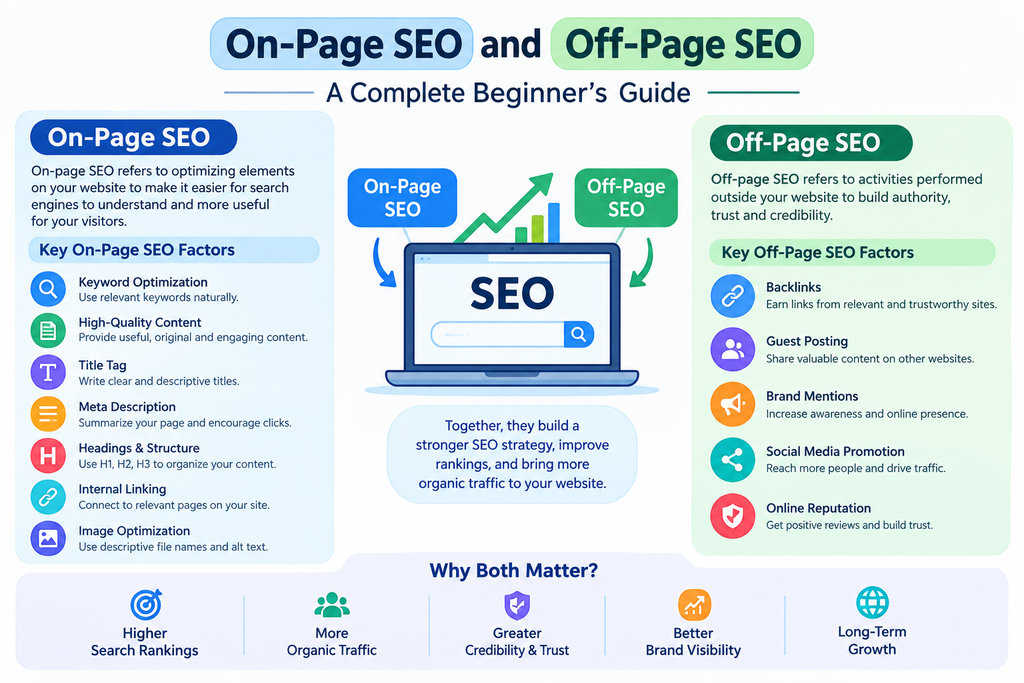
    Technical SEO is an important part of search engine optimization that helps search engines crawl, understand, and index your website properly. While on-page SEO focuses mainly on content and off-page SEO focuses on backlinks and authority, technical SEO works behind the scenes to improve the technical performance and structure of a website.

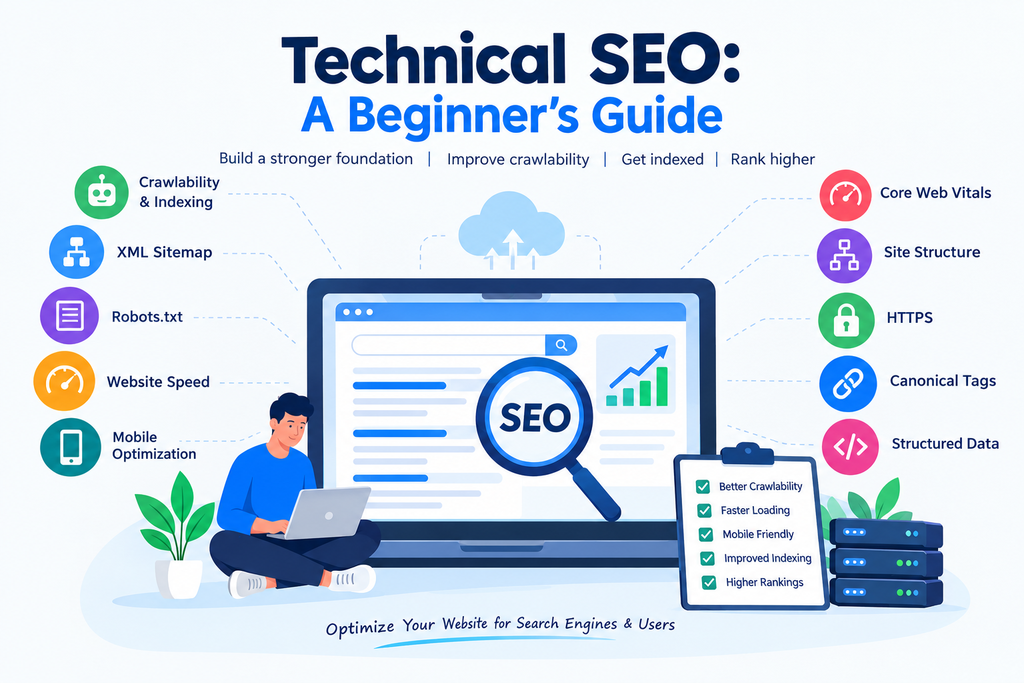
    Technical SEO beginner’s guide showing crawlability, indexing, XML sitemap, website speed, mobile optimization, Core Web Vitals, HTTPS, canonical tags, and structured data.

    A website can have excellent content and quality backlinks, but technical problems can still make it difficult for search engines to discover and rank its pages. That is why understanding the basics of technical SEO is important for every website owner and SEO beginner.

    What Is Technical SEO?

    Technical SEO is the process of improving the technical aspects of a website so that search engines can crawl, index, and understand its content more effectively.

    It includes areas such as website speed, mobile-friendliness, site structure, crawlability, indexing, XML sitemaps, robots.txt, HTTPS, canonical URLs, and structured data.

    The main goal of technical SEO is not simply to make a website look better. It is to create a website that is easy for both users and search engine crawlers to access and understand.

    Why Is Technical SEO Important?

    Technical SEO is important because search engines need to access and understand your website before they can properly include its pages in search results.

    For example, if important pages are blocked from crawling, search engines may not discover them. Similarly, slow loading times or poor mobile usability can create a poor user experience.

    Some major benefits of technical SEO include:

    • Better website crawlability
    • Improved indexing
    • Faster page loading
    • Better mobile experience
    • Clearer website structure
    • Improved user experience
    • Easier access for search engine crawlers
    • Fewer technical errors

    Technical SEO does not guarantee higher rankings by itself, but it creates a strong technical foundation for other SEO activities.

    Crawlability and Indexing

    Crawlability refers to how easily search engine bots can access and explore the pages of your website. Search engines use crawlers to discover URLs and understand website content.

    Indexing happens after a search engine processes a page and decides whether it should be stored in its search index.

    Both crawlability and indexing are essential parts of technical SEO.

    You can check whether Google has indexed your pages using Google Search Console. The Page Indexing report can help identify pages that are indexed, excluded, or experiencing indexing issues.

    Common reasons for indexing problems include:

    • Pages blocked by robots.txt
    • Noindex tags
    • Duplicate content
    • Server errors
    • Incorrect canonical tags
    • Poor internal linking

    Fixing these issues can help search engines discover your important pages more efficiently.

    Create an XML Sitemap

    An XML sitemap is a file that provides search engines with information about important URLs on your website. It can help search engine crawlers discover pages that you want to be considered for indexing.

    For many websites, the sitemap is usually available at a URL such as:

    yourwebsite.com/sitemap.xml

    Your XML sitemap should contain the important, indexable pages of your website. It should not normally contain URLs that you do not want search engines to index.

    After creating your sitemap, you can submit it through Google Search Console. Keeping your sitemap updated is also important when you add or remove significant pages.

    Use Robots.txt Correctly

    The robots.txt file tells search engine crawlers which areas of a website they are allowed or not allowed to crawl.

    It can be useful for controlling crawler access to certain parts of a website. However, beginners should be careful when editing this file because accidentally blocking important pages or resources can create SEO problems.

    For example, if you unintentionally block an important section of your website, search engines may have difficulty crawling it.

    Robots.txt should therefore be used carefully and checked regularly when making technical changes.

    Improve Website Speed

    Website speed is another important area of technical SEO. Users generally expect websites to load quickly, especially on mobile devices.

    A slow website can make it difficult for visitors to find information and may increase the likelihood that they leave the page.

    You can improve website speed by:

    • Compressing images
    • Using modern image formats
    • Reducing unnecessary code
    • Enabling browser caching
    • Minimizing large files
    • Removing unnecessary plugins
    • Using a reliable hosting service
    • Improving server response time

    Tools such as Google PageSpeed Insights can help you identify performance problems and provide recommendations.

    Focus on Core Web Vitals

    Core Web Vitals are a set of metrics used to measure important aspects of page experience, including loading performance, responsiveness, and visual stability.

    The main Core Web Vitals are:

    • Largest Contentful Paint (LCP): Measures loading performance.
    • Interaction to Next Paint (INP): Measures responsiveness to user interactions.
    • Cumulative Layout Shift (CLS): Measures visual stability.

    Monitoring these metrics can help you identify areas where your website experience can be improved.

    Core Web Vitals should be considered alongside other SEO and user-experience factors rather than treated as the only factor that determines rankings.

    Make Your Website Mobile-Friendly

    A large number of users access websites through smartphones, so mobile optimization is an important part of technical SEO.

    A mobile-friendly website should have readable text, properly sized buttons, easy navigation, and content that fits different screen sizes.

    Responsive web design is commonly used to make a website adapt to desktops, tablets, and mobile devices.

    You can use Google’s mobile-related testing and Search Console reports to identify usability or performance issues affecting your website.

    Create a Clear Site Structure

    A clear site structure makes it easier for visitors and search engines to understand how different pages are connected.

    For example, a website can organize content into categories and subcategories instead of placing every page at the same level.

    A simple structure could look like:

    Homepage → SEO → Technical SEO → Technical SEO Guide

    A well-organized structure can also make internal linking easier. Important pages should be accessible through relevant internal links instead of being isolated from the rest of the website.

    Use HTTPS

    HTTPS helps protect information exchanged between a website and its visitors. It is implemented through an SSL/TLS certificate.

    You can identify an HTTPS website by the padlock or security indicator displayed by modern browsers.

    Using HTTPS is an important basic technical requirement because website security contributes to user trust and is also a confirmed Google ranking signal.

    If your website still uses HTTP, you should discuss moving to HTTPS with your hosting provider or developer.

    Understand Canonical Tags

    A canonical tag helps search engines understand which version of a URL should be treated as the preferred version when similar or duplicate pages exist.

    For example, the same content may sometimes be accessible through different URLs because of parameters or website configurations.

    A properly implemented canonical URL can help communicate your preferred version to search engines.

    However, canonical tags should be implemented carefully. They are signals rather than a guarantee that Google will always choose the specified URL.

    Add Structured Data

    Structured data is a standardized format that helps search engines understand information on a webpage.

    For example, structured data can describe information such as articles, products, events, organizations, recipes, or breadcrumbs.

    When eligible, structured data can help search engines understand your content and may make your pages eligible for certain enhanced search results.

    However, adding structured data does not guarantee that enhanced results will appear.

    Fix Broken Links and Errors

    Broken links can lead users and search engine crawlers to pages that no longer exist. Regularly checking your website for broken links is therefore useful.

    Common technical errors include:

    • 404 errors
    • Server errors
    • Redirect problems
    • Incorrect canonical URLs
    • Redirect chains
    • Duplicate pages
    • Missing important pages

    You can use tools such as Google Search Console and website crawling tools to identify technical problems.

    When a page has permanently moved, a relevant 301 redirect can help send users and search engines to the new URL.

    Technical SEO Checklist for Beginners

    If you are new to technical SEO, you can start with this simple checklist:

    1. Make sure your website uses HTTPS.
    2. Check that important pages can be crawled.
    3. Submit an XML sitemap.
    4. Review your robots.txt file.
    5. Check indexing in Google Search Console.
    6. Improve website loading speed.
    7. Make the website mobile-friendly.
    8. Monitor Core Web Vitals.
    9. Create a clear site structure.
    10. Fix broken links and major technical errors.
    11. Use canonical tags where appropriate.
    12. Add relevant structured data when applicable.

    Final Thoughts

    Technical SEO provides the foundation that allows search engines to crawl, understand, and index your website efficiently. It covers many technical elements, including website speed, mobile optimization, crawlability, indexing, XML sitemaps, robots.txt, HTTPS, canonical tags, structured data, and site structure.

    You do not need to fix every technical issue at once, especially if you are a beginner. Start by checking your website in Google Search Console, making sure important pages are indexable, improving page speed, and creating a clear website structure.

    Once these basics are in place, you can continue improving your technical SEO as your website grows. Combining a technically healthy website with useful content, strong on-page SEO, and quality backlinks can create a stronger overall SEO strategy.

  • On-Page SEO and Off-Page SEO: A Complete Beginner’s Guide

    Search engine optimization (SEO) is important for helping websites appear in search engine results and attract the right audience. If you are new to SEO, two terms you will come across frequently are On-Page SEO and Off-Page SEO. Both are important parts of an effective SEO strategy, but they focus on different areas.

    d35da0e9 65e4 45e3 9a70 dd63937b576c

    On-page SEO focuses on optimizing elements that are present on your website, while off-page SEO focuses on activities performed outside your website to build authority and trust. Understanding both can help you create a stronger SEO strategy and improve your website’s visibility over time.

    What Is On-Page SEO?

    On-page SEO refers to the process of optimizing individual web pages to make them easier for search engines to understand and more useful for visitors. It includes elements such as content, keywords, headings, URLs, images, internal links, and meta tags.

    The main goal of on-page SEO is to help search engines understand what a page is about while providing a good experience for users.

    Important On-Page SEO Factors

    There are several elements you should consider when optimizing a webpage.

    1. Keyword Optimization

    Keywords are words or phrases people type into search engines. Using relevant keywords naturally throughout your content helps search engines understand the topic of your page.

    Your primary keyword should be included in important areas such as the title, introduction, headings where appropriate, URL, and meta description. However, avoid keyword stuffing because excessive or unnatural keyword use can make your content difficult to read.

    2. High-Quality Content

    Content is one of the most important parts of on-page SEO. Your content should provide useful, accurate, original, and relevant information that matches the search intent of your audience.

    Instead of writing content only for search engines, focus on answering the questions your readers are looking for. Use short paragraphs, examples, bullet points, and clear headings to improve readability.

    3. Title Tag

    The title tag tells search engines and users what a webpage is about. A good SEO title should be descriptive, relevant, and naturally include the primary keyword when appropriate.

    For example, a page targeting On-Page SEO and Off-Page SEO could use a title such as “On-Page SEO and Off-Page SEO: A Complete Beginner’s Guide.”

    4. Meta Description

    A meta description is a short summary of a webpage that can appear below the title in search results. It should explain what users can learn from the page and encourage relevant users to click.

    Including your main keyword naturally in the meta description can also help communicate the page’s relevance.

    5. Headings and Structure

    Use headings such as H1, H2, and H3 to organize your content. The H1 should clearly describe the main topic, while H2 and H3 headings can divide the article into smaller sections.

    A well-structured article makes it easier for both readers and search engines to understand the information.

    6. Internal Linking

    Internal links connect one page of your website to another page on the same website. They help visitors discover related content and can help search engines understand the relationship between different pages.

    For example, a blog about on-page SEO could internally link to another article about keyword research.

    7. Image Optimization

    Images can make your content more engaging, but they should also be optimized. Use descriptive file names, relevant alt text, and appropriately sized images.

    Alt text helps describe an image to users who cannot see it and can also provide search engines with additional context about the image.

    What Is Off-Page SEO?

    Off-page SEO refers to activities performed outside your website that can help improve its authority, reputation, and visibility. Unlike on-page SEO, these activities do not primarily involve changing the content or technical elements of your own webpage.

    One of the most commonly discussed parts of off-page SEO is link building.

    Important Off-Page SEO Factors

    1. Backlinks

    A backlink is a link from another website to your website. Quality backlinks can help search engines recognize that other websites find your content useful or relevant.

    However, the quality and relevance of backlinks are important. Building large numbers of low-quality or manipulative links can be harmful. Focus on earning links from relevant and trustworthy websites.

    2. Guest Posting

    Guest posting involves creating useful content for another relevant website and, where appropriate, receiving a link back to your website.

    The primary goal should be to provide valuable information to the audience rather than creating links purely for SEO.

    3. Brand Mentions

    When other websites, publications, or online communities mention your brand or website, it can help increase awareness and establish an online presence.

    Building a recognizable brand can support your overall SEO and marketing efforts.

    4. Social Media Promotion

    Sharing your content through social media can help more people discover it. Social media activity is not simply a replacement for SEO, but it can increase content visibility, generate traffic, and create opportunities for people to discover and reference your content.

    5. Online Reputation

    Your website’s reputation can influence how users perceive your business or brand. Positive reviews, useful content, genuine engagement, and consistent online information can contribute to a stronger online presence.

    On-Page SEO and Off-Page SEO: What Is the Difference?

    The main difference between On-Page SEO and Off-Page SEO is where the optimization takes place.

    On-page SEO focuses on elements you can control directly on your website, such as content, keywords, headings, URLs, images, internal links, and meta tags.

    Off-page SEO focuses on activities outside your website, such as earning backlinks, promoting content, building brand awareness, and developing relationships with relevant websites.

    Both approaches work together. A website may have strong content and good on-page optimization, but it can also benefit from building authority and visibility outside the website.

    Why Are On-Page SEO and Off-Page SEO Important?

    Using both approaches can create a more complete SEO strategy. On-page optimization helps search engines understand your content and helps visitors navigate and use your website.

    Off-page SEO can help establish credibility and increase your website’s exposure across the internet.

    For example, imagine you publish a detailed article about keyword research. You optimize the title, headings, keywords, images, URL, and internal links. This is on-page SEO.

    If another relevant website finds your article useful and naturally links to it, that is an example of an off-page SEO benefit.

    On-Page SEO and Off-Page SEO Best Practices

    When working on your SEO strategy, keep the following practices in mind:

    • Create useful and original content.
    • Research keywords before writing.
    • Use keywords naturally rather than stuffing them.
    • Write clear and descriptive SEO titles.
    • Create useful meta descriptions.
    • Organize content with headings.
    • Add relevant internal links.
    • Optimize images and alt text.
    • Make your website easy to navigate.
    • Focus on earning relevant, high-quality backlinks.
    • Promote useful content through appropriate channels.
    • Build genuine relationships with relevant websites and audiences.
    • Avoid manipulative link-building techniques.

    Conclusion

    On-Page SEO and Off-Page SEO are two important parts of a complete SEO strategy. On-page SEO helps optimize the content and elements of your website, while off-page SEO focuses on building authority, visibility, and recognition outside your website.

    For beginners, it is useful to work on both areas rather than focusing on only one. Start by creating helpful content, optimizing your pages, improving your website structure, and using relevant keywords naturally. Then gradually work on content promotion, brand awareness, and earning quality backlinks.

    SEO is a long-term process, so consistent improvement is more useful than trying to make every change at once. By combining effective on-page and off-page practices, you can create a stronger foundation for improving your website’s search visibility and attracting relevant organic traffic.

  • Off-Page SEO: What It Is and How It Works

    Off-page SEO is an important part of search engine optimisation that helps improve your website’s visibility and reputation outside your own website. While on-page SEO focuses on optimising content and HTML elements, off-page SEO focuses on activities such as link building, brand mentions, and building relationships with other websites.

    If you want to increase organic traffic and improve your website’s search engine rankings, understanding off-page SEO techniques is essential. In this beginner-friendly guide, you will learn what off-page SEO is, why it matters, how backlinks work, and which off-page SEO strategies you can use to support your website’s growth.

    43cf9d62 0d15 4933 b898 74a411bd72ae

    What Is Off-Page SEO?

    Off-page SEO refers to activities performed outside your website to improve its visibility in search engines. These activities help search engines understand how other websites and people view your content, business, or brand.

    One of the most important parts of off-page SEO is link building. When another website links to your website, it creates a backlink. Backlinks can help search engines discover your pages and may contribute to how your website is evaluated.

    However, off-page SEO is not limited to backlinks. It can also include brand mentions, digital public relations, content promotion, and building relationships within your industry.

    For example, if you publish a blog about SEO and another website refers to your article as a useful resource, that mention can help people discover your content and may provide an SEO benefit if it includes a relevant link.

    Why Is Off-Page SEO Important?

    Off-page SEO is important because search engines consider more than just the content on your website when evaluating pages. External signals can provide additional information about your website’s relevance and reputation.

    Here are some benefits of off-page SEO:

    1. Helps Improve Search Visibility

    Quality backlinks and other relevant external signals can support your website’s visibility in search results. However, backlinks alone do not guarantee higher rankings.

    2. Increases Website Traffic

    When other websites link to your content, their visitors may click those links and visit your website. This can bring referral traffic from relevant audiences.

    3. Builds Website Authority

    When trustworthy websites refer to your content, it can help establish your website as a useful resource in your niche. This is particularly valuable when you consistently publish helpful and accurate content.

    4. Improves Brand Awareness

    Off-page SEO strategies such as content promotion and digital PR can help more people discover your business or website.

    5. Supports Long-Term SEO Growth

    Building genuine relationships, creating useful resources, and earning relevant backlinks can support a long-term SEO strategy.

    What Are Backlinks?

    Backlinks are links from one website to another website. For example, if a digital marketing website links to your SEO blog, that link is a backlink for your website.

    Backlinks are also called inbound links or incoming links.

    Search engines can use links to discover pages and understand connections between websites. Some backlinks may also contribute to ranking signals.

    However, not all backlinks have the same value. A relevant link from a trustworthy website can be more useful than a link from an unrelated or low-quality website.

    Types of Backlinks

    Natural backlinks: These are links that other website owners create because they genuinely find your content useful.

    Editorial backlinks: These are links included naturally within an article, guide, or resource.

    User-generated backlinks: These may appear in comments, forums, or other user-created content. Their SEO value varies, and some may use a nofollow or other link attribute.

    The main goal of backlink building should be to earn useful, relevant links rather than collect as many links as possible.

    Important Off-Page SEO Techniques

    There are several off-page SEO techniques that beginners can use to promote their websites and build credibility.

    1. Link Building

    Link building is the process of acquiring links from other websites to your own website. It is one of the most well-known off-page SEO techniques.

    You can build links by creating useful content, publishing original research, contributing expert information, and developing relationships with relevant website owners.

    For example, if you publish a detailed guide about keyword research, another SEO website may link to it as a helpful resource.

    Focus on relevance and quality instead of trying to get hundreds of backlinks from unrelated websites.

    2. Guest Blogging

    Guest blogging means writing an article for another website. Some websites allow contributors to include a relevant link to their own content.

    For example, if you write about digital marketing, you may contribute an article to a marketing blog and include a useful link to your website when the website’s guidelines allow it.

    Guest blogging should focus on providing valuable information to readers. Avoid publishing low-quality articles on many websites only to gain backlinks.

    3. Content Marketing

    Content marketing involves creating and promoting useful content that attracts your target audience.

    Examples include:

    • Blog posts
    • Detailed guides
    • Infographics
    • Original research
    • Case studies
    • Helpful tutorials

    When your content is useful, people may share it, mention it, or link to it. This makes content marketing an important part of off-page SEO strategies.

    4. Social Media Promotion

    Social media promotion involves sharing your website content on platforms such as Facebook, Instagram, LinkedIn, and other relevant channels.

    Social media links are not generally treated as direct ranking signals in the same way as qualifying editorial backlinks. However, social media can help increase content visibility, attract visitors, and create opportunities for others to discover and link to your content.

    For example, you can share a blog about SEO keyword research on your social media page and encourage your audience to read it.

    5. Digital PR and Brand Mentions

    Digital PR involves promoting your website, business, or expertise through online publications, news websites, interviews, and other relevant media.

    Brand mentions can help increase awareness and may lead to backlinks when publishers choose to link to your website.

    For example, if you run a digital marketing website and provide useful information for an industry article, a publication may mention your brand and link to your website.

    How to Get Backlinks Naturally

    If you are wondering how to get backlinks, start by creating content that other websites would genuinely want to reference.

    Here are some practical methods:

    Create Helpful Content

    Write detailed articles that answer common questions and provide useful information. Original research, statistics, tutorials, and comprehensive guides can be valuable resources.

    Promote Your Content

    Share your articles through relevant social media platforms, online communities, and professional networks. Promotion can help your content reach people who may find it useful.

    Build Relationships

    Connect with bloggers, website owners, and professionals in your niche. Genuine relationships can create opportunities for collaboration and relevant mentions.

    Find Broken Link Opportunities

    Some websites contain broken links to resources that no longer exist. If you have a relevant, useful replacement resource, you can inform the website owner. There is no guarantee they will replace the link.

    Contribute Useful Information

    You can contribute expert insights to relevant articles, interviews, or industry discussions. When appropriate, these opportunities may lead to brand mentions or backlinks.

    Off-Page SEO Mistakes to Avoid

    Beginners should avoid shortcuts that may harm their website’s SEO.

    Buying backlinks: Purchasing links intended to manipulate search rankings can violate search engine spam policies.

    Keyword stuffing in anchor text: Repeating exact-match keywords unnaturally in backlinks can look manipulative. Use natural and descriptive anchor text.

    Low-quality link building: Getting links from unrelated, spammy, or low-quality websites may not provide meaningful value.

    Excessive guest posting: Publishing poor-quality content only to obtain links is not a sustainable strategy.

    Ignoring content quality: Backlinks cannot replace useful, relevant, and well-written content.

    A good off-page SEO strategy focuses on creating value for readers and earning trust over time.

    How to Measure Off-Page SEO Results

    You can use SEO tools to monitor your off-page SEO performance.

    Google Search Console

    Google Search Console helps you monitor your website’s search performance, indexing, and search queries. It also provides information about links to your website.

    Semrush

    Semrush can help you analyze backlinks, referring domains, competitors, and other SEO metrics.

    Ahrefs

    Ahrefs provides backlink analysis and tools for researching link opportunities and competitor link profiles.

    Important metrics to monitor include:

    • Referring domains
    • Relevant backlinks
    • Organic search traffic
    • Search impressions
    • Search queries
    • Website visibility

    Remember that an increase in backlinks does not automatically mean your rankings will increase. SEO results depend on many factors, including content quality, competition, technical SEO, and search intent.

    Final Thoughts

    Off-page SEO is an important part of a complete SEO strategy. It helps your website build visibility, attract referral traffic, and develop credibility through activities outside your own website.

    The most important off-page SEO techniques include link building, content marketing, guest blogging, social media promotion, and digital PR. Among these, earning relevant and high-quality backlinks is a major focus for many SEO professionals.

    If you are a beginner, start by creating helpful content, promoting your articles, and building genuine relationships with relevant websites. Avoid shortcuts such as buying backlinks or using spammy link-building methods.

    With consistent effort and a focus on quality, off-page SEO strategies can support your website’s long-term growth and help more people discover your content online.